Table of Contents
Instagram Vanish Mode lets messages sent in a supported chat disappear after they have been seen and you leave the conversation. To turn it on, open the chat and swipe up from the bottom of the message screen. Swipe up again to turn it off. Depending on your account and location, Instagram may label the feature Vanish mode or Disappearing messages.
Important: disappearing messages are not a guarantee of secrecy. The other person can copy the content, photograph the screen with another device, or report the conversation. Use the feature for temporary exchanges, not passwords, financial details, or anything that would be harmful if saved.
Turn Vanish Mode on by swiping up
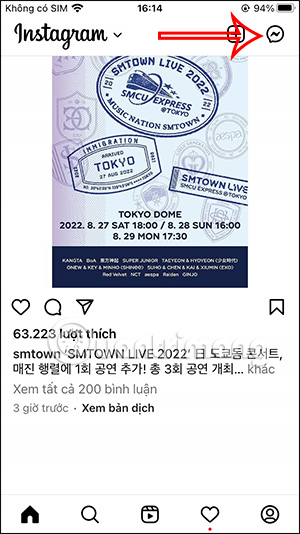
- Open the Instagram app and tap the Messages icon in the upper-right corner.
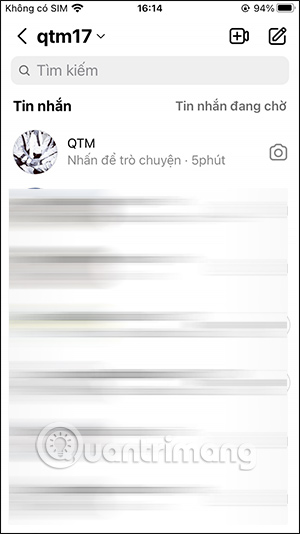
- Select the one-to-one conversation where you want to use disappearing messages.
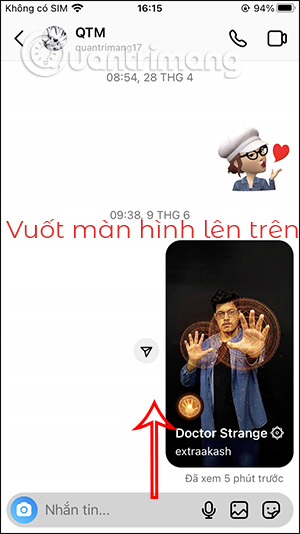
- Place a finger near the bottom of the chat, swipe upward, and release when Instagram indicates that Vanish Mode will turn on.
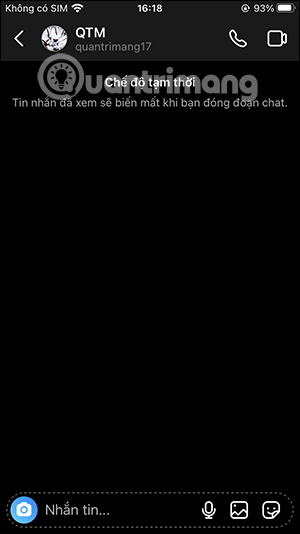
The chat changes appearance when the mode is active. Send text, photos, or videos only after checking that the Vanish Mode indicator is visible.
What happens to messages in Vanish Mode?
Messages sent while the mode is active disappear from the visible thread after they have been seen and the conversation is closed. Messages that were already in the normal conversation are not converted into disappearing messages.
Instagram can notify participants if someone takes a screenshot while Vanish Mode is active. That warning does not stop someone from saving the information another way, so treat every message as potentially recoverable.
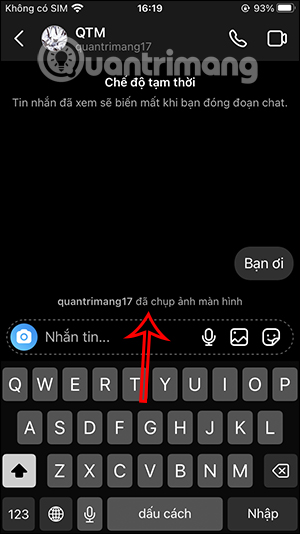
Instagram also lets people report a message or a Vanish Mode conversation. Meta states that a report can be made for up to 14 days after the messages disappear, even though they are no longer visible in the chat. See Instagram's Vanish Mode reporting information for the current policy.
Turn Vanish Mode on from chat settings
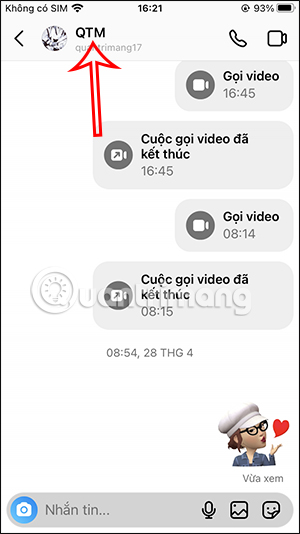
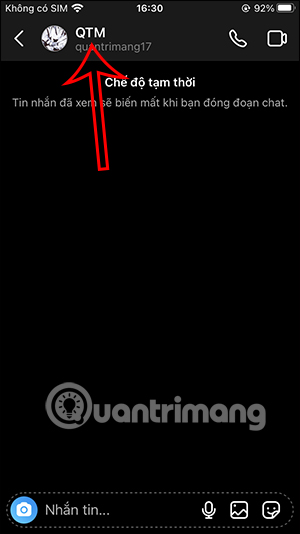
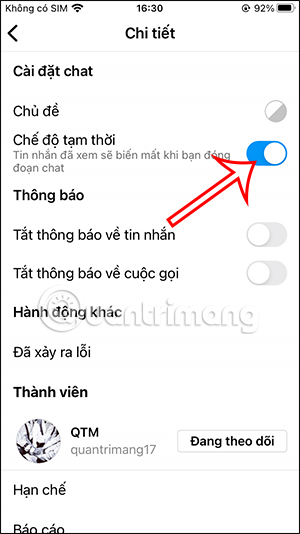
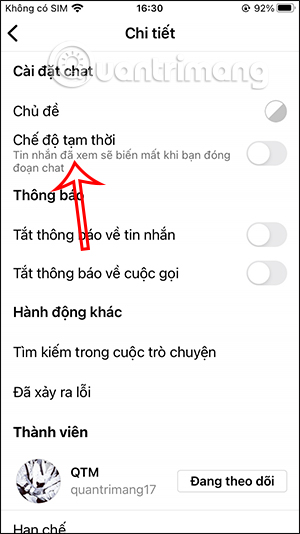
Some versions of Instagram also provide a chat setting. Open the conversation, tap the person's name at the top, and look for Vanish mode or Disappearing messages.
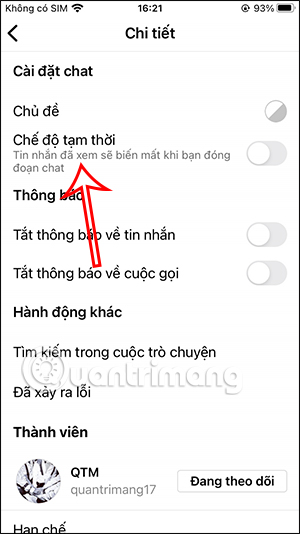
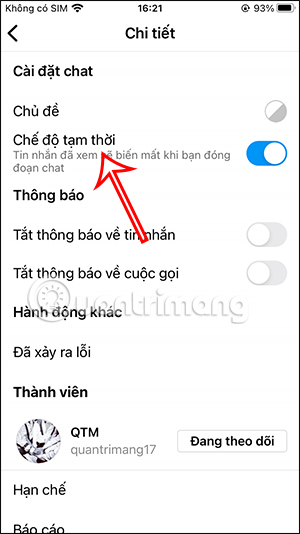
Turn on the available disappearing-message control, then return to the conversation and confirm that the mode indicator appears.
How to turn Vanish Mode off
The quickest method is to swipe up from the bottom of the active Vanish Mode conversation and release. The chat returns to its normal appearance, and new messages will stay in the regular thread unless you enable the mode again.
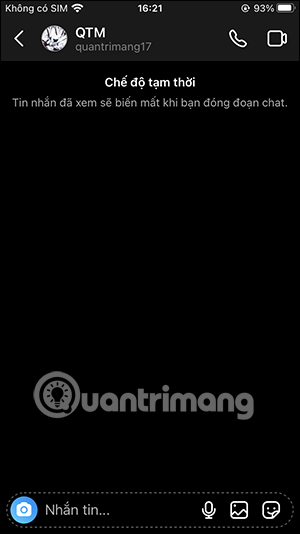
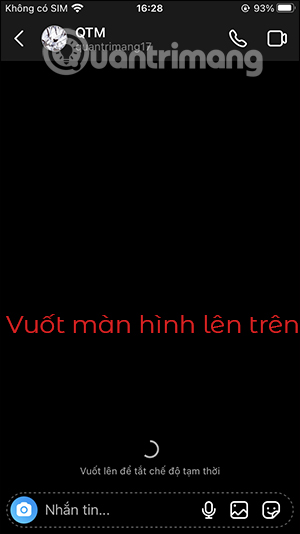
If your app provides the chat setting, you can also tap the person's name and disable Vanish mode or Disappearing messages.
If Vanish Mode is missing
- Update Instagram: install the latest app version available for your device.
- Check the conversation: the control may not appear in every chat or account configuration.
- Check regional availability: Meta says disappearing messages are available only in certain locations.
- Restart the app: close Instagram fully, reopen it, and try the swipe gesture again.
For current availability and labels, consult Meta's overview of disappearing messages and its Vanish Mode instructions.
Do not confuse Vanish Mode with disappearing photos and videos
Instagram also has a separate control for sending an individual photo or video that can be viewed once or replayed. That option applies to the selected media item, while Vanish Mode changes how messages behave in the conversation. Meta explains the distinction in its disappearing photo and video guide.
Use disappearing messages safely
Vanish Mode can reduce ordinary chat clutter, but it does not replace account security. If an unknown person pressures you to share private information, stop responding and use Instagram's block or report controls. If you suspect someone accessed your account, follow the recovery steps in what to do when an Instagram account is hacked. You can also reduce message exposure on a shared phone by reviewing how notification previews appear; iPhone users can follow this guide to hide message content on the lock screen.
Related Articles
 Instagram Account Is Hacked, This Is All You Need to Do13 minutes read
 Translate Instagram Messages: How to Translate Messages on Instagram2 minutes read
 Guide to End-to-end Encryption on Instagram: Key Facts4 minutes read
 How to Permanently Delete Instagram and Disable Temporarily4 minutes read
 How to Message on Instagram: Step-by-Step Guide2 minutes read
 How to Schedule Messages on Instagram3 minutes read
Reader Comments 0
Sign in with email or Google to join the discussion.