Table of Contents
This practical guide explains how to connect ps5 dualsense gamepad to apple tv with clear steps and useful context. It also covers common requirements, potential problems, and the details that can help you get better results.
You may not know it, but most games in Apple Arcade support a dedicated controller mode to give players a richer experience. Pairing the PS5's DualSense controller via Bluetooth is simple. However, there is a small error that the DualSense controller can appear as the PS4's DualShock 4 controller on Apple TV. It's an inconvenience that hopefully Apple will fix with a future tvOS update.
Connecting PS5 Dualsense Game Controller to Apple TV
Before you begin pairing your DualSense controller with your Apple TV, make sure your Apple TV is running the latest tvOS update.
To get started, you need to put the PS5 DualSense controller in pairing mode. On the DualSense controller, hold down the Create button and the PlayStation logo button at the same time.
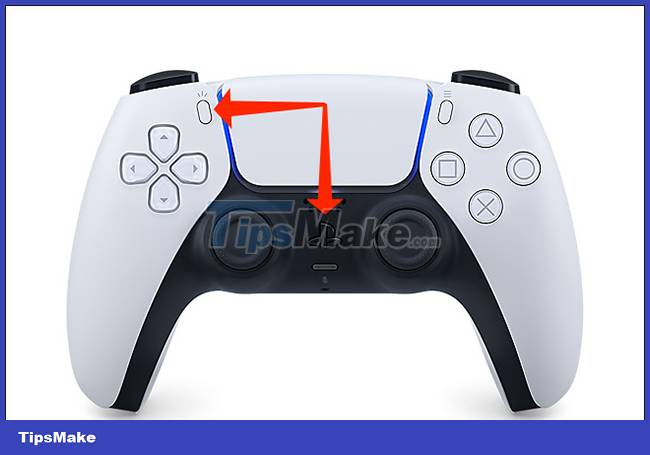
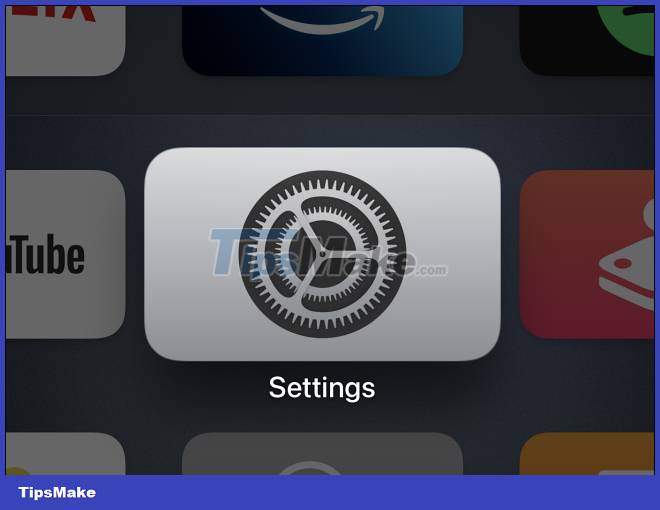
The device will be in pairing mode when the LED around the trackpad flashes rapidly in blue. Next, open the Settings app on your Apple TV.
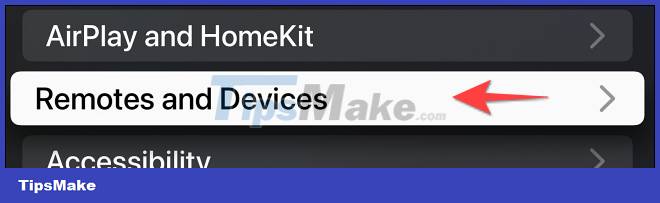
In the Settings menu, select ' Remote and Devices '.
Under ' Other Devices ', select ' Bluetooth '.

Your Apple TV will now search for nearby Bluetooth accessories. Select ' DualSense Wireless Controller ' when it appears in the ' Other Devices ' section.
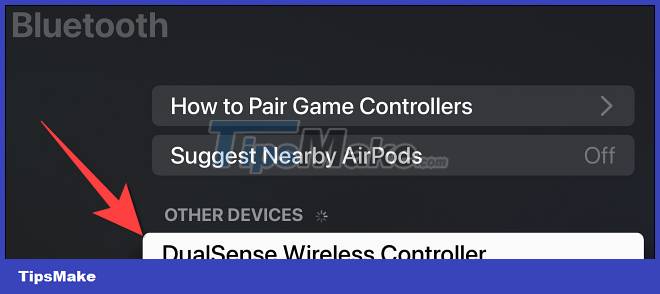
After connecting the controller to your Apple TV, you can click ' DualSense Wireless Controller ' to customize the controller's buttons.
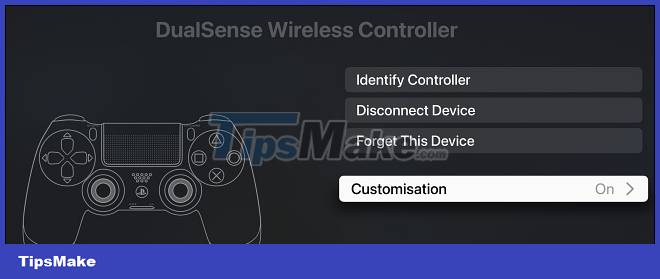
The DualSense controller is a much better and more comfortable alternative to the Apple TV remote. You can connect up to 4 Bluetooth controllers at the same time. If so, you can also connect an Xbox controller to your Apple TV. In addition, you can connect a wireless keyboard to your Apple TV to enter text more quickly.
Conclusion
Understanding Gamepad makes it easier to compare options, avoid common mistakes, and apply the information in this guide more effectively. Review the relevant requirements before making changes or choosing a solution.
FAQ
How do you connect ps5 dualsense gamepad to apple tv?
Follow the steps in this guide in order, confirm the required settings or tools, and verify the result before making additional changes.
Is it safe to connect ps5 dualsense gamepad to apple tv?
It is generally safe when you follow the recommended instructions, use trusted tools, and avoid changing settings you do not understand.
What should you do if the process does not work?
Recheck the requirements, restart the device or application when appropriate, and review each step for missed settings or compatibility issues.
Related Articles
 How to Sync Dualsense Controller with Playstation 55 minutes read
 How to Use a Gamepad as a Mouse in Windows8 minutes read
 How to Connect a PS5 Controller to an iPhone or iPad4 minutes read
 What Is Octopus Gamepad? Gamepad Replacement App4 minutes read
 What Is Mantis Gamepad Pro? How to Use It5 minutes read
 How to Set up Dualsense Controller Microphone Auto-mute on3 minutes read
Reader Comments 0
Sign in with email or Google to join the discussion.