But there are several ways to test and compare antivirus software before downloading it. This is easier than you think!
1. Use Data-driven Comparison Sites
Checking the specs is important, but you should also use real data to determine which antivirus software is best. Some sites will let you do that, and AV-Test is the top recommendation.
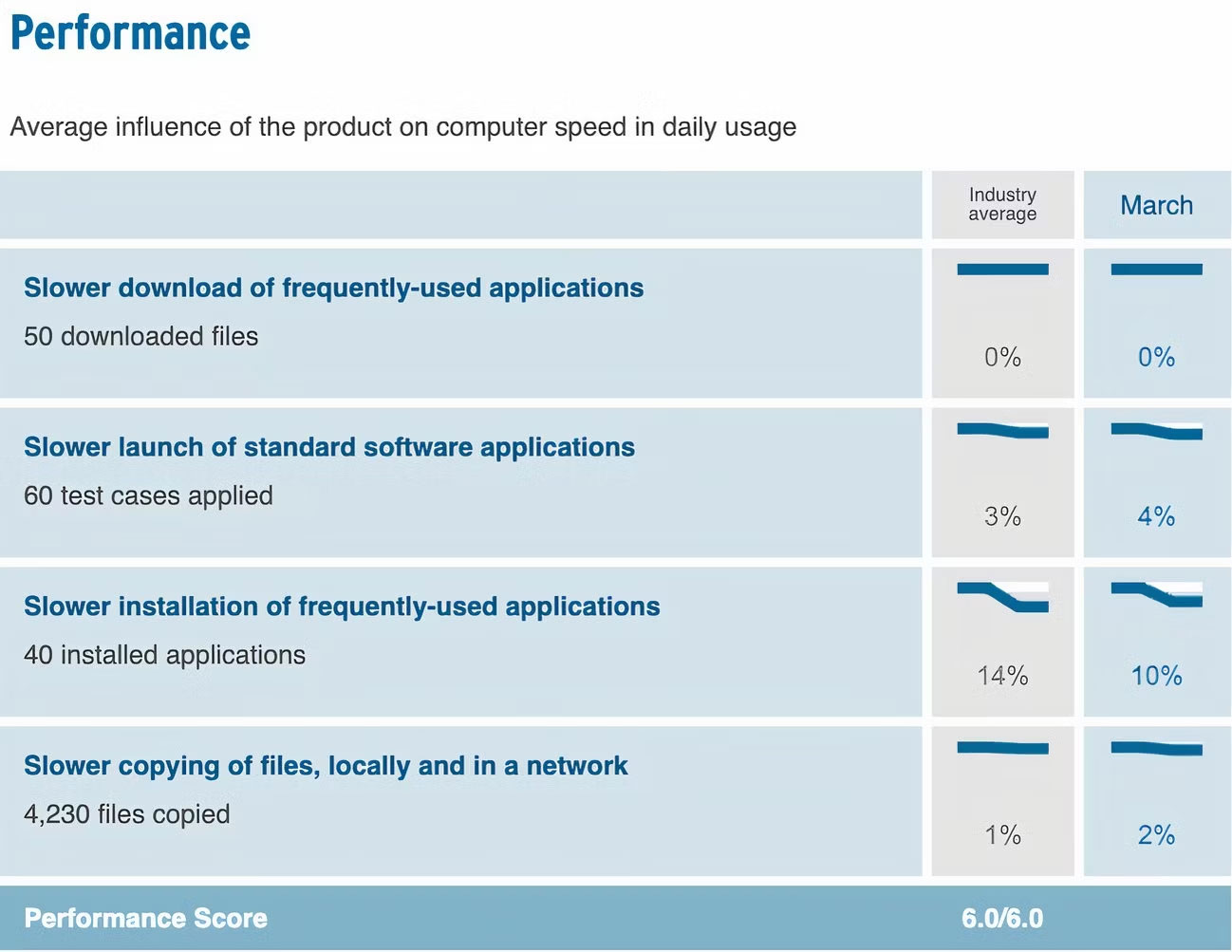
AV-Test determines the performance of many popular antivirus engines across many areas, such as whether they slow down application installation. It also shows whether the tool you're looking at detected any false positives or alarms, with many other performance metrics for comparison.
Using AV-Test, you can test the performance of your software on computers and mobile devices - smartphones need protection too!
2. Read Customer Reviews Online
You should read customer reviews before purchasing any product or service, and this is even more important when choosing antivirus software. Millions of other people have probably tried the tool you're considering, and you'll find reviews online. One of the best ways to analyze the safety of a website, product or service is to use Trustpilot and similar sites.
While it's a good idea to read positive reviews, one way you can get the full picture is to see what people say in the negative reviews. Not all of these reviews are created equal; Sometimes, what customers say doesn't reflect the whole picture. Then you can decide if the trade-offs are worth it.
In addition to Trustpilot, you can also use Reddit to see what others have to say about the tool.
3. Compare the Specifications of Each Antivirus Tool
Testing each antivirus tool is too complicated for most people, but comparing each product's specifications will help you decide if the tool you choose meets your needs.. Look for the absolute essentials your antivirus needs, such as real-time protection and online support. You should also determine system requirements, supported languages, and similar factors.
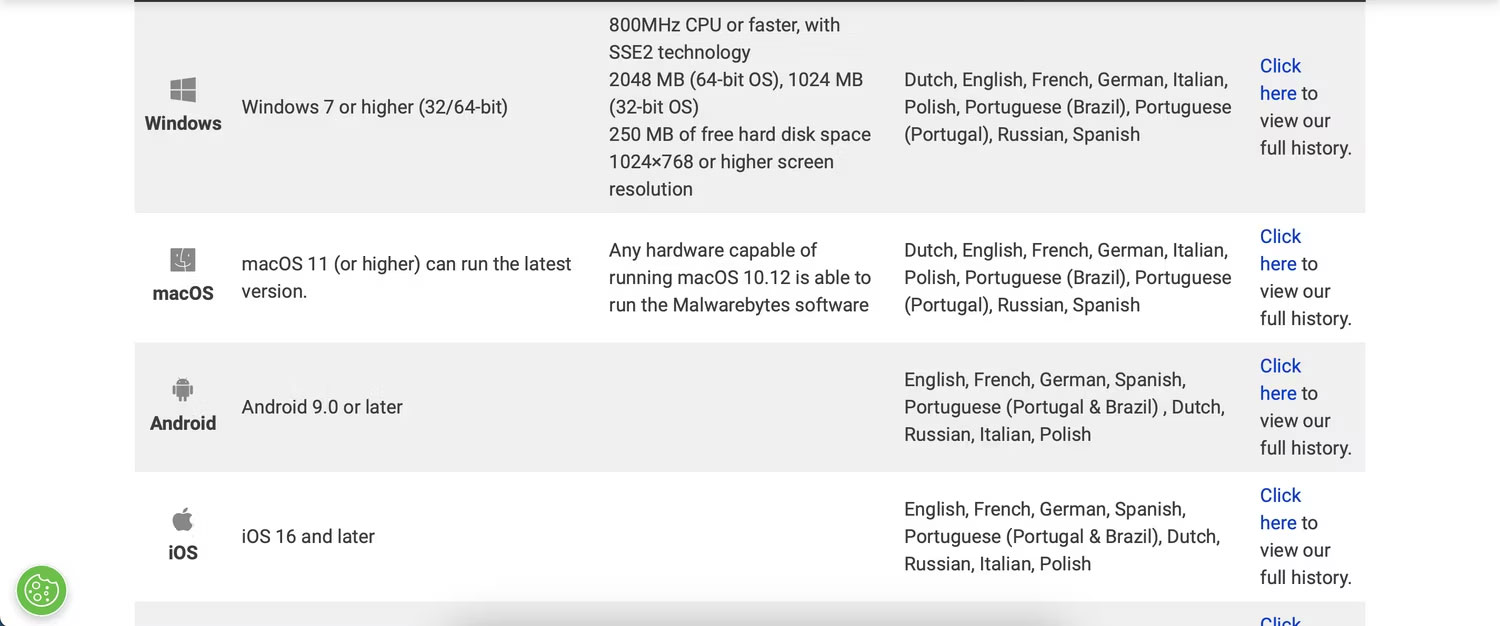
In addition to the most important features, you should also consider unique tools you may need to use. For example, you may want antivirus software that has a browser protector or anti-tracking tool.
4. Read Review Blog Posts and Watch Review Videos
Another way to compare antivirus tools before downloading is to read and watch reviews. Look for honest reviews that give a fair assessment, and be careful of reviews that are only positive (everything has pros and cons!).
Look for every aspect that matters to you, whether it's device availability, certain features, price, or something else. It's a good idea to look at at least 5-10 reviews to get a better idea of what works best for you.
Comparing antivirus software doesn't have to be difficult; You can evaluate whether a tool meets your needs in a few simple ways. Reading customer reviews online is a good starting point, and you should also compare each solution by looking at their specifications. Data-driven websites can also give you an idea of how your computer's performance will be after installing the software.

Reader Comments 0
Sign in with email or Google to join the discussion.