Table of Contents
Google Translate offers two related but different experiences: Live translate helps you understand speech in another language, while Practice provides listening and speaking activities for learning. Language support and availability differ, so the presence of one feature does not guarantee the other.
Live translation for conversations and listening
Google's August 2025 announcement described AI-powered live conversation translation in more than 70 languages, building on the app's existing conversation mode. The initial rollout named the United States, India, and Mexico; that was a launch scope, not a permanent worldwide availability list.
Later updates expanded the experience, including translation through headphones. Use the latest mobile app and check the available modes and language pairs on your device rather than relying on the launch announcement alone.
- Open Google Translate and select Live translate if available.
- Choose the input and output languages and the appropriate listening or conversation mode.
- Allow microphone access when needed and use headphones if the selected mode requires them.
- Test a short sentence and confirm that the translated meaning is correct before continuing.
Speak clearly and reduce competing audio where possible. Names, numbers, technical terms, accents, and overlapping speakers can still lead to mistakes. Do not treat near-real-time output as a guarantee of complete or exact translation.
See Google's Live translate instructions for supported controls and platform details.
Practice for language learning
The Practice experience creates activities around a learner's language, level, and goals. You can work with suggested scenarios or a situation you want to rehearse, such as ordering food or preparing for a conversation.
Open the Practice option if it is available, choose the offered language pair, and set your level and goal. Use a short session to identify unfamiliar words or phrases, then review them before trying the scenario again.
The original launch offered a limited set of language directions. Google's current Practice help page lists supported languages; do not assume every language available for ordinary translation is available for practice.
If a feature is missing
Update the app and check your platform, account, region, and language pair. A downloaded offline language pack does not by itself establish that live AI translation or practice works offline.
For related steps, see using Practice mode in Google Translate and translating text in images. Use live translation for immediate understanding and practice sessions for repeated learning; neither replaces checking important meaning with a fluent speaker when accuracy matters.
Related Articles
 Do Translation Earbuds Replace Language Learning? Uses and Limits
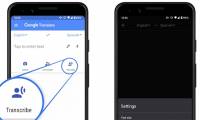 The real-time translation feature officially docked the Google Translate app
 Google Translate is about to have a 'language learning' feature to compete with Duolingo?
 For the first time in 4 years, Google Translate is adding new languages
 The translation of Google Translate also sometimes has to surrender before Vietnamese
 How to fix Google Chrome Translate not working
Reader Comments 0
Sign in with email or Google to join the discussion.