Table of Contents
This article explores Google developed data sharing features between iOS and Android with straightforward explanations and useful context. It also highlights common questions and important details to consider.
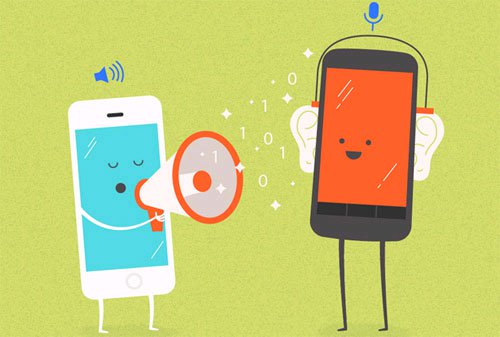 Copresence will be the solution to help iOS and Android users to share data together
How Google Developed Data Sharing Features Between iOS and Android Works
According to Engadget , the new feature will be called Copresence , with the unique ability to just leave Android and iOS devices side by side, then open Wi-Fi or Bluetooth as users can exchange data between the two computers..
The source also said that to authenticate the data transfer between the two devices, the device will have to be granted permission to use each other's location information, or it can be authenticated via Bluetooth connection.
This is considered a convenient way for iOS and Android users, when there is no need to take time to download data to share on a certain cloud service, then have to go to the service to download data to the computer.
It is expected that the new feature will be revealed in detail by Google within the next few weeks.
FAQ
What is the main benefit of Google developed data sharing features between iOS and Android?
The main benefit is a clearer understanding of the topic and a practical way to apply the information covered in this guide.
What should I check before using Google developed data sharing features between iOS and Android?
Confirm compatibility, review the required settings, protect important data, and use the latest supported version whenever possible.
What should I do if the result is different?
Repeat the steps carefully, verify permissions and version differences, and consult the product's official support documentation for changes not shown in the article.
Related Articles
 How to Share Screen on Google Duo Android3 minutes read
 What Data Does Android Share with Google?7 minutes read
 Unique Features on Smartphones That You Don't Know Yet7 minutes read
 New Features of Android Auto5 minutes read
 How to Use the Virtual Assistant Google Assistant Vietnamese on Android5 minutes read
 5 Android Features That Google Has Quietly Removed7 minutes read
Reader Comments 0
Sign in with email or Google to join the discussion.