Table of Contents
The sections below explain free license ashampoo anti-malware 1.21 within 180 days in a clear and practical way. Review the key details, examples, and considerations before applying the information.
How Free License Ashampoo Anti-malware 1.21 Within 180 Days Works
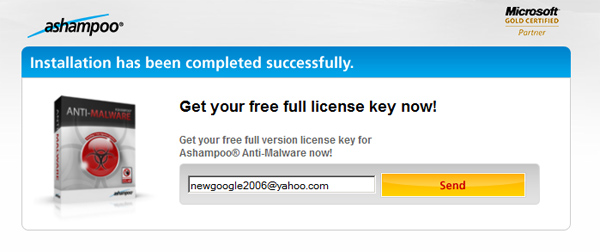
After confirming users's email address, Ashampoo will send another email containing the activation key:

Download the app Ashampoo Anti-Malware 1.21 here. To register the copyright, you select the Internet & Help Tab at the top right and enter the activation code - in the registration email:

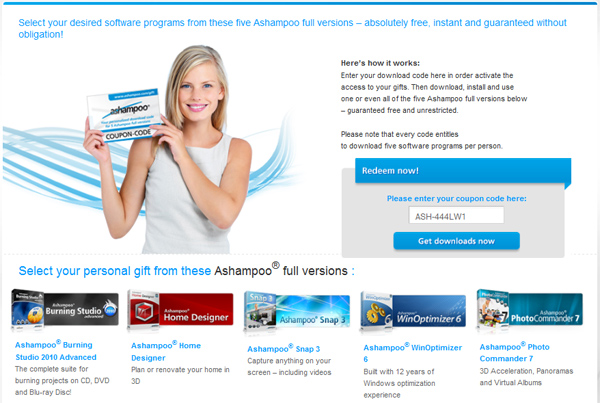
Ashampoo Anti-Malware has the ability to monitor and manage the process of installing system components, Winsock LSPs, IE BHOs and Windows host files. The real-time protection feature is available in the default mode called On-access scanner . Or users can set these properties in the Options Section to use both anti-spyware and anti-virus functions or just 1 in 2. Besides, other support tools such as File Wiper to delete File, folder or entire drive, Hosts File Checker, Startup Tuner, Rootkit Detector 2, Internet Cleaner, ADS Scanner, Process Manager and LSP Viewer. The current virus identification database system can identify up to 4,801,229 malware programs, scan and analyze strange behaviors to detect any unusual phenomena that appear in the system. But Ashampoo Anti-Malware v1.21 can turn off the operation easily from Task Manager - this is a defect that needs to be fixed, because it is very easy to be exploited by hackers. 5 other Ashampoo applications sent to users in a completely free way are Burning Studio 2010 Advanced, Home Designer, Snap 3, WinOptimizer 6 and Photo Commander 7. You just need to access and here and enter the coupon code: ASH- 444LW1
FAQ
What is the main benefit of free license ashampoo anti-malware 1.21 within 180 days?
The main benefit is a clearer understanding of the topic and a practical way to apply the information covered in this guide.
What should I check before using free license ashampoo anti-malware 1.21 within 180 days?
Confirm compatibility, review the required settings, protect important data, and use the latest supported version whenever possible.
What should I do if the result is different?
Repeat the steps carefully, verify permissions and version differences, and consult the product's official support documentation for changes not shown in the article.
Related Articles
 Quickly Download Some Useful Software of Ashampoo Which Is Being5 minutes read
 Download Ashampoo Photo Commander 15, Professional Photo Editing4 minutes read
 Download Ashampoo Winoptimizer 2018, the System Cleaning and4 minutes read
 Download the Malware Removal Tool and Clean up Malware Hunter PRO4 minutes read
 Fix Red Eye in Photos with Ashampoo Red4 minutes read
 Offers Anti-malware Software, Protects Iobit Malware Fighter 6 PRO4 minutes read
Reader Comments 0
Sign in with email or Google to join the discussion.