Table of Contents
This article provides a clear overview of Epson Launches Ultra-economical Monochrome Printer, with the main facts, useful context, and practical details organized for easy reading.
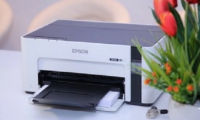
The representative of Epson said that the Epson EcoTank monochrome printer (including the M1100, M1120, M1140 and M3170 series), introduced in Vietnam, is able to help users save costs to the maximum. With high page yield of up to 6,000 black and white pages for each bottle of ink, the cost per print of EcoTank printers is 17 times lower than current laser printers in the Vietnamese market.
EcoTank monochrome printers are also superior to laser printers in the ability to save energy and environmentally friendly, with 30 times lower power consumption than laser printers in Vietnam. Thanks to non-thermal mechanical inkjet technology, Epson's inkjet printers consume much less energy than laser printers, which consume a considerable amount of electricity to generate internal heat. printing process.
Epson M1140, M2140 and M3170 printers are equipped with PrecisionCore technology nozzle that delivers prints at a resolution of 1,200x2,400 dpi. Meanwhile, the EcoTank monochrome models such as M2140 and M3170 are capable of automatic duplex printing, scanning and copying, especially the M3170 model is equipped with automatic paper feeder and Ethernet connection.
In addition, the M3170 model also has connectivity solutions that allow users to print directly from mobile devices via Epson iPrint. The remaining connectivity solutions include Scan to Cloud, Apple Airprint and Mopria Print Service.
Begin Dable In_article Widget / For inquiries, visit http://dable. io
End Dable In_article Widget / For inquiries, visit http://dable. ioFAQ
What is the main focus of Epson Launches Ultra-economical Monochrome Printer?
The article explains the most important facts, context, and practical details related to Epson Launches Ultra-economical Monochrome Printer.
Who may find this information useful?
It is useful for readers who want a clear overview, practical context, and a better understanding of the subject.
What should readers verify before taking action?
Check current product versions, official requirements, regional availability, and any details that may have changed since the original publication.
Related Articles
 Is the Epson L805 Printer Good Review? Should I Buy It?11 minutes read
 How to Fix Epson L805 Printer Error Flashing 5 Lights8 minutes read
 Epson Printer with Paper Deviation - How to Fix Epson4 minutes read
 Epson L310 Color Inkjet Printer Review: Should I Buy It?10 minutes read
 How to Clean Epson Printer Nozzles: Practical Guide13 minutes read
 The Printer Has Ink Smudges - Causes and Ways to Fix the9 minutes read
Reader Comments 0
Sign in with email or Google to join the discussion.