Table of Contents
This guide explains configuring seriko shadows die twice on Computer, laptop, including configuring sekiro: die shadows twice on your computer, laptop, 1.
Sekiro: Shadows Die Twice has a standard configuration that is no different than the Dark Souls III game. Accordingly, Sekiro: Shadows Die Twice has a configuration that is not too high and suitable for most current PC configurations.
- Play Apex Legends on PC
- Configure PlayerUnknown's Battlegrounds on the computer
- PUBG Lite player configuration on computer, laptop
Configuring Sekiro: Die Shadows Twice on Your Computer, Laptop
Specifically, if you want to experience Sekiro: Shadows Die Twice at the minimum configuration, you will have to equip the PC's configuration a bit higher than Dark Souls III. For Sekiro: Shadows Die Twice, gamers only need a cheap CPU or use an old CPU currently, GTX 760 or AMD Radeon HD 7950, can play Sekiro: Shadows Die Twice at Low Settings already.
1. Configure Minimum Play Sekiro: Shadows Die Twice on the Computer

- Operating system: Windows 7 64bit or more
- CPU: Intel Core i3-2100 or AMD FX 6300
- RAM requirements: 4GB RAM
- Graphics card: Nvidia GeForce GTX 760 or AMD Radeon HD 7950
- DirectX: Version 11
- Hard drive requirement: 25 GB
2. Configure the Required Player to Play Sekiro: Shadows Die Twice on Your Computer, Laptop
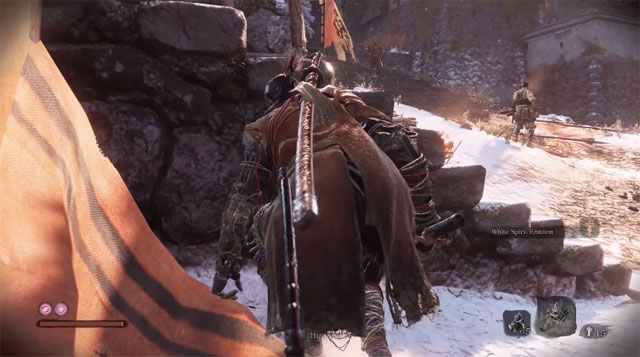
If you want to experience Sekiro: Shadows Die Twice at a High or higher setting, gamers will need to upgrade more powerful hardware like the Inter Core i5-2500K or AMD Ryzen 5 1400, 8GB combination. RAM and GTX 970 graphics card or AMD Radeon RX 570.
And while Activision hasn't revealed a standard configuration request to run Sekiro: Shadows Die Twice, at any resolution and FPS level, but with this configuration you can battle Sekiro: Shadows Die Twice at High Settings.
- Operating system: Windows 7 64bit or more
- CPU: Intel Core i5-2500K or AMD Ryzen 5 1400
- RAM requirements: 8GB of RAM
- Graphics card: Nvidia GeForce GTX 970 or AMD Radeon RX 570
- DirectX: Version 11
- Hard drive requirement: 25 GB
Sekiro: Shadows Die Twice, also known as SSDT, was first introduced to E3 last year and is rumored to be more difficult than Dark Souls. According to what Developer From Software shared with gamers, Sekiro: Shadows Die Twice will be a different formula from what it has developed in its old game series like Bloodborne, Demon's Souls and Dark Souls.
The game has changed a lot in fighting style, as well as adding parkour and stealth mechanisms. Changing the battle mechanism will make Seriko Boss battles: Shadows Die Twice completely different from the old game From Software.
FAQ
What is the main point of configuring Seriko Shadows Die Twice on Computer, Laptop?
This guide explains configuring seriko shadows die twice on Computer, laptop, including configuring sekiro: die shadows twice on your computer, laptop, 1.
Which details should readers focus on?
The most useful sections cover configuring Sekiro: Die Shadows Twice on your computer, laptop, 1. Configure minimum play Sekiro: Shadows Die Twice on the computer, 2. Configure the required player to play Sekiro: Shadows Die Twice on your computer, laptop. Use those points to understand the topic before taking action.
Where can I verify current information?
Check the relevant developer, manufacturer, or service provider's official documentation, release notes, and support pages for current requirements and policies.
Related Articles
 Shadow in Photography: Balls in Photography8 minutes read
 How to Create Shadows in AI3 minutes read
 Assassins Creed Shadows Gameplay5 minutes read
 Configuring World War Z: Configure World War Z on Your Computer3 minutes read
 How to Configure Fpt Optical Fiber Gpon Modem3 minutes read
 Configuration of Playing Fifa Online 4 on the Computer3 minutes read
Reader Comments 0
Sign in with email or Google to join the discussion.