Table of Contents
Compare Office 365 and Google Apps for Business is easier to understand when the core ideas are paired with practical examples. The sections below explain the topic clearly, highlight useful steps, and point out details that can prevent common errors.
Following Google Apps for Business, Microsoft has just announced its application for Office 365 business with beta testing provided widely.
This move made a battle between 'software giant' and 'search giant' in the market for office products for businesses.
Let's compare some basic characteristics of these two software.
Time
Cloud computing is a trend of technology for businesses, because it brings many utilities, especially online storage, to save costs. It is inevitable that this is the path that any big boss in technology village will go. But Google has gone ahead with killer features from Google Apps for Business and Microsoft is just a newcomer to migrating its Office to 'clouds'.
Function
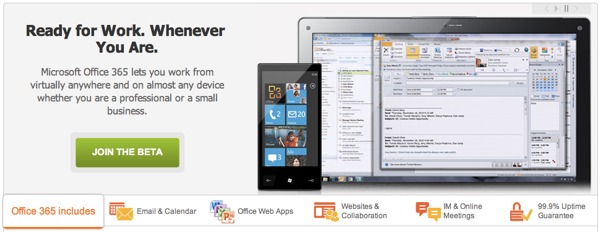
Office 365 combines Exchange, Word, Excel, PowerPoint and OneNote online versions for phone calendar and email access. There is also SharePoint for document and internal sharing, Lync for messaging, web meetings, audio and video calls. In addition, if you pay an extra fee, you also have Microsoft Office Professional including Outlook for email and calendar.
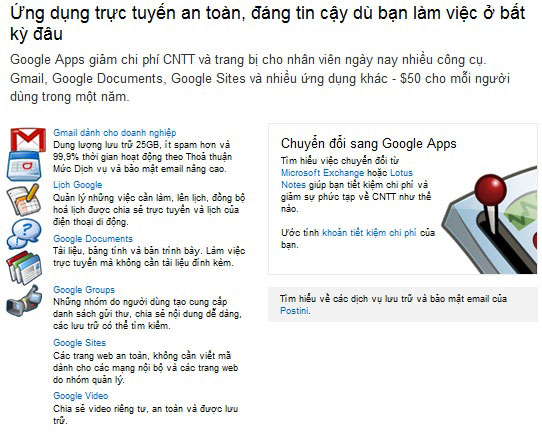
Google Apps is not inferior to text, Spreadsheets, presentations, Gmail, calendars, groups for group collaboration, web for intranet. Google also offers a variety of tools that are not available in Office 365 and you can still use these tools without signing up for Google Apps like Reader, AdWords, Picasa and Blogger.
In addition, both software for this business have many common utilities including payroll, accounting,.
Price

Office 365 prices start at $ 6 for small businesses every month, while Google for business applications are cheaper at $ 50 a year. However, Microsoft also promotes customers with a surcharge from the monthly fee for Office Professional Plus with prices ranging from $ 2 to $ 24 per month for a user.
Who will win
Google is releasing bait for migrants from Microsoft, Google Apps migration for Microsoft Exchange allows organizations to transfer emails, calendars, contacts and PST, IMAP server data to Google Apps. Google has officially opened online cooperation with the public, but there is still room for Office 365 to exist.
Google Apps boasts about 3 million users, and thousands of people register every day. But Microsoft also has millions of BPOS users who will upgrade to Office 365, and it's hard for Google to take over the plot when the number of Microsoft Office desktop users is a whopping 750 million. people.
Besides, there are still tasks that Google online tools have not yet dealt with and this is the reason why some users can try Office 365.
It is possible that in this cloud war Microsoft will win if it convinces customers to accept Office 365.
But nothing is certain even when the simplicity, convenience and affordable price of Google know what is attractive to customers who do not need to format preferred Word, Excel with a complex price structure. trash.
FAQ
What is Compare Office 365 and Google Apps for Business?
Following Google Apps for Business, Microsoft has just announced its application for Office 365 business with beta testing provided widely.
Why is Compare Office 365 and Google Apps for Business important?
A clear understanding of Compare Office 365 and Google Apps for Business helps you make informed decisions, avoid common mistakes, and use the relevant tools or techniques more effectively.
How should beginners approach Compare Office 365 and Google Apps for Business?
Start with the fundamental concepts, follow the examples step by step, and test each change in a safe environment before applying it to important systems or data.
Related Articles
 Please Download the My Business App from Google's Own, Free for Small and Medium Enterprises4 minutes read
 Compare Google Apps, Office 365 and Zoho Docs15 minutes read
 Businesses Choose Office 2010 or Google Apps?: Microsoft Office 20106 minutes read
 Should I Choose Microsoft Office 2016, Office 2019 or Office 365?11 minutes read
 5 Best Messaging Apps for Businesses 20204 minutes read
 Lifetime Investment Package Office HOME & BUSINESS 20194 minutes read
Reader Comments 0
Sign in with email or Google to join the discussion.