Table of Contents
Check How Mobifone Service Is Registered? is easier to understand when the core ideas are paired with practical examples. The sections below explain the topic clearly, highlight useful steps, and point out details that can prevent common errors.
After introducing how to check the registered service of Vinaphone and Viettel , we will introduce how to check the registered service of the remaining telecommunication network MobiFone in the article below. Unlike VinaPhone and Viettel, in addition to 2 ways of checking by SMS and using the website, MobiFone also allows searching on mobile wap site of the network.
Method 1: SMS
Please write KT message to the beginning of 994 ( free ) to receive a reply message listing the MobiFone service you are using.

Method 2: USSD protocol
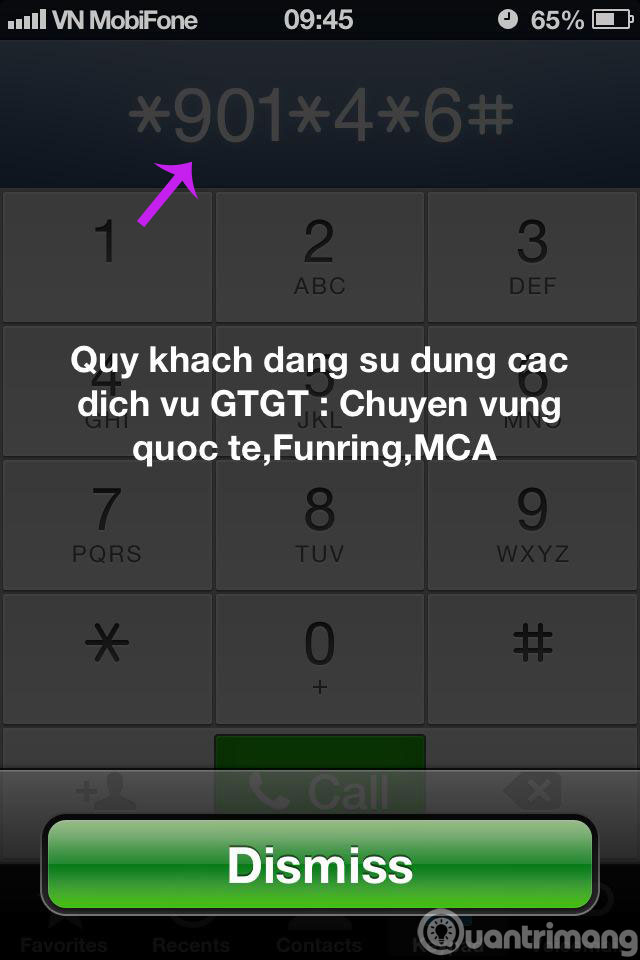
For a MobiFone subscriber, searching the list of VAT services you are using can be done quite easily via USSD protocol, namely * 901 * 4 * 6 # or * 901 * 4 * 7 # .
Method 3: Go to the website / wap
MobiFone website
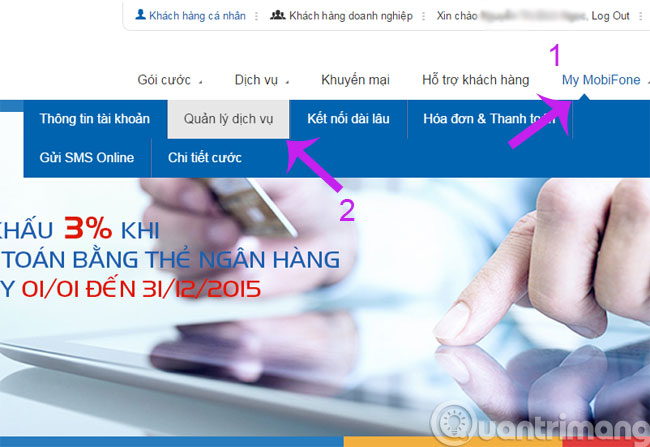
Step 1 : After logging into your account, please click My MobiFone and select Service Management .
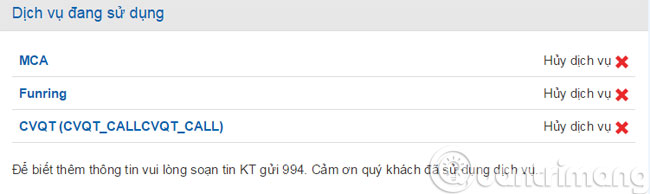
Step 2 : Here will appear the services you are using
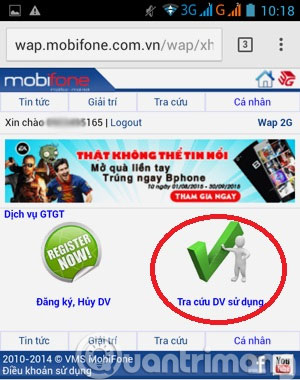
MobiFone wap site
Step 1 : On wap MobiFone, you also log in normally and if you are using 3G MobiFone, you will be free of traffic to this wap site. Then go to Personal and click Register / Cancel VAT service .
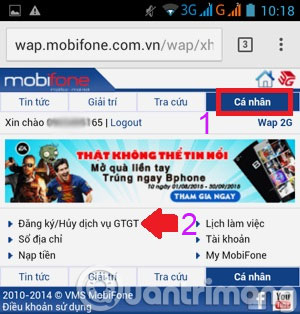
Step 2 : Click on Search Service User .
Good luck!
FAQ
What should you know about method 1: SMS?
Please write KT message to the beginning of 994 ( free ) to receive a reply message listing the MobiFone service you are using.
What should you know about method 2: USSD protocol?
For a MobiFone subscriber, searching the list of VAT services you are using can be done quite easily via USSD protocol, namely * 901 * 4 * 6 # or * 901 * 4 * 7 #.
What is Check How Mobifone Service Is Registered??
After introducing how to check the registered service of Vinaphone and Viettel, we will introduce how to check the registered service of the remaining telecommunication network MobiFone in the article below.
Related Articles
 How to Check the Registered Vinaphone Service?3 minutes read
 How to Check the Phone Is Not Deducted by the Network?7 minutes read
 How to Check Viettel's Registered Service?2 minutes read
 How to Register 3G Mobifone Packages7 minutes read
 How to Register for 25 Days for Free Using Funring, MCA, Mfilm5 minutes read
 Check and Supplement Information for Mobifone Subscribers Under9 minutes read
Reader Comments 0
Sign in with email or Google to join the discussion.