Table of Contents
Quick Overview
ChatGPT : Get a clear, practical overview of ChatGPT.
The online search wars officially heat up as ChatGPT removes the login barrier, allowing anyone to use its search engine.
After more than two months of limited testing with paid users and a waiting list, OpenAI has officially opened its ChatGPT search engine to everyone. This means you don't need to sign up for an account or pay a fee to experience ChatGPT's advanced AI-powered information search capabilities.
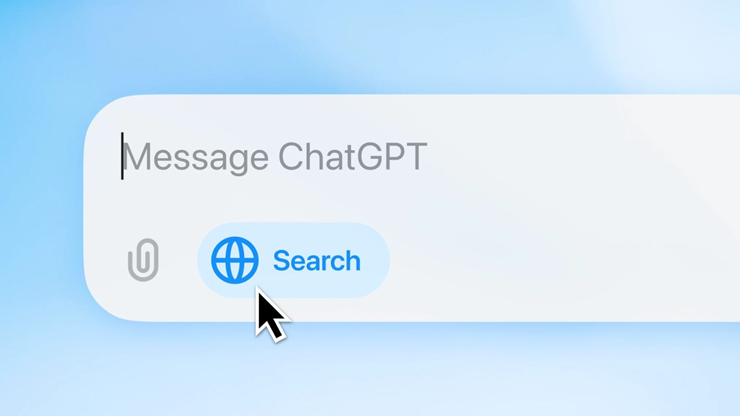
ChatGPT Search has been 'opened' to all users for free.
First launched on October 31, 2024, ChatGPT's search engine is built on the GPT-4o large language model, which aggregates information from multiple sources, including third-party search providers and OpenAI content partners.
The move is seen as a major step for OpenAI in directly competing with Google, which has dominated online search for more than two decades. Removing the login barrier will help ChatGPT reach a huge user base while also making it easier to collect feedback and improve the quality of the service.
Can ChatGPT make a big splash and topple Google's dominance? The answer remains open. However, with its recent strong developments, including the launch of two new AI agents, Operator and Deep Research, OpenAI is showing its great ambition in the AI race.
FAQ About ChatGPT
What is ChatGPT?
This means you don't need to sign up for an account or pay a fee to experience ChatGPT's advanced AI-powered information search capabilities
Why is ChatGPT important?
Understanding ChatGPT helps you evaluate its benefits, limitations, and potential risks before making a decision.
How can you use or manage ChatGPT effectively?
The online search wars officially heat up as ChatGPT removes the login barrier, allowing anyone to use its search engine
Related Articles
 Stop Opening ChatGPT Directly in Your Browser: Use This Shortcut Instead!6 minutes read
 What Is ChatGPT Pro? Is It Worth It in 2026?8 minutes read
 minutes read
 5 Ways to Use ChatGPT Search to Find Information Faster Than Google9 minutes read
 How to Use ChatGPT Projects to Increase Productivity6 minutes read
 Learn About ChatGPT-4o: Features, Benefits and How to Use It: Complete Guide7 minutes read
Reader Comments 0
Sign in with email or Google to join the discussion.