Table of Contents
Is the Charger Getting Hot When Charging Is It Dangerous?
This guide provides a clear overview of charger gets hot when charging, including Is the Charger Getting Hot When Charging Is It Dangerous, What Causes the Charger to Get Hot. Use it to understand the topic, compare the available options, and make a more informed decision.
With a genuine charger, if there is a phenomenon of heating when plugged in, there is no need to worry. Because they have been through a rigorous testing process before being released on the market.
If the charger is of unknown origin, cheap, and of poor quality, the heating up when charging can cause fire and explosion, reducing the life of the battery.
What Causes the Charger to Get Hot?
Unstable power supply
When the power supply is unstable, the charger will have to work continuously and generate heat. If this condition is prolonged, it will make the IC easily damaged and may cause a fire or explosion.
Charge and use your phone at the same time
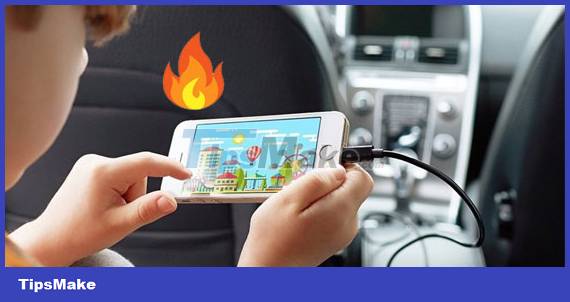
When charging and using the phone at the same time, the full charge time will be extended. Therefore, it is recommended to charge the phone for at least 30 minutes before using it again, to ensure the minimum amount of battery allowed for use.
The charger is not compatible with the device
In case, when all chargers, charging cords, charging cables for tablet phones and devices are compatible with each other, if the charger heats up to an acceptable level, it is still safe for users and phones.
When the rated power source for the charging device is not suitable for the phone, it will lead to a difference between the power source of the charger and the device, thereby causing overload and heating of the charger.
Using a charger or charging cable of unknown origin, poor quality
The charger or charging cable of unknown origin, of poor quality is definitely not manufactured according to the standards and has integrated safety features like genuine products. This is also a frequent cause of the charger getting hot when charging.
Phone problem
The phone has a short circuit problem, so when charging, it will cause the power to be blocked, leading to the device and the charger to heat up, even more seriously, the devices connected to it will be burned.
How to Fix the Charger Is Hot When Charging
To overcome and limit the situation of the charger heating up when charging, users need to pay attention:
- Charge as soon as the phone notices that the battery is low.
- Unplug the phone when it says fully charged, do not.
- Do not charge and use the device at the same time.
- Choose a cool place, avoid direct sunlight to charge the device.
- Hot weather is always an enemy for electronic devices such as phones, tablets, laptops to normal accessories such as chargers, speakers.
- Remove the case, leather case when charging.
- Use original chargers, cords and batteries.
Conclusion
Understanding Charger Gets Hot When Charging makes it easier to compare options, avoid common mistakes, and apply the information in this guide more effectively. Review the relevant requirements before making changes or choosing a solution.
FAQ
What is Charger Gets Hot When Charging?
Is the Charger Getting Hot When Charging Is It Dangerous.
Why is Charger Gets Hot When Charging important?
Understanding Charger Gets Hot When Charging helps you evaluate features, compatibility, performance, and potential limitations before you choose a product or follow a procedure.
What should you consider when using or choosing Charger Gets Hot When Charging?
Consider your specific goal, compatibility requirements, available features, cost, security, and the practical recommendations described in this guide.
Related Articles
 Guide to Quickly Charge Your Phone with Fast Charger4 minutes read
 The Day of True Wireless Charging Is Coming3 minutes read
 How to Use the Public USB Charging Port Safely?10 minutes read
 Surprise with 3 Ways to Charge Your Phone in Africa, Where2 minutes read
 Quick Charging Way iPhone X5 minutes read
 Wireless Charger: How Does Wireless Charging Work?6 minutes read
Reader Comments 0
Sign in with email or Google to join the discussion.