TipsMake.com
  • Tips Make home page Home
  • wifi tips Wifi Tips
  • Fix computer error Fix Computer
  • Windows 10 Windows 10
  • Windows 11 Windows 11
  • Artificial intelligence Artificial Intelligence
  • Space Science Space Science
  • Strange story Strange story
  1. Home
  2. Hardware

Hardware

  • USB - Flash DriveUSB - Flash Drive
  • Speaker headsetSpeaker headset
  • PrinterPrinter
  • PC hardwarePC hardware
  • Network equipmentNetwork equipment
  • Laptop hardwareLaptop hardware
  • Computer componentsComputer components
  • Advice ComputerAdvice Computer
  • Learn to use lesson 3 computer - Basic buttons and ports on the computerLearn to use lesson 3 computer - Basic buttons and ports on the computer
    When we begin to get familiar with the parts of a PC system hardware, we will notice that on the front and back of the computer section there are often many different types of
  • Learn to use lesson 4 - Inside a computerLearn to use lesson 4 - Inside a computer
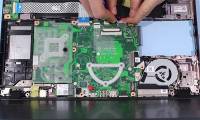
    Have you ever looked inside a computer tree, or seen the image of the components inside it?
  • Learn to use lesson 5 computer - NotebookLearn to use lesson 5 computer - Notebook
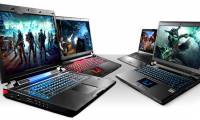
    Laptops, also known as laptops, are a compact computer that can carry, carry, move easily and use in many different locations.
  • Learn to use lesson 6 computer - Mobile devicesLearn to use lesson 6 computer - Mobile devices
    Mobile devices are a general term for portable computers.
  • 13 things not to do when using a computer13 things not to do when using a computer
    PC as well as all other electronics also need to maintain, maintain and need the attention of users during use. But many of us have some errors so the poor care makes the computer
  • Learn to use lesson 7 computer - Sort operating systemLearn to use lesson 7 computer - Sort operating system
    The operating system is the most important software running on computers and mobile devices.
  • Computer hard drive is fast, why?Computer hard drive is fast, why?
    A hard drive is an important component of a computer, all user data such as Windows operating system or personal data is stored on the hard drive and they are always accessed
  • The most desirable laptop brands todayThe most desirable laptop brands today
    The king of the laptop brand has changed, Apple has been officially overtaken. So which brand is standing in this position?
  • Is the fan fan screaming loudly and unusually hot? How to fixIs the fan fan screaming loudly and unusually hot?  How to fix
    If your laptop fan has an unusually loud and hot phenomenon, this is the solution to solve this annoying problem for the laptop.
  • Learn about what drivers are and how to use driversLearn about what drivers are and how to use drivers
    Driver is a bridge between hardware and software, allowing computer programs, operating systems and other applications to interact with a hardware device.
  • Fix 'plugged in, not charging' laptop battery errorFix 'plugged in, not charging' laptop battery error
    Suddenly someday you see the Plugged in, not charging message, the battery is likely to be having problems and of course you won't be able to charge your laptop battery. If so,
  • Is the laptop broken, should it be repaired or purchased?Is the laptop broken, should it be repaired or purchased?
    In fact, this is a brainstorming problem because if you buy genuine goods, it is okay, in contrast, counterfeit goods are very harmful to the computer, but if it is fixed, it is
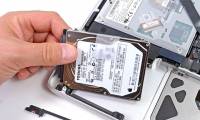
  • Things to know when upgrading hard drives to SSDs for laptopsThings to know when upgrading hard drives to SSDs for laptops
    How to upgrade SSDs effectively is a matter of great concern. Below, Network Administrator will give you all you need to know when upgrading hard drives to SSDs for laptops.
  • Differences between SSD and HDD hard drivesDifferences between SSD and HDD hard drives
    HDD and SSD drives are the two most popular storage devices today. In particular, HDD (Hard-disk-drive) is traditional and SSD (Solid-state-drive) is a new type of hard drive in
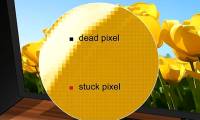
  • Handle scratches and dead spots on laptop screenHandle scratches and dead spots on laptop screen
    The two most annoying problems with the most common screen when you use a laptop are scratches and dead spots. Here are some ways to handle them.
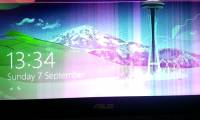
  • How to fix vertical screen stripes, horizontal stripesHow to fix vertical screen stripes, horizontal stripes
    Computer screen errors often occur in many different types, especially for long-term computers. So how to fix the screen vertical stripes, horizontal stripes?
  • Notes when carrying a laptop for repairNotes when carrying a laptop for repair
    In the process of use, it is likely that there will be times when you encounter a laptop failure and must bring it to repair. However, do not think that holding money and bringing
  • How much C computer drive capacity to be reasonable?How much C computer drive capacity to be reasonable?
    Many people use computers but are not very interested in how to allocate memory in the drives for the most reasonable. Simply because they think that hard drive capacity is not as
  • Extend the life of Laptop batteriesExtend the life of Laptop batteries
    In this tutorial, we will show you one of the tips to help your laptop battery work for years and many hours between charges.
  • Unexpected uses of laptop webcamsUnexpected uses of laptop webcams
    Webcam is an indispensable part of laptops and desktops with a series of online video chat software such as Skype, Google Hangouts, Facebook ... However, webcams are not only tools
  • Prev
  • 1
  • ...
  • 130
  • 131
  • 132
  • ...
  • Next
Most viewed
  • How to merge drives using MiniTool Partition Wizard, delete hard drive partitions. How to merge drives using MiniTool Partition Wizard, delete hard drive partitions.
  • The computer has a driver conflict. The computer has a driver conflict.
  • Review of the Seasonic Prime 1000GD 1000W power supply Review of the Seasonic Prime 1000GD 1000W power supply
  • 5 Best 3D Printers of 2026 5 Best 3D Printers of 2026
  • What causes a laptop screen to be dark or blurry? What causes a laptop screen to be dark or blurry?
  • Keyboard shortcuts to rotate your computer screen: horizontal, inverted, 180 degrees, 90 degrees. Keyboard shortcuts to rotate your computer screen: horizontal, inverted, 180 degrees, 90 degrees.
  • How to fix a non-working USB 3.0 port. How to fix a non-working USB 3.0 port.
  • How to measure temperature on a computer, check the weather, and see the outdoor temperature. How to measure temperature on a computer, check the weather, and see the outdoor temperature.
  • System System
  • Mac OS X Mac OS X
  • Hardware Hardware
  • Game Game
  • Tech info Tech info
  • Technology Technology
  • Science Science
  •  Life Life
  • Application Application
  • Electric Electric
  • Program Program
  • Mobile Mobile
Home | About | Terms | Privacy | Contact
© 2019 TipsMake.com