Table of Contents
Explore Apple books also launched year in review 2025.
Guide to viewing the Apple Books Year in Review 2025
It's very simple; you just need to update the Apple Books app to the latest version. Then, open the app and you'll immediately see the "Best Books of 2025" section to access.
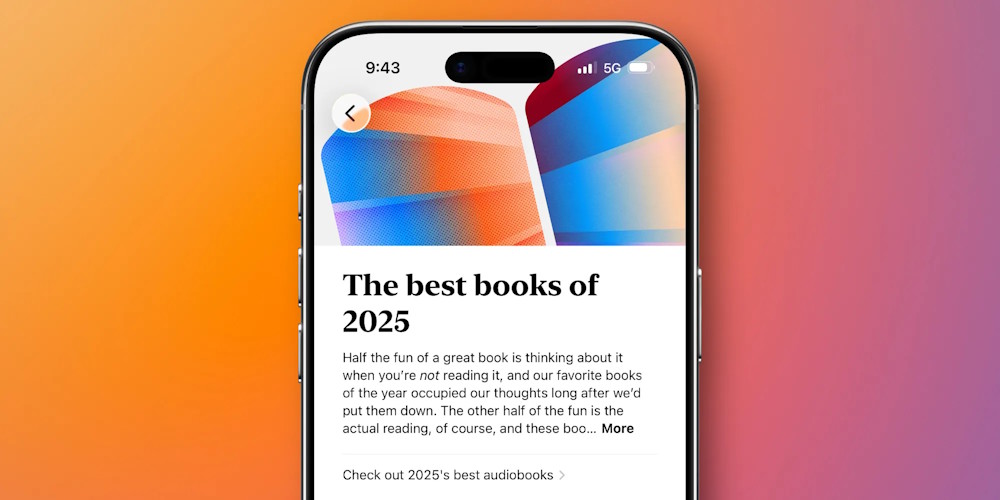
The overview provides you with details about the books you've read, the genres you spend the most time on, and the authors you read most often. Additionally, it will also provide you with details about your monthly reading activity.
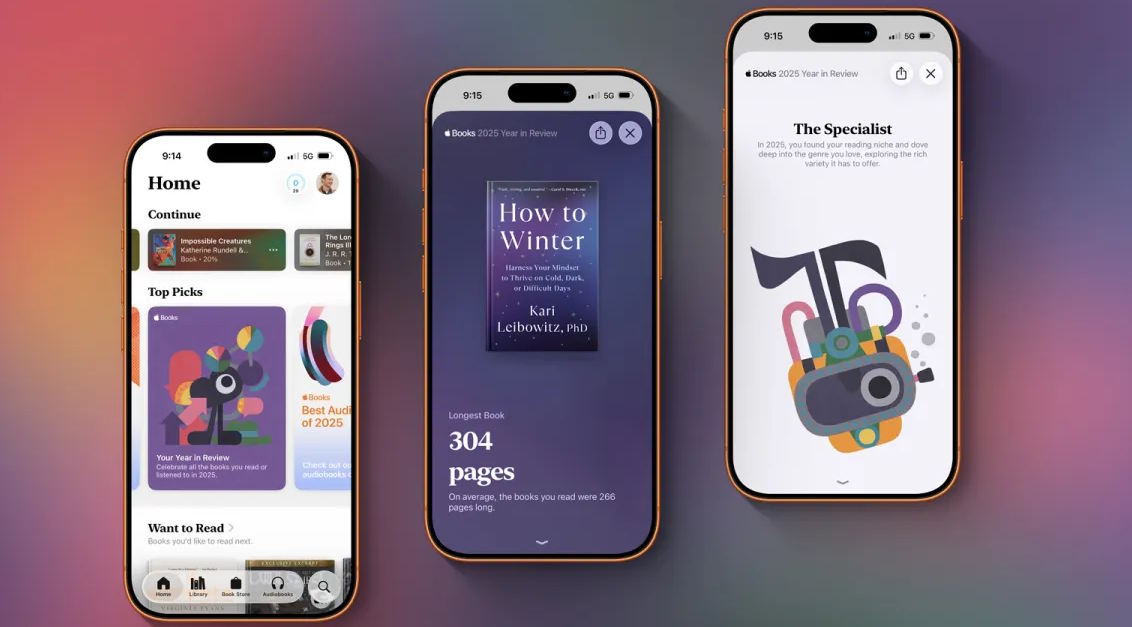
You can also share these statistics, just like with Apple Music Replay. Clicking the share button will give you the option to save a shareable image.
Then you can send it to friends and family via apps like Messages or WhatsApp. You can also post it to social media platforms like Instagram or X.
Final Thoughts
Use this guide as a practical checklist for apple books also launched year in review 2025, here's how to view it. Work through the steps in order, verify each result, and adjust the options to match your needs.
FAQ
What do you need before following this Apple Books Also Launched Year in Review 2025, Here's How to View It guide?
Review the required tools, accounts, settings, or materials mentioned in the article. Explore Apple books also launched year in review 2025.
What are the main steps for apple books also launched year in review 2025, here's how to view it?
Follow the sections in order, especially Guide to viewing the Apple Books Year in Review 2025. Complete each step before continuing and verify the result as you go.
What should you do if the process does not work as expected?
Recheck the prerequisites, update the relevant app or service, review the settings, and repeat the step that caused the issue. Use any troubleshooting notes included in the guide.
Related Articles
 10 Tips Apple Books Need to Know to Read Better11 minutes read
 Looking Back on a Year on Facebook Via Video Year in Review 20185 minutes read
 How to Import EBooks and PDFs from Messages into Apple Books4 minutes read
 You Don't Have to Study MBA, You Just Need to Read These 7 Books9 minutes read
 These 5 Books Will Help You Become a Different Person9 minutes read
 10 Books Head Pillow of the World's Most Famous People8 minutes read
Reader Comments 0
Sign in with email or Google to join the discussion.