Table of Contents
Explore the 'answer now' button.
Explanation of Gemini patterns
Users have many options
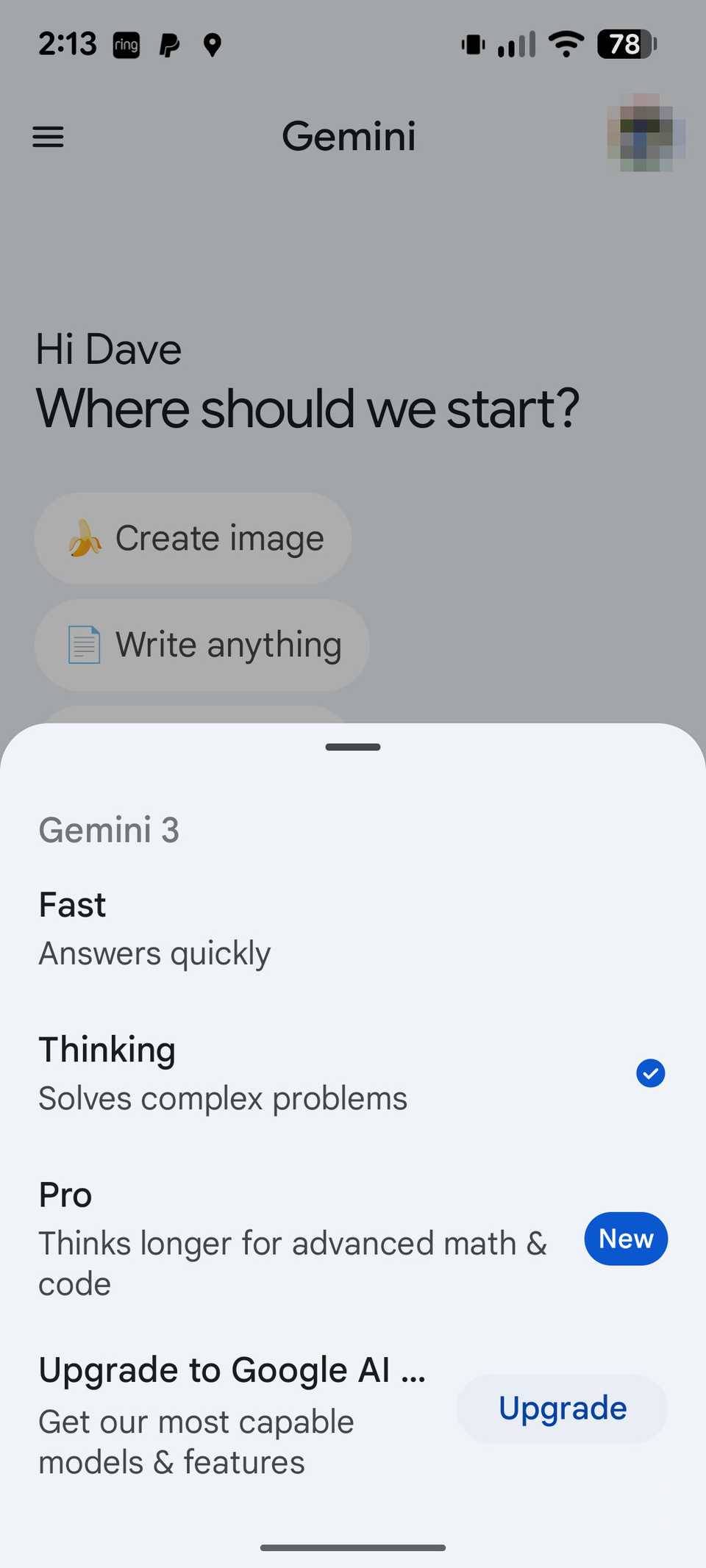
Gemini 3 offers three models: Fast, Thinking, and Pro.
- Fast : As the name suggests, this model is the fastest. It's designed for simple, everyday tasks.
- Thinking : This model uses the same foundation as Fast, but adds some reasoning capabilities. It's slower, but handles complex queries better.
- Pro : Pro is the strongest, but also the slowest, Gemini pattern. It supports deeper thinking and reasoning, best suited for queries related to topics such as programming, advanced mathematics, or in-depth research.
The selection of models is excellent. The problem is that sometimes you forget to switch modes – or simply don't want to. In these cases, Gemini can take a very long time to answer a simple question, such as "What is the capital of New Zealand?".
How is the new "Answer now" button helpful?
Respond faster without compromising quality
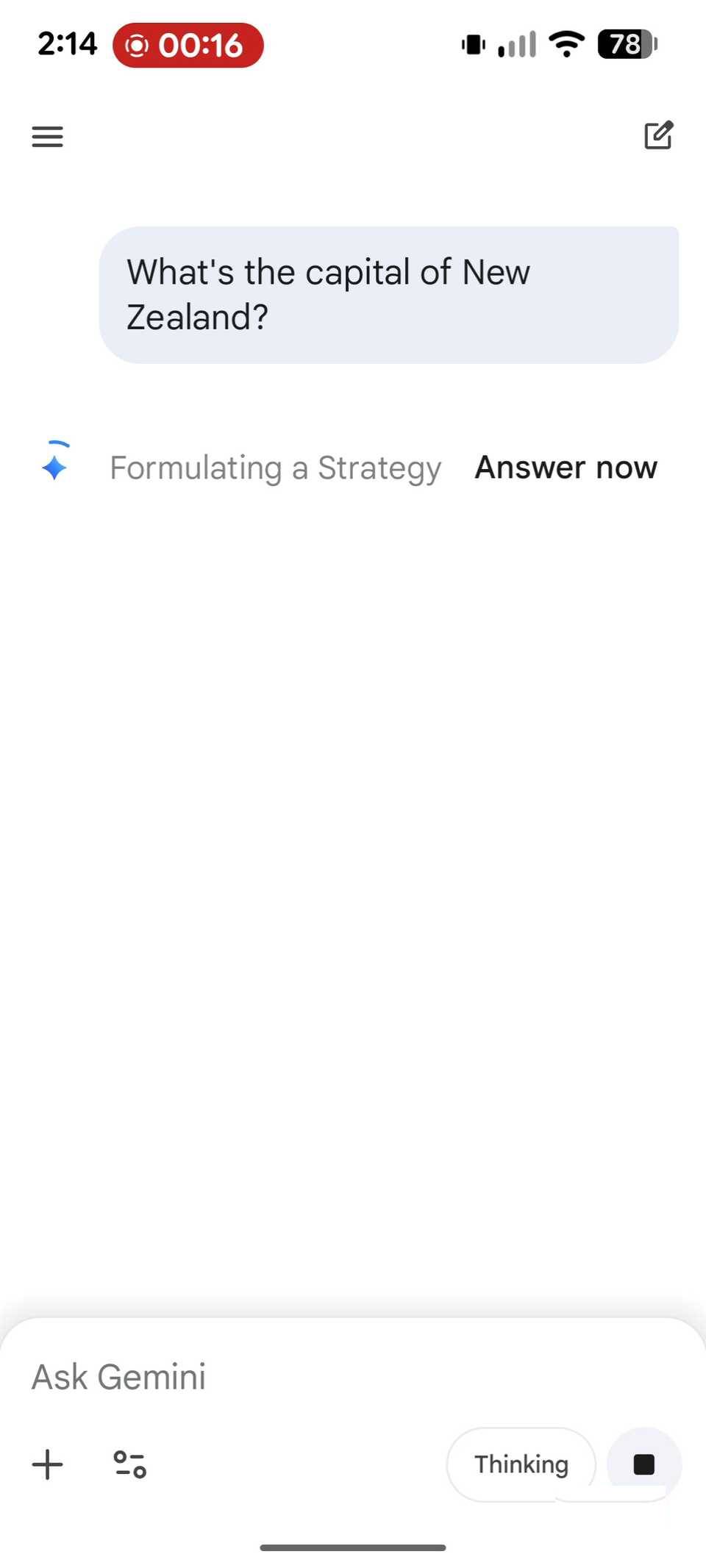
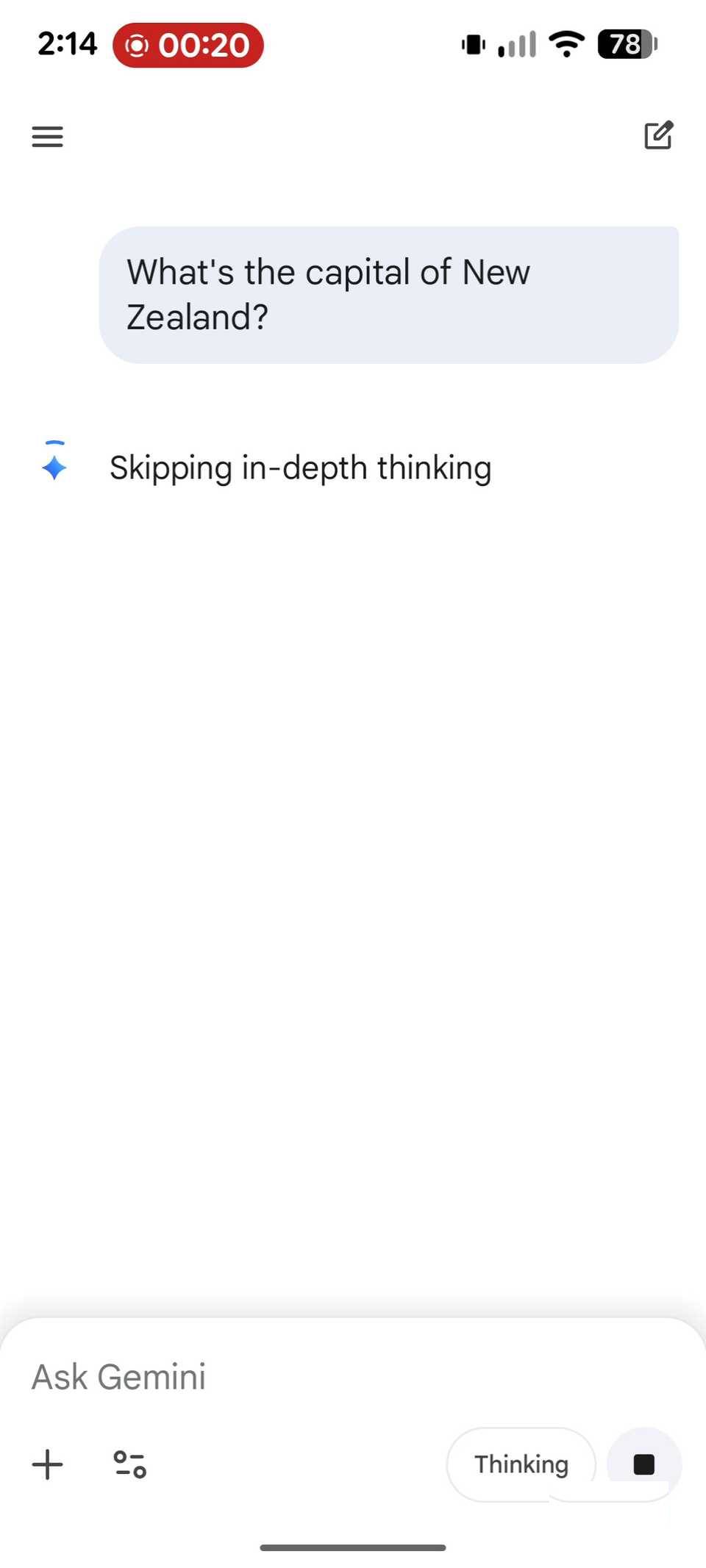
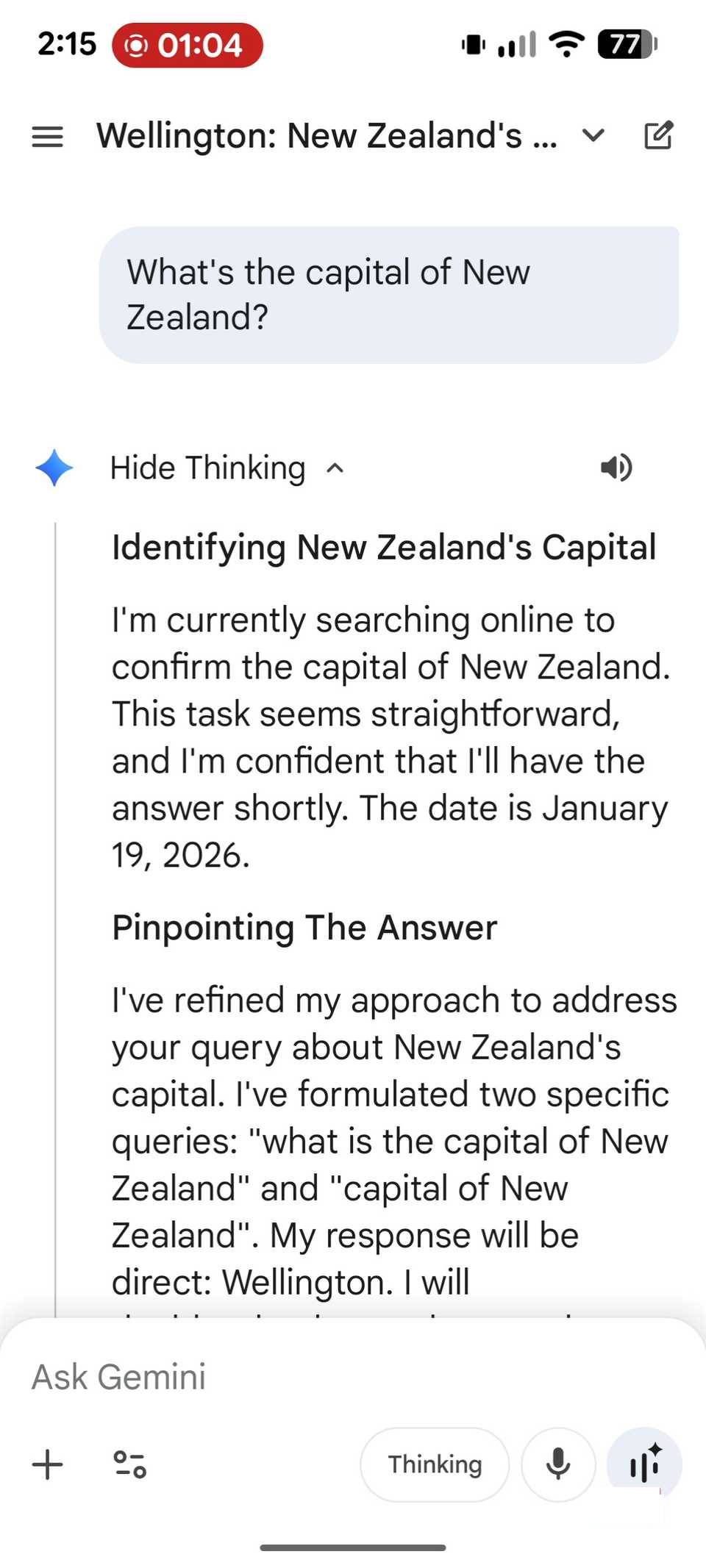
Google's latest Gemini feature aims to address these issues by allowing you to skip the in-depth thought process behind a question. While Gemini thinks, it displays what it's thinking. Next to this information, you'll see a button that says "Answer now." Tapping this button skips the advanced reasoning steps and provides a faster answer, saving valuable time for queries that don't require detailed thought. You can also use Gemini Live to save even more time, or use the Android sharing panel to send data directly to Gemini.
Importantly, "Answer now" speeds up responses without changing the model. This contrasts with the older "Skip" button, which simply switches to the Fast model. In theory, this should prevent a drop in answer quality due to switching to a more basic model, although time will tell whether that actually works. Meanwhile, if you want to get better answers from Gemini, you can try using better hints.
However, you lose one thing when using "Answer now": the ability to see the "thinking process" the model used to determine its answer. Typically, when using Thinking or Pro for a query, you'll see a "Show thinking" drop-down menu describing the steps the model took to arrive at the answer. This option disappears when you click "Answer now," presumably because Gemini doesn't perform the same steps.
The new feature is currently being rolled out to Gemini users on Android, iOS, and the web. It's available for both free and paid accounts.
Note : Oddly, this feature is still called "Skip" on iOS, even though the basic function seems to remain the same.
Final Thoughts
Use this guide as a practical checklist for the 'answer now' button. Work through the steps in order, verify each result, and adjust the options to match your needs.
FAQ
What do you need before following this The 'Answer Now' Button guide?
Review the required tools, accounts, settings, or materials mentioned in the article. Explore the 'answer now' button.
What are the main steps for the 'answer now' button?
Follow the sections in order, especially Explanation of Gemini patterns, Users have many options, How is the new "Answer now" button helpful?. Complete each step before continuing and verify the result as you go.
What should you do if the process does not work as expected?
Recheck the prerequisites, update the relevant app or service, review the settings, and repeat the step that caused the issue. Use any troubleshooting notes included in the guide.
Related Articles
 How to Create a New Notebook Directly in Gemini5 minutes read
 A Small Feature That Makes Taking Photos Easier on Your Samsung6 minutes read
 The Secret to Getting Perfect Answers from Gemini: Explained11 minutes read
 Tips to Help You Use Gemini Effectively7 minutes read
 Gemini 3.1 Pro or Gemini 3 Pro: Better?8 minutes read
 How to Prevent Google Gemini from Remembering Your Old Conversations6 minutes read
Reader Comments 0
Sign in with email or Google to join the discussion.