Table of Contents
This guide is for the original Anime Worlds Simulator by Macaw Games, experience ID 7045537335. Anime World Tower Defense and other games with similar names use different codes.
Previously reported Macaw Games codes
The codes below were documented by Pro Game Guides. Current redemption is unverified, so treat them as historical codes and let the game confirm whether it still accepts them.
| Code | Previously reported reward |
|---|---|
60kfruits | 2× fruit boost for 15 minutes |
60klegends | 5× legendary boost for 15 minutes |
30kmythical | 5× mythical boost for 15 minutes |
30kcoins | 10× coin boost for 15 minutes |
15klikes | 5× legendary orb chance for 15 minutes |
How to redeem a code
- Open the Macaw Games experience and verify the developer name before joining.
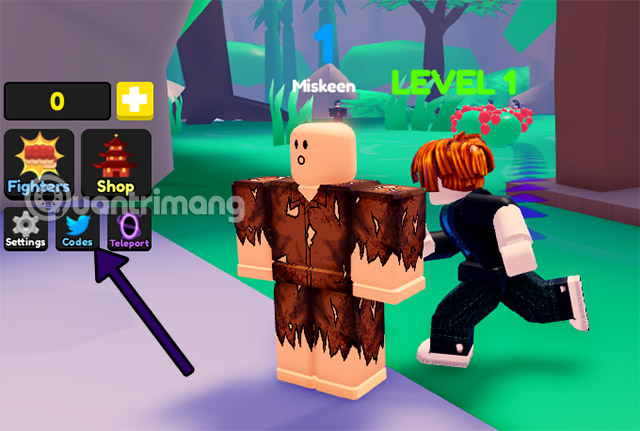
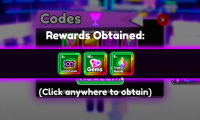
- In the game, look for the code or Twitter bird icon. The screenshots show an older version of the redemption interface.
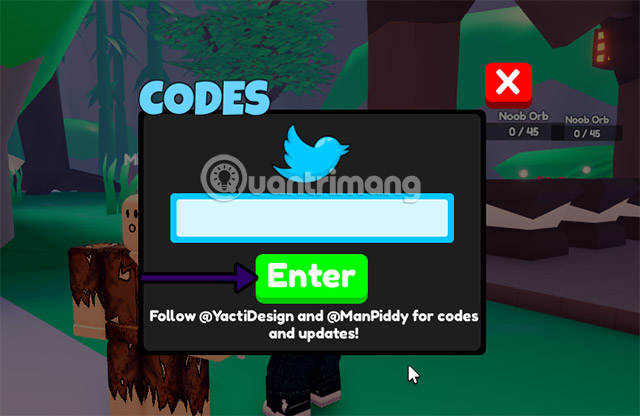
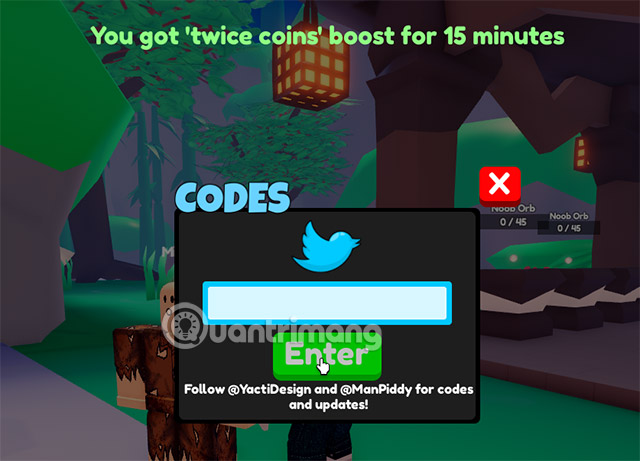
- Enter the code exactly as written, with no extra spaces, and submit it. Look for the game’s confirmation.
Why a code might fail
Check the spelling and the experience name first. If both are correct, the code may have expired or been used on your account. Look for new codes in the game’s description or developer announcements. Enter codes inside Roblox and keep your account password out of third-party redemption sites.
Related Articles
 Latest Anime Soul Simulator Code
 Latest Anime Gods Simulator code and how to enter the code
 Anime Ultra Verse: Full latest giftcode and how to redeem rewards
 List of latest Anime Infinity Roblox giftcodes and how to redeem codes
 Latest Anime Warriors Simulator 2 code and how to enter the code
 Latest Anime Squad Simulator Codes and How to Enter Codes
Reader Comments 0
Sign in with email or Google to join the discussion.