Table of Contents
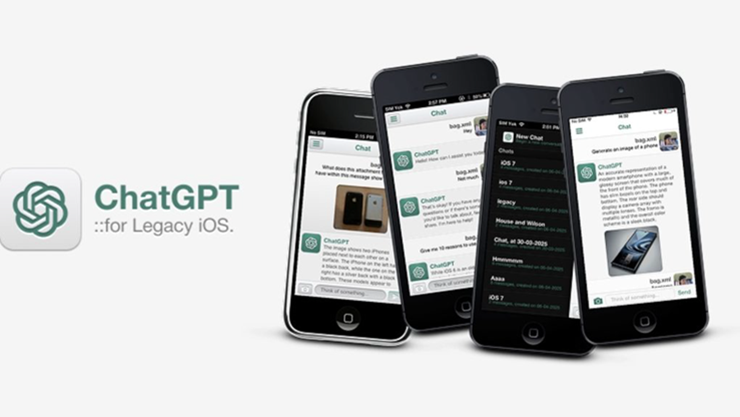
Some iPhones running iOS 6 can connect to the OpenAI API through ChatGPT for Legacy iOS, an independent project. The phone runs the client interface while OpenAI’s servers process requests. The official App Store app has its own system requirements.
Which old iPhones can use it?
The project’s documentation lists iOS 6 and 7 as compatible and iOS 5 as unsupported. Check Settings > General > About on the phone to find its installed version. The developer documents text chats, conversation history, and image features. Availability also depends on whether the client’s API requests still work with the models it uses.
What to check before installing
- Read the project’s installation notes for your iOS version before downloading an IPA. A build for a legacy device may require a modified setup.
- The client takes an OpenAI API key. API usage is billed separately from a ChatGPT subscription and requests still need an internet connection.
- Use non-sensitive prompts when testing a third-party client on an old phone. If you no longer use the client, revoke any key you supplied to it from your OpenAI API dashboard.
If you have a supported iPhone, compare the official listing with our guide to identifying the official ChatGPT app. For other apps on older hardware, see how to check for compatible older app versions.
Related Articles
 What is GPT-4o? Capabilities, limits, and current availability
 What is ChatGPT Pro? Is it worth it in 2026?
 Instructions for converting ChatGPT-5 to ChatGPT-4o
 How to Use the OpenAI API: Keys, Python, Models, and Costs
 How to Personalize ChatGPT's Style and Tone
 ChatGPT Atlas Has Retired: What It Was and What Former Users Should Check
Reader Comments 0
Sign in with email or Google to join the discussion.