Table of Contents
This guide provides a clear, practical overview of 'dissecting' iPhone 2 to iPhone 7 to see that apple was very, with useful context, important details, and straightforward takeaways for everyday readers.
iPhone 2G - Released in 2007
iPhone 2G is the first brick for the empire of more than 2 trillion dollars named Apple at the present time.
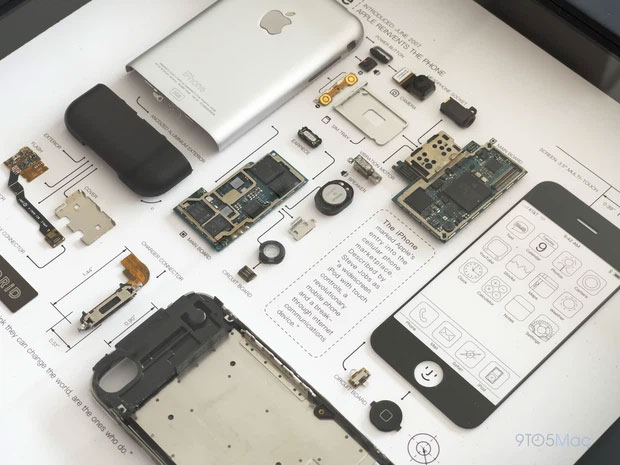
All internal components of iPhone 2G. The entire chassis is made from aluminum, only the bottom of the machine has a plastic array to place the receiving antenna.
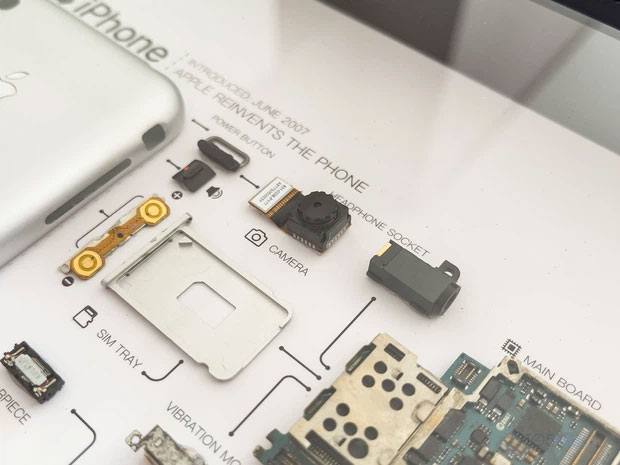
2MP camera cluster for poor image quality, no video recording capability and no autofocus feature.

The motherboard part with the processor is processed by Samsung.


iPhone 3GS - Released in 2009
iPhone 3G is not much different from iPhone 2G other than adding new connectivity.
iPhone 3GS released in 2010 marked a lot of changes in both hardware and software.
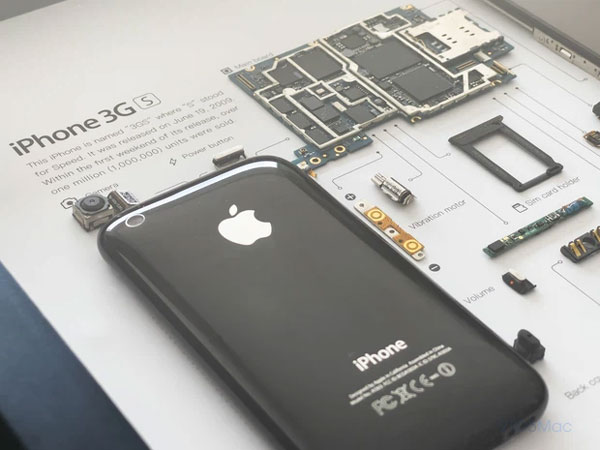
iPhone 3GS has a glossy plastic back that is quite easy to scratch.
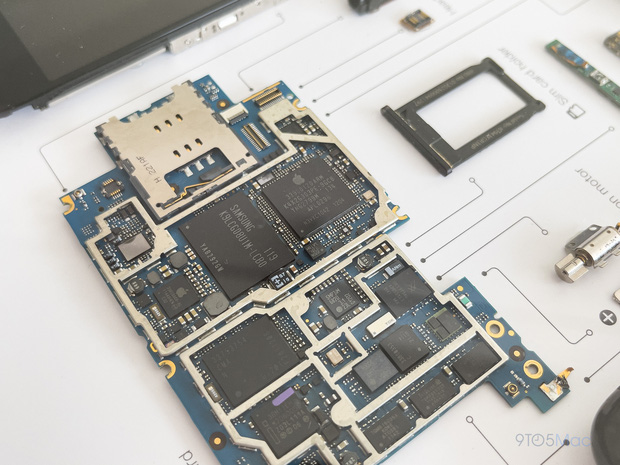
The motherboard part with the processor is still processed by Samsung.
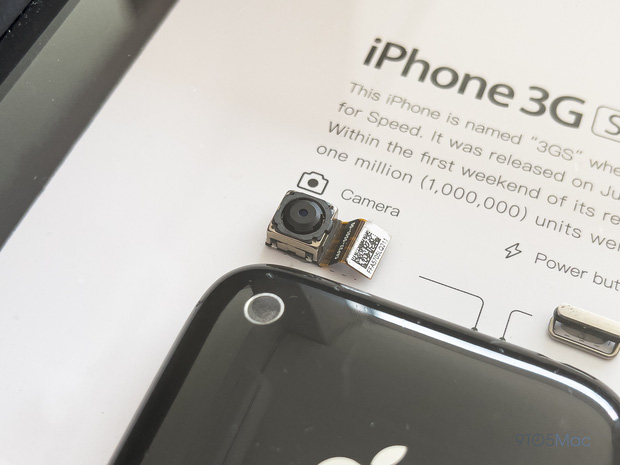
3MP camera cluster with autofocus and 480p video recording.
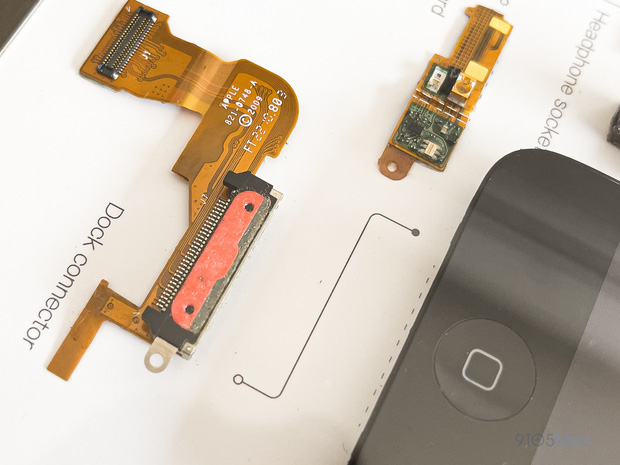
30-pin charging port.
iPhone 4S - Released in 2011
iPhone 4S is remembered by the global technology-loving community with the nostalgic name "iPray 4 Steve" (iP4S) because it was introduced at a time when the illness of the late CEO Steve Jobs was getting worse.
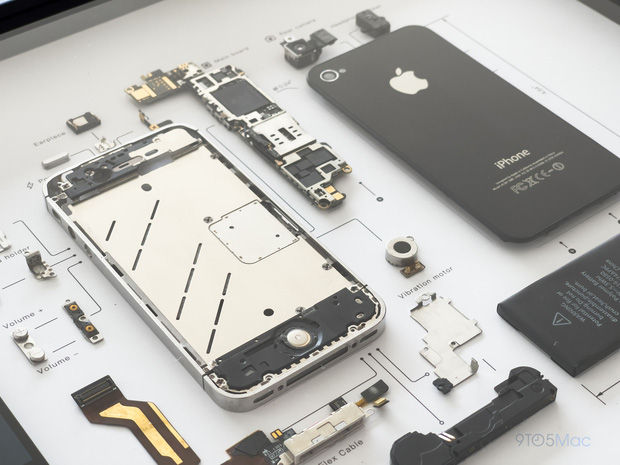
The aluminum frame design with two super impressive glass sides of the iPhone 4S.
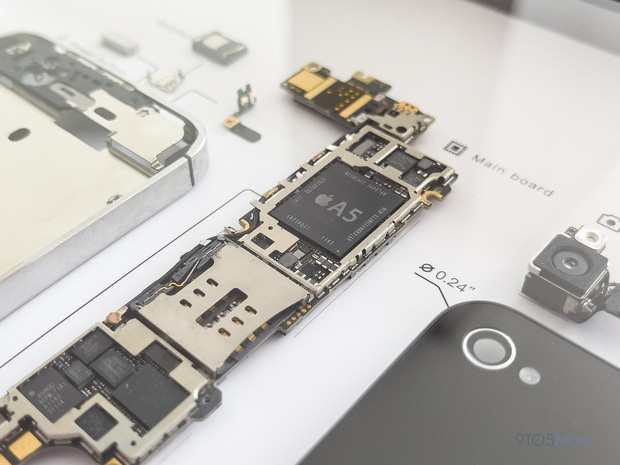
Apple A5 processor made by genuine manufacturer.

The main camera of iPhone 4S has 8MP resolution but has been upgraded in algorithm, so it gives better image quality.
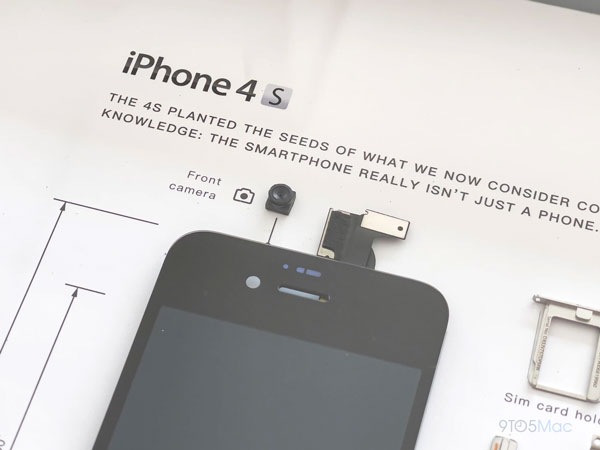
The 0.3MP selfie camera mainly serves the Facetime feature.
iPhone 6 - Released in 2014
iPhone 6 is a product Apple has radically changed the design compared to previous products with an aluminum frame covering the body and a tempered glass front. This is one of Apple's most successful products.
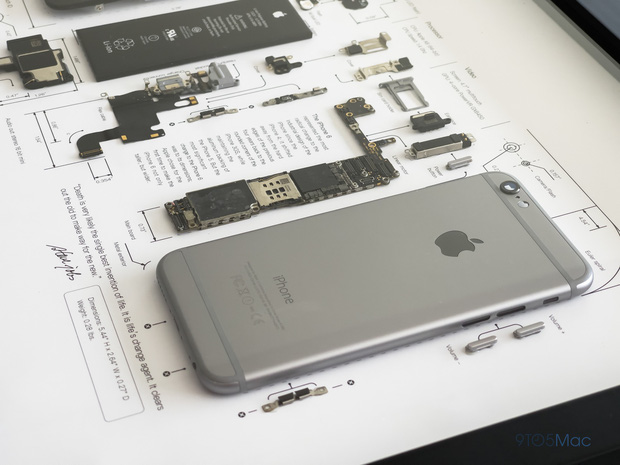
The aluminum frame covers the entire body.
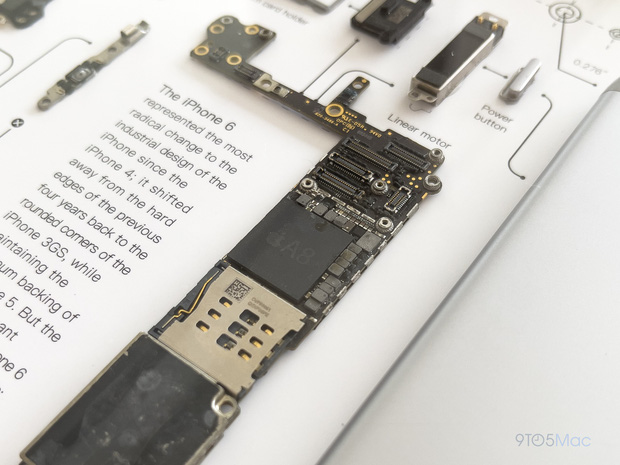
The motherboard with Apple A8 processor is designed to be more compact to make room for a larger battery.
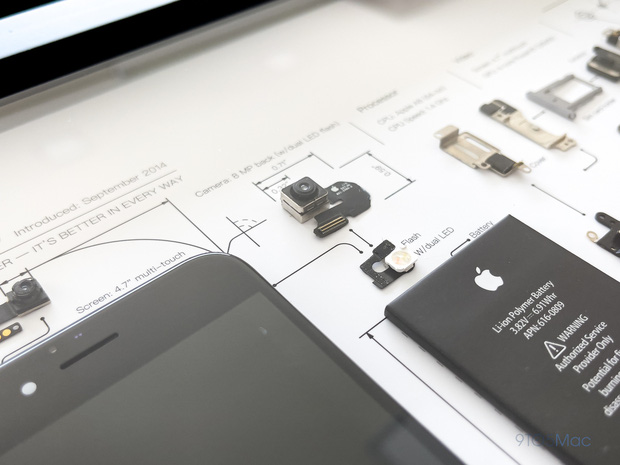
The old-style 8MP camera has been upgraded with more powerful features.
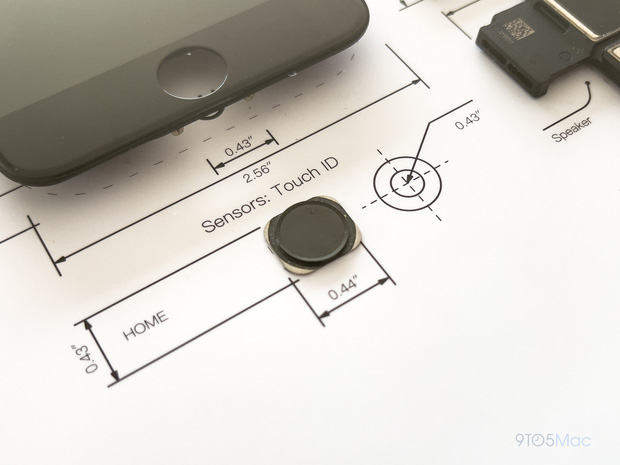
Touch ID sensor with physical Home key.
iPhone 7 - Released in 2016
iPhone 7, with many improvements in terms of user experience, is one of the best-selling models ever produced by Apple.
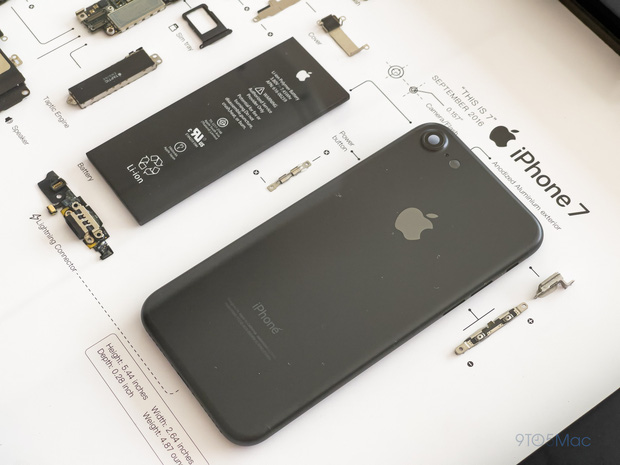
iPhone 6 has an eye-catching matte black painted frame.
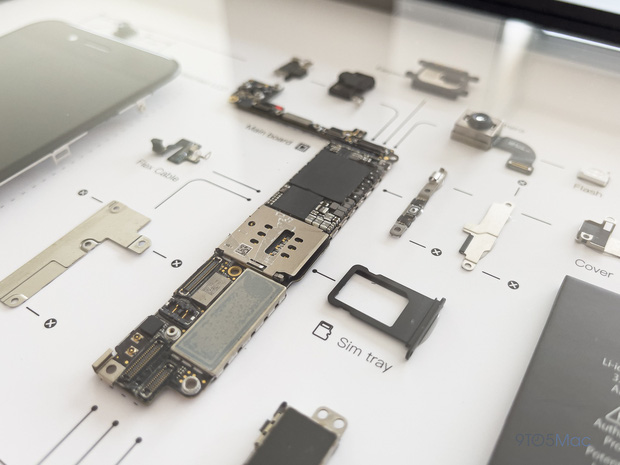
Motherboard board.
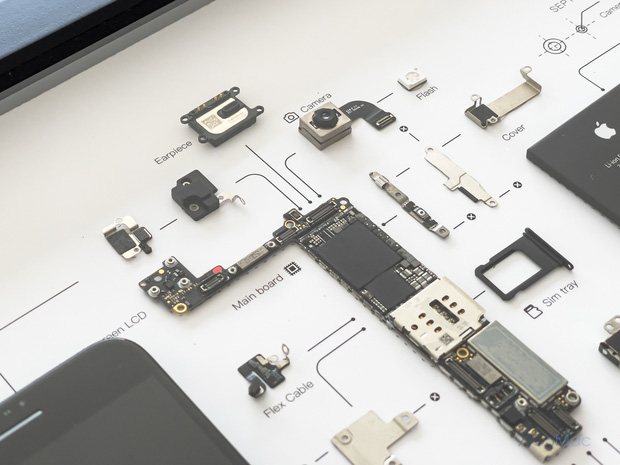
The 3.5mm headphone jack has disappeared from the components of this model.
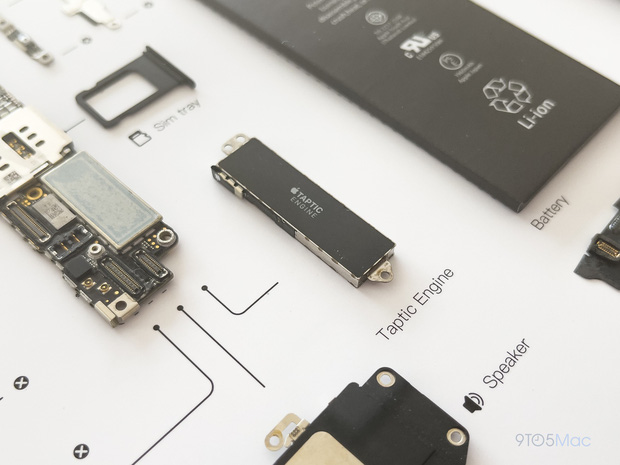
Taptic Engine - this vibrator has changed the user experience, contributing to the process of Apple removing the physical Home key into a hard Home key on the iPhone 7.
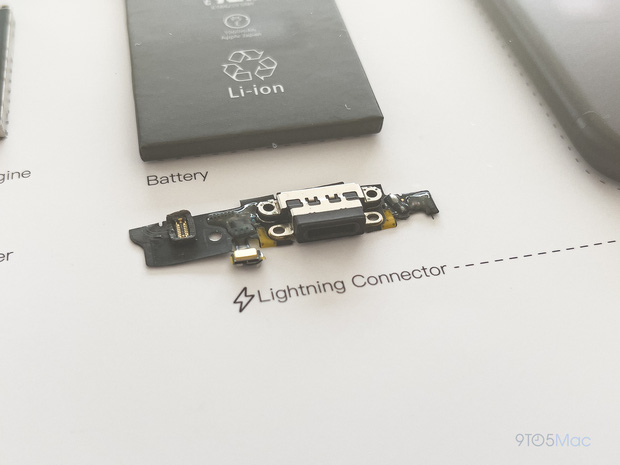
Lightning charging port module.
Key Takeaways
Use the information above as a practical reference for 'dissecting' iPhone 2 to iPhone 7 to see that apple was very. Review each step carefully, confirm any requirements, and choose the option that best fits your situation.
FAQ
What does this guide explain about 'Dissecting' iPhone 2 to iPhone 7 to See That Apple Was Very?
It explains the main concepts, practical considerations, and useful steps related to 'dissecting' iPhone 2 to iPhone 7 to see that apple was very without requiring advanced knowledge.
Who can benefit from learning about 'Dissecting' iPhone 2 to iPhone 7 to See That Apple Was Very?
This information is useful for readers who want a clear overview, practical guidance, and reliable steps related to 'dissecting' iPhone 2 to iPhone 7 to see that apple was very.
What should I check before applying this information?
Review the requirements, confirm that your device, software, or situation matches the instructions, and back up important data before making major changes.
Related Articles
 Jony Ive's Exciting Life, 'Witch' Creates the Iphone, Macbook4 minutes read
 Apple Considers Removing Qualcomm Chips on IPhones and IPads Next Year3 minutes read
 Quick Tips for Designing a Company App5 minutes read
 Dissecting Apple Macintosh Computers3 minutes read
 Apple Prepares Three-year Major iPhone Redesign Cycle4 minutes read
 Apple Again Sells iPhone SE Again - Starting Today4 minutes read
Reader Comments 0
Sign in with email or Google to join the discussion.