Table of Contents
The AMD Ryzen 5 5500X3D is a six-core AM4 processor with 96 MB of L3 cache and a boost clock of up to 4.0 GHz. It offers the same L3 cache capacity as the Ryzen 5 5600X3D at lower clock speeds. It makes the most sense as a potential upgrade for someone who already owns a compatible AM4 motherboard and DDR4 memory.
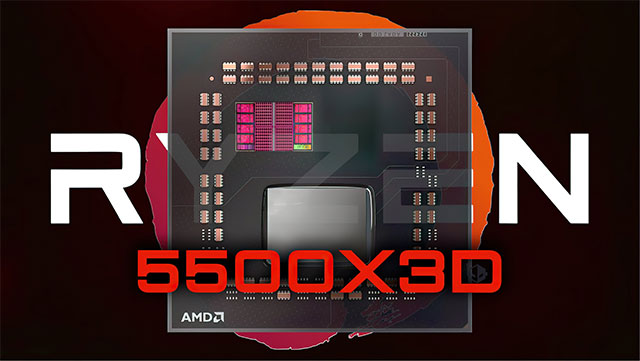
Ryzen 5 5500X3D vs. other AM4 X3D processors
| AM4 3D V-Cache Processor | Socket | Cores and threads | Base Clock | Boost Clock | L3 Cache |
|---|---|---|---|---|---|
| AMD Ryzen 7 5800X3D | AM4 | 8 cores, 16 threads | 3.4 GHz | 4.5 GHz | 96 MB |
| AMD Ryzen 7 5700X3D | AM4 | 8 cores, 16 threads | 3.0 GHz | 4.1 GHz | 96 MB |
| AMD Ryzen 5 5600X3D | AM4 | 6 cores, 12 threads | 3.3 GHz | 4.4 GHz | 96 MB |
| AMD Ryzen 5 5500X3D | AM4 | 6 cores, 12 threads | 3.0 GHz | 4.0 GHz | 96 MB |
The eight-core 5700X3D and 5800X3D give you two more cores. The 5600X3D has the same core count as the 5500X3D and higher listed clocks. Extra cache can help some games, but equal cache capacity doesn’t guarantee equal frame rates. Look for benchmarks of the games you play at settings where your current CPU is the bottleneck.
What to check before upgrading
- Look up the exact motherboard model and revision on the manufacturer’s CPU support list. Use a tool like CPU-Z to identify the board and BIOS version.
- Check the required BIOS version and the board maker’s update procedure before removing the old CPU. Confirm cooler compatibility and whether one comes with the listing.
- Check the total price and warranty. AMD’s product listing specifies Latin America as the region. Compare local AM4 options before paying import fees or a reseller markup.


Reader Comments 0
Sign in with email or Google to join the discussion.