Table of Contents
This guide covers acer laptop recalled aspire because it was too hot with practical context and easy-to-follow details. Use it to understand the subject and apply the information confidently.
 Acer Aspire line
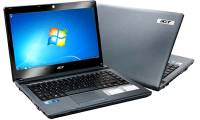
Accordingly, all Aspire products under the model AS3410, AS3810T, AS3810TG, AS3810TZ and AS3810TZG are affected by manufacturing errors.
 A series of S / N digits or SNID to know if your device is affected
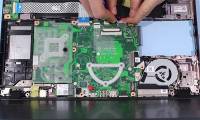
Overheating error occurs when users turn on the speaker capacity to the maximum level repeated many times, then the system will operate unstable. Acer has decided to withdraw these products to replace microphone cables to avoid overheating. To know if your laptop is affected, customers are using Acer Aspire to enter the Serial number (S / N 22 digits) or SNID code (including 11 digits) found on the white label on the bottom of the product Products in the appropriate box at its support website here.
FAQ
What should I check before following these steps?
Confirm device and software compatibility, save important data, and make sure you have the required permissions, files, and account access.
Why might the process not work?
Common causes include outdated software, missing permissions, incompatible hardware, an unstable connection, or completing a step in the wrong order.
Can I undo the changes if necessary?
That depends on the tool or setting. Use built-in restore options when available, keep a backup, and record the original configuration first.



Reader Comments 0
Sign in with email or Google to join the discussion.