Table of Contents
This guide covers acer laptop 3d view with practical context and easy-to-follow details. Use it to understand the subject and apply the information confidently.
Acer Aspire 5738DG uses 3D presentation technology with polarized glasses, monitors and TriDef dedicated software. When playing 2D content media files with TriDef Media Player software, through the glass, viewers can still enjoy 3D images.
3D Laptop Acer Aspire 5738DG uses polarized glasses (Photo: Cnet)
In addition to these 3D technologies, the Aspire 5738DG has an entertainment-oriented configuration that performs quite well with a 15. 6-inch screen (1, 366 x 768 pixels), Intel Core 2 Duo T6600 2. 2 GHz CPU, 2 GB RAM, 500 GB HDD, DVD optical drive, ATI Mobility Radeon HD 4570 graphics card 512MB and running Windows 7 Home Premium operating system. It has full Wi-Fi 802. 11 a / b / g / n connections, Bluetooth 2. 1 and EDR.
Laptop 3D Acer Aspire 5738DG weighing 2. 8 kg with 6 cell battery. According to ePrice, the machine was introduced in Taiwan for $ 1, 175, about 21. 5 million.
Some real pictures of 3D Laptop Acer Aspire 5738DG.
 Machine is being sold in Taiwan for $ 1, 175.
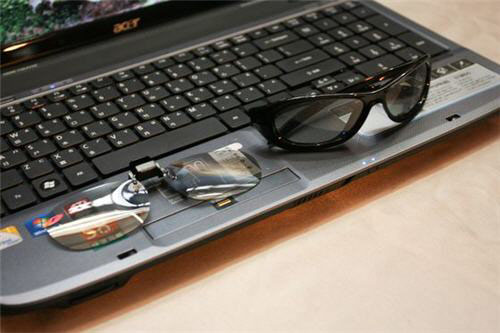 Use 3D technology with polarized glasses, monitors and dedicated presentation software.
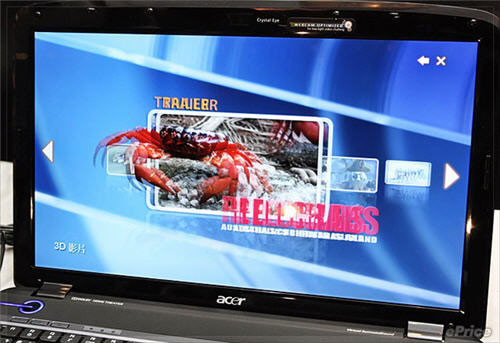 3D images without glasses.
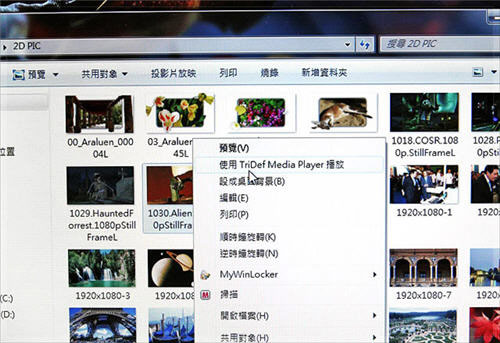 TriDef Media Player dedicated software
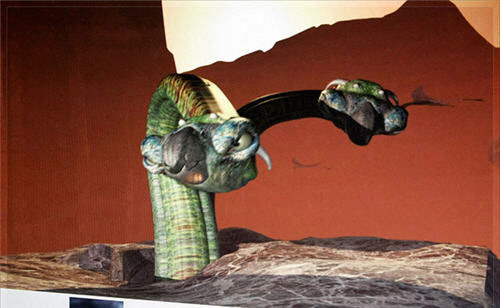 Presenting 2D content.
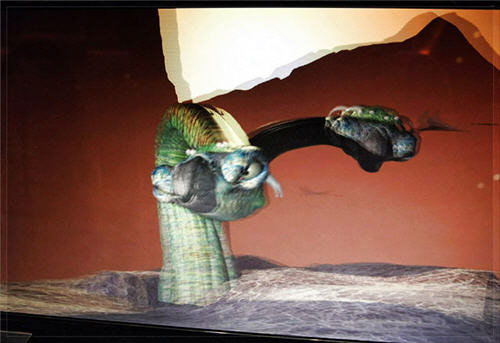 3D image.
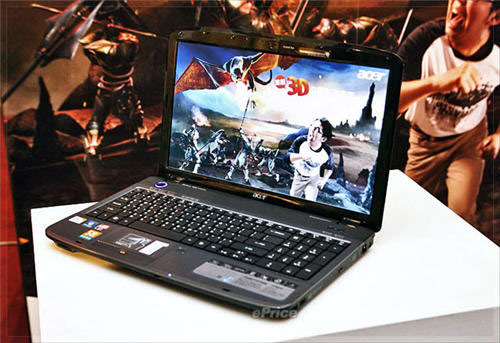 The familiar design of the popular Acer Aspire laptop.
FAQ
What should I check before following these steps?
Confirm device and software compatibility, save important data, and make sure you have the required permissions, files, and account access.
Why might the process not work?
Common causes include outdated software, missing permissions, incompatible hardware, an unstable connection, or completing a step in the wrong order.
Can I undo the changes if necessary?
That depends on the tool or setting. Use built-in restore options when available, keep a backup, and record the original configuration first.
Related Articles
 5 Popular Laptop Models from Acer: Best Options Compared8 minutes read
 12 Quick and Simple Ways to Take Screenshots of Acer Computers9 minutes read
 3 Easy Ways to Lock Your Acer Laptop Keyboard at Home9 minutes read
 Acer Introduces Swift X, the Thinnest and Lightest Laptop4 minutes read
 Quick Review of Acer Swift 5 Laptop5 minutes read
 Acer Swift 3 S, Ultra-light Laptop and 11-hour Battery Life3 minutes read
Reader Comments 0
Sign in with email or Google to join the discussion.