Table of Contents
13 Useful Shortcuts That Twitter Users Need to Know covers the essential facts behind the topic, including what changed, why it mattered, and how it affected users.

1. Page Down and Page up
Like other websites, on Twitter you can use the Spacebar to Page down on the message board and use Shift + Spacebar to Page up.
2. Open the Next Tweet or Return to the Previous Tweet
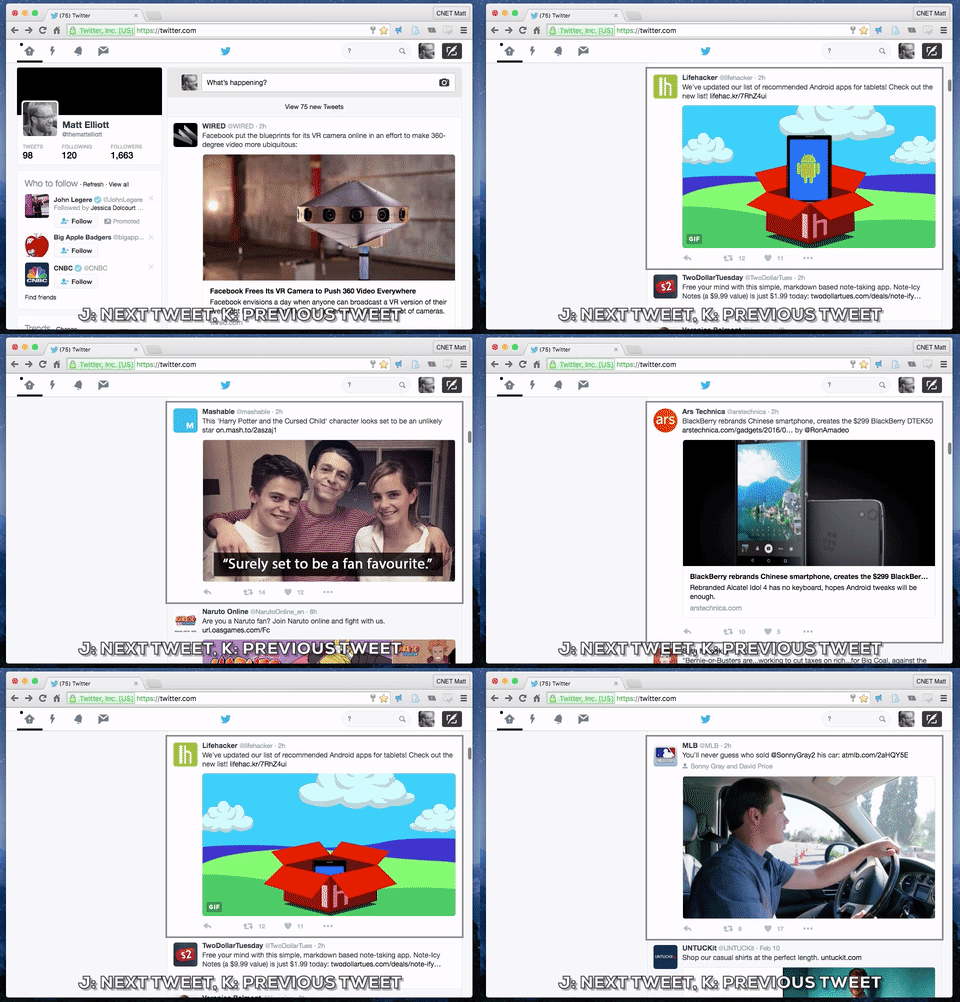
Instead of scrolling down or page down, simply press the J key to move to the next tweet, or press the K key to move to the previous tweet.
3. Refresh the Message Board (Feed Refresh)
Press the. [Period] key to refresh your refresh and load new tweets.
4. Open a Tweet
With the tweet you selected, press the Enter key to open the tweet. Press the Escape key to close the tweet.
5. L Key to Like
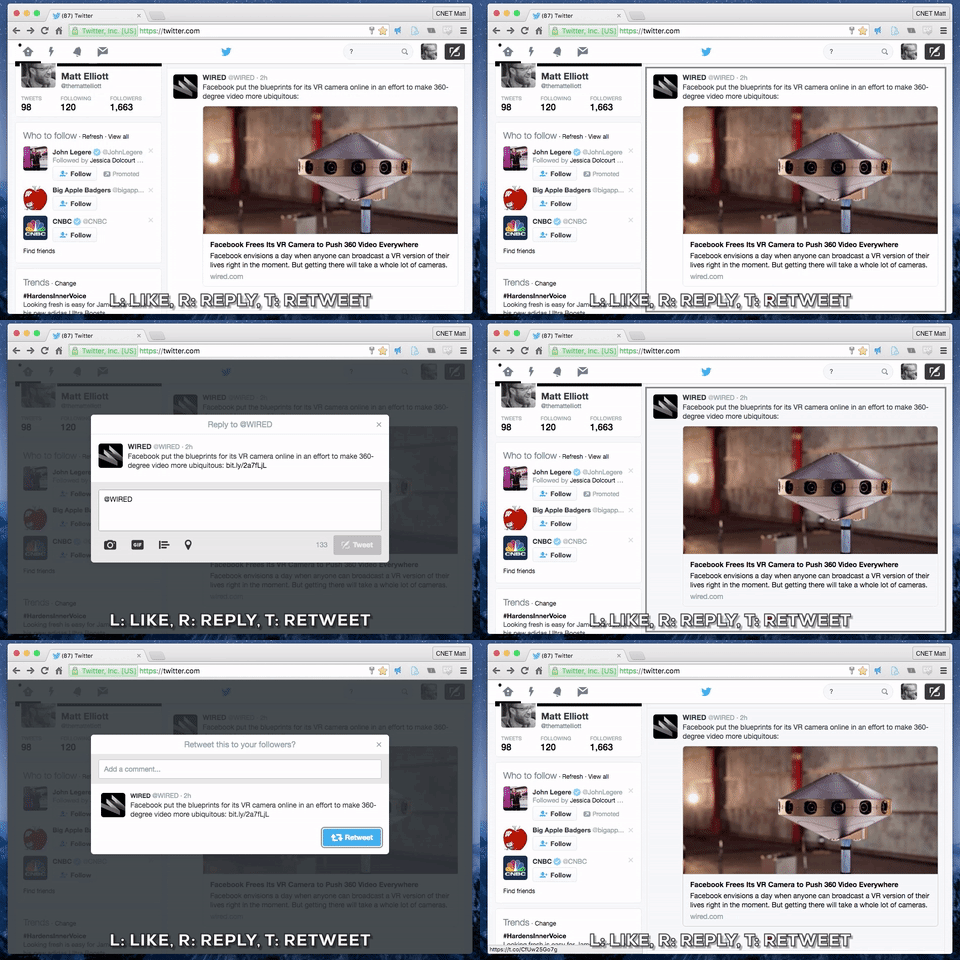
With a tweet you selected, press the L key to like that tweet.
6. R Key to Reply
With a tweet you selected, press the R key to reply.
7. T Key to Retweet
With a tweet you selected, press the T key to retweet.
8. N Key to Write a New Tweet
Press N to open a window to write a new tweet.
9. B Key to Block
Press B to block users on the selected tweet.
10. U Key to Turn Off
Press U to turn off user notifications on the selected tweet.
11. Message
Press M to open a new message window to send a direct message.
12. Search (Search)
Press / to place the mouse pointer on the Search Twitter bar.
13. G +
Not Google+. On Twitter there are 10 shortcuts, including G + keys to move to a tweet on your timeline. G + H to move to the homepage. G + N to move to the notifications and G + P to return to your profile profile page.
Refer to the Following Articles:
- You often see Akamai when accessing Facebook, Twitter. So what is it? Is it safe or not?
- Tricks using the Hashtag on Twitter
- Tricks or certain Twitter users should not be ignored
Wish you have moments of fun!
FAQ
What is the main topic of 13 Useful Shortcuts That Twitter Users Need to Know?
13 Useful Shortcuts That Twitter Users Need to Know covers the essential facts behind the topic, including what changed, why it mattered, and how it affected users.
Why is Twitter important?
Page Down and Page up Like other websites, on Twitter you can use the Spacebar to Page down on the message board and use Shift + Spacebar to Page up.
What should readers remember about Twitter?
Open the Next Tweet or Return to the Previous Tweet Instead of scrolling down or page down, simply press the J key to move to the next tweet, or press the K key to move to the previous tweet.
Related Articles
 Tricks or Certain Twitter Users Should Not Be Ignored6 minutes read
 Twitter Has a Problem, Many Users Cannot Login3 minutes read
 Instructions for Using Twitter for New Users14 minutes read
 Instructions for Changing Your Username and Display Name on Twitter4 minutes read
 How to Effectively Block Ads on Twitter4 minutes read
 How to Use Sticker Sticker on Twitter?2 minutes read
Reader Comments 0
Sign in with email or Google to join the discussion.