Table of Contents
10 'No' When Online is easier to understand when the core ideas are paired with practical examples. The sections below explain the topic clearly, highlight useful steps, and point out details that can prevent common errors.
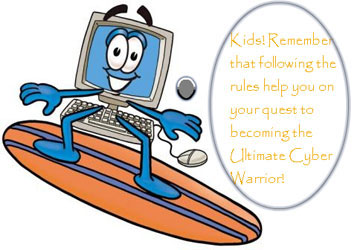
Applying the 10 'no' rules below when participating in cyberspace means you have contributed to building a safe, healthy online community.
 Illustration
Availability, the widespread popularity of computers and Internet connectivity provide unprecedented opportunities for people to communicate and learn from each other. However, while most people use the Internet as a tool for work and education, some individuals exploit the power of the Internet for bad purposes such as crime or terrorism. How can you minimize the harm that these individuals cause? First of all, it is a moral issue, each individual must be responsible for his or her behavior on the Internet. These are the principles that users need to pay attention to and comply with when they go online: 1. Do not use rude or offensive language with others. 2. Do not deliberately access to transmit copy or create illegal documents. 3. Do not send spam. 4. Comply with copyright regulations when downloading content online to a computer, including software, games, movies, or music from the Internet. 5. Do not use the Internet to communicate with strangers, do not give email or chat (Instant Messenger) passwords to people you do not know. 6 . Do not open attachments in strange e-mail or email without subject. 7 . No unauthorized intrusion into other people's computers because it is not a game but a criminal act. 8. Don't use other people's passwords, don't pretend to be other people online. 9. Not intentionally infecting malicious code to other people's computers. 10. Do not make copies of any copyrighted material, such as books, magazines, or music without the permission of the author's author. You will become a criminal if found to have copied and distributed them. In addition, joining the Internet, you should respect and protect the privacy of others; respect and protect the integrity and security of all electronic resources; respect the protection of intellectual property of others. Parents do not let your child be out of control. Make sure you know what your child has access to on the Internet. Encourage children to use the Internet because there are many good things to offer children. When the Internet is used properly it will be a great tool to gather information, learn and communicate.
FAQ
What is 10 'No' When Online?
Applying the 10 'no' rules below when participating in cyberspace means you have contributed to building a safe, healthy online community.
Why is 10 'No' When Online important?
A clear understanding of 10 'No' When Online helps you make informed decisions, avoid common mistakes, and use the relevant tools or techniques more effectively.
How should beginners approach 10 'No' When Online?
Start with the fundamental concepts, follow the examples step by step, and test each change in a safe environment before applying it to important systems or data.
Related Articles
 How to Play Among Us Online, Download Among Us Online4 minutes read
 How to Speed up Playing FIFA Online 45 minutes read
 How to Know If Someone Is Online: Step-by-Step Guide3 minutes read
 How to Use Word Online to Edit Text Online5 minutes read
 How to Receive FIFA Online Key 4 Close Beta Version6 minutes read
 How to Protect Your Online Activity from Hackers7 minutes read
Reader Comments 0
Sign in with email or Google to join the discussion.