Table of Contents
Samsung's camera app works well out of the box, but Camera Assistant adds new features that you wish were built in from the start.
Many people thought Samsung's camera was perfect - until they discovered this
Samsung's camera has always delivered more than just pretty pictures. With sharp detail, fast focus, and a slick mix of built-in modes, it feels like one of the most complete camera apps out there. Whether it's low-light cityscapes, wide-angle travel shots, or everyday portraits, the results are usually spot-on without much effort.
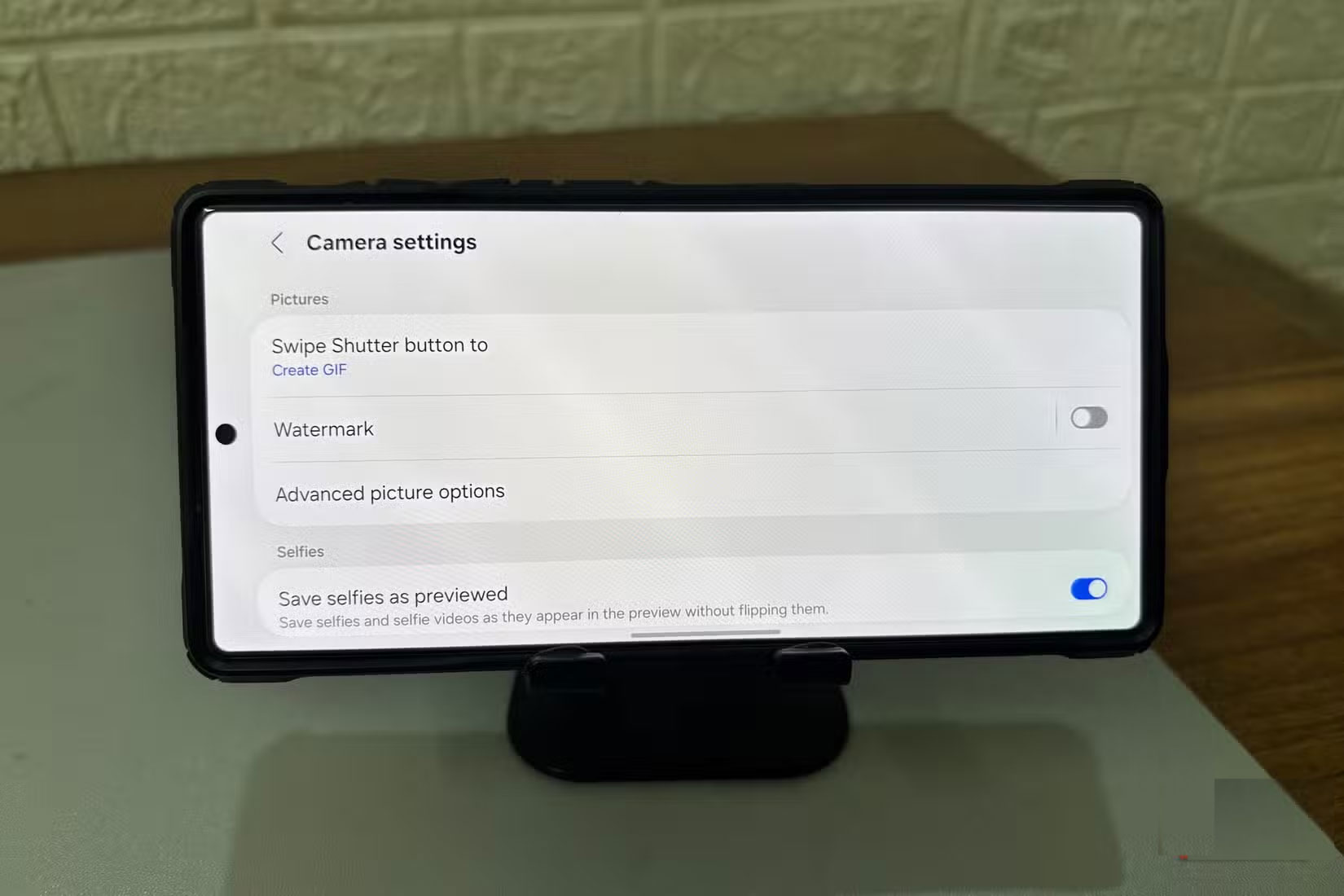
Many people never really look to improve it. But one day, while exploring the Good Lock suite, they stumble upon a module called Camera Assistant. It's not highlighted or framed as essential. In fact, it's the kind of tool you'll overlook unless you're curious enough to dig a little deeper.
Maybe it's just curiosity, but there's something about it that makes people wonder if the camera can do more.
What is Camera Assistant and where to download it?
Camera Assistant isn't a separate camera app or an advanced pro tool. It's a free add-on developed by Samsung that works behind the scenes to extend the capabilities of your existing camera. It doesn't change the look of your Camera app or add an icon to your home screen. Instead, it integrates directly into your existing camera settings, creating its own section.
You'll find it under Settings > Camera Assistant , near the bottom of the camera settings menu. That's where all the additional controls are located — a set of toggles that give you more control over how the camera works.
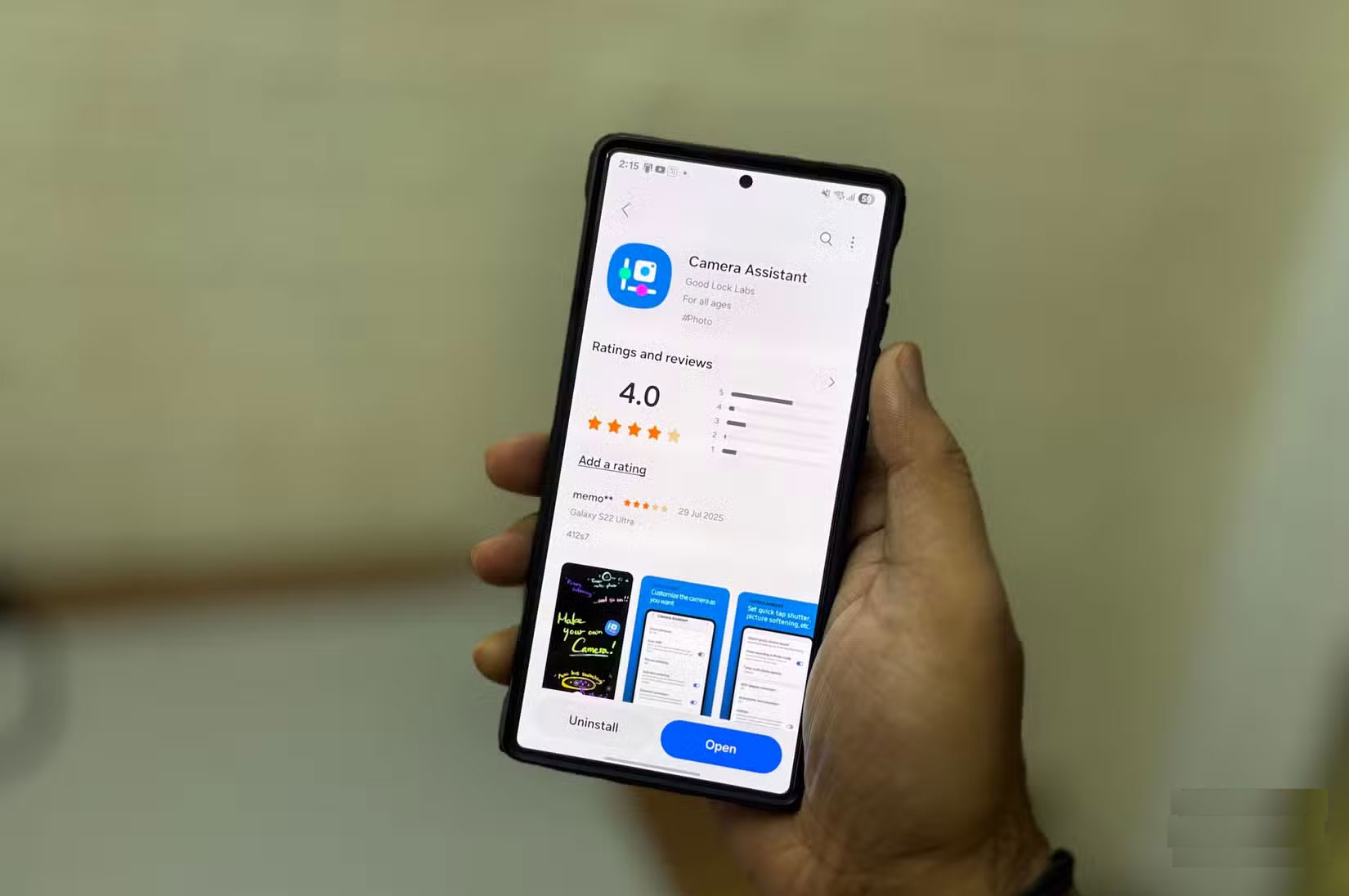
To install, go to the Galaxy Store and search for Camera Assistant. Make sure you have Good Lock installed, as this module is part of it. If you don't see this option, it's likely because your device isn't supported.
There's no complicated setup or learning curve. Once installed, everything is integrated directly into your camera settings. If you're familiar with how the Samsung Camera app works, this won't be anything new to learn.
These are settings that should be built in (and the Camera Assistant app has fixed that)
Once you're set up, explore additional camera settings to see how they can enhance your shooting experience. With just a few tweaks, your camera can be fast, reliable, and better suited to your shooting style.
The first setting to enable is Quick tap shutter . By default, Samsung waits until you lift your finger off the shutter button to take a photo. With this setting enabled, the photo will be taken as soon as your finger touches the button. This is faster, clearer, and helps you avoid those little lags that can cause you to miss a photo, especially if you're trying to capture a moving subject.
This feature works best when combined with Prioritize focus over speed . This option tells the camera to wait until the subject is in perfect focus before taking the shot, no matter how long it takes. This feature is useful for portraits or close-ups, where even the slightest blur can ruin a photo.
Easy and safe to use
Using Camera Assistant isn't complicated. It doesn't require you to learn anything new or commit to settings you can't undo. Each feature is simple, comes with a short explanation, and requires just one tap to turn on or off.
If something goes wrong, just turn it off and move on. It's still the Samsung Camera app, but a smarter version that works exactly how you expect it to.
Even if you only use one or two features, it's worth keeping. It offers control you didn't know you were missing until it was there. And once you try it, it's hard to go back.
Final Thoughts
Overall, You're Missing Out on Your Phone Camera's Potential is best understood by considering the main facts, practical context, and limitations together. Use the details above as a clear starting point and confirm time-sensitive information when necessary.
FAQ
What does this article explain about You're Missing Out on Your Phone Camera's Potential?
Samsung's camera app works well out of the box, but Camera Assistant adds new features that you wish were built in from the start.
What should you know about Many people thought Samsung's camera was perfect - until they discovered this?
Samsung's camera has always delivered more than just pretty pictures. With sharp detail, fast focus, and a slick mix of built-in modes, it feels like one of the most complete camera apps out there.
Should time-sensitive details be verified?
Yes. Software features, game codes, product specifications, prices, and research findings can change. Confirm important details with an official or primary source when accuracy affects your decision.
Related Articles
 Tips to Exploit the Full Potential of the USB Port on Samsung Phones7 minutes read
 How to Set Up a Free Wi Fi VoIP Home Phone with an Old6 minutes read
 Are You Using the Full Potential of the Buttons on Your Android Phone?8 minutes read
 Smartphone with 9 Cameras Coming Soon3 minutes read
 Surveillance Camera: Should Buy Wired or Wi-Fi?11 minutes read
 What Is the Error Msvcr110.dll Missing? How to Prepare?7 minutes read
Reader Comments 0
Sign in with email or Google to join the discussion.