Table of Contents
A hot-swappable mechanical keyboard lets you remove and replace compatible key switches without desoldering them from the keyboard’s circuit board. This makes it easier to try a different switch feel or replace a faulty switch. It does not mean that every switch fits every hot-swap keyboard: check the keyboard’s socket and switch compatibility before buying parts.
How hot-swap sockets work
The keyboard’s printed circuit board has sockets that hold the switch pins and connect each switch to the board. In a soldered keyboard, switches are attached directly to the board and replacing one usually requires desoldering and soldering. On a hot-swap model, compatible switches can be pulled from and inserted into the sockets.
“Hot-swap” here describes the switch mounting method. It does not mean that you should change switches while the keyboard is powered. Disconnect the keyboard first and follow its maker’s instructions.

Benefits and trade-offs
- Try different switch feels: You can change compatible switches without soldering, which makes customization more accessible.
- Replace an individual switch: If a switch stops working, you may be able to replace it without changing the whole keyboard, provided the socket and board are intact.
- Compatibility matters: Socket type, switch pin layout, switch height, and keyboard design can limit your choices. Not every mechanical switch is interchangeable.
- Sockets need care: Pulling a switch at an angle or forcing misaligned pins can bend pins or damage a socket. Sockets can also wear or become loose; hot-swap does not make a board indestructible.
- Price varies: Hot-swap models may cost more or less depending on the keyboard’s other features. Compare the actual specifications and price rather than assuming they always carry a premium.

How to check switch compatibility
Look up the keyboard’s exact model and manufacturer specifications. Confirm the socket type and supported switch format, including whether the board accepts the switch’s pin configuration and physical height. A keyboard described as hot-swappable may support only certain switches; the product listing or manual should specify compatibility.
Cherry MX is a switch family and compatibility reference, not a keyboard model by itself. Check the actual keyboard’s socket and the new switch’s specifications instead of relying on the switch brand name alone.
Replacing a switch carefully
- Disconnect the keyboard and remove the keycap above the switch.
- Use a suitable switch puller and the keyboard maker’s removal instructions. Pull evenly rather than twisting or levering against the board.
- Check that the replacement switch’s pins are straight and match the socket. Align them before insertion.
- Press the switch into place gently. If it does not seat, stop and check alignment and compatibility instead of forcing it.
- Reconnect the keyboard and test the key. If the switch remains loose or does not register, inspect the switch and socket or contact the manufacturer.
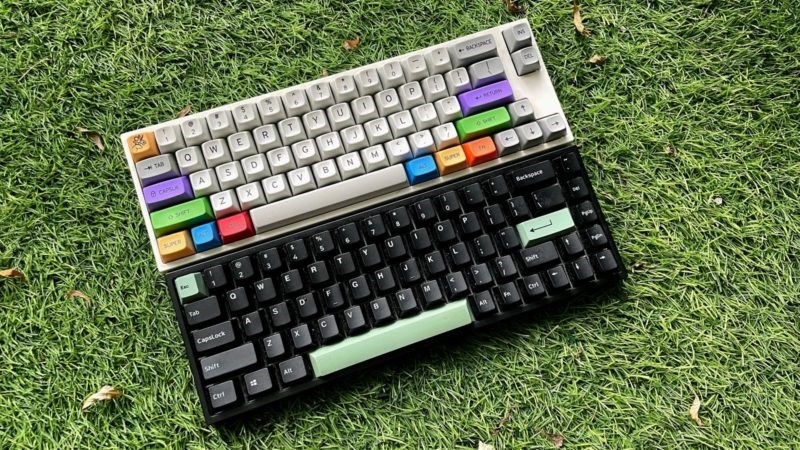
Hot-swap is useful if you expect to experiment with switches or want a simpler way to replace one. If you plan to keep the supplied switches and do not need this flexibility, compare the keyboard’s layout, typing feel, build, and price with other models before deciding.
Related Articles
 What is Hot Swap? Benefits of Hot Swap on mechanical keyboards
 What is TKL keyboard? What are the advantages and disadvantages of TKL?
 Advantages and disadvantages of dual boot (dual boot)
 What is VPN? Advantages and disadvantages of VPN virtual private network
 What is AMD CPU? Advantages and disadvantages of AMD CPU
 The best face-swapping apps
Reader Comments 0
Sign in with email or Google to join the discussion.