Table of Contents
Learn about warning: Android fake uber software appears to trick user, who may be affected, and which practical steps users or administrators can take to reduce exposure.
Warning: Android Fake Uber Software Appears to Trick User Passwords Overview
Security firm Symantec has discovered a new malware with a fake Uber application interface aimed at Android, via pop-ups that require user login and password information to trick them.
Specifically, this malware will provide deep links to the real Uber application and display screenshots of what users want to see when logging in to the app like their current location makes it hard for them to found out.
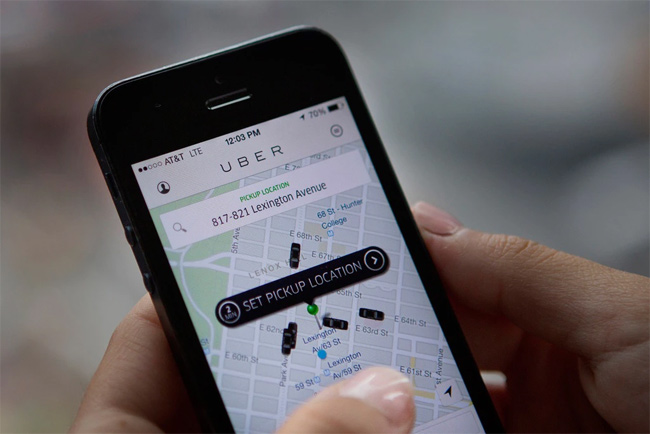
Symantec said this is a sign that the malware author is looking for new and more sophisticated techniques to deceive and steal money from unaware users.
According to Symantec, there is no malware on Google Play Store. This means that the chances of you becoming a victim of this malware are very low, unless you download the application from external sources.
Currently, this malware is only available in Russian-speaking countries and is limited. And Uber has also warned users not to download applications from non-Play Store sources and to prepare security and control systems to detect and prevent unauthorized login if the user is disabled. Love to reveal your password.
See more:
- Instructions for registering and using Uber Taxi
- How to find codes to reduce Uber and Grab prices very fast and simple
- Prevent Uber from tracking location on iPhone when not using the application
Security note: Threat conditions and vendor guidance can change. Install current updates and verify any advisory with the official vendor before taking action.
FAQ
Why does warning: Android Fake Uber Software Appears to Trick User Passwords matter?
Learn about warning: Android fake uber software appears to trick user, who may be affected, and which practical steps users or administrators can take to reduce exposure.
Who may be affected by this issue?
The impact depends on the affected product, version, account, device, or network. Review the article details and the vendor's current advisory to confirm whether your environment is exposed.
How can users reduce the risk?
Install current security updates, use official downloads, enable strong account protection, maintain tested backups, and follow the latest guidance from the relevant vendor.
Related Articles
 Fake Av: Warning Fake Antivirus Software Appears in Series3 minutes read
 How Does Uber Work? - Decoding Uber: Uber Growth Model17 minutes read
 Instructions for Registering and Using Uber Taxi7 minutes read
 How to Review Old Uber Trips with Invoices6 minutes read
 5 Easy Tips to Spot Fake Virus Warnings7 minutes read
 Uber Application on the Phone Will Stop Working After 2 More Weeks2 minutes read
Reader Comments 0
Sign in with email or Google to join the discussion.