Table of Contents
This curated overview of top 5 fake GPS apps on Android focuses on useful options, standout features, and details worth checking before making a choice.
1. Fake GPS Location

The Fake GPS Location application from the developer Lexa provides a great experience when you search and use the Fake GPS app. With this application, you can drop a pin anywhere on the map to create a virtual location or refer to the list of addresses you have ever changed in your search history. If you are near an exact location, you can use this app to hide your actual location quickly.
- Link to download the app here.
2. Fake GPS Go

Don't be confused or confused when you see the name of this app because Fake GPS Go Location is one of the best location simulator apps on Android. The word Go in the app name is reminiscent of this being a virtual address generator app for Pokemon Go players but this app can generate virtual addresses and works well with apps that require permission to view exact location .
The application is released for free with basic features such as creating virtual locations, saving location history and creating lists of favorite locations. The paid version will provide users with several benefits such as removing ads and much more.
- Link to download the app here.
3. Fake GPS
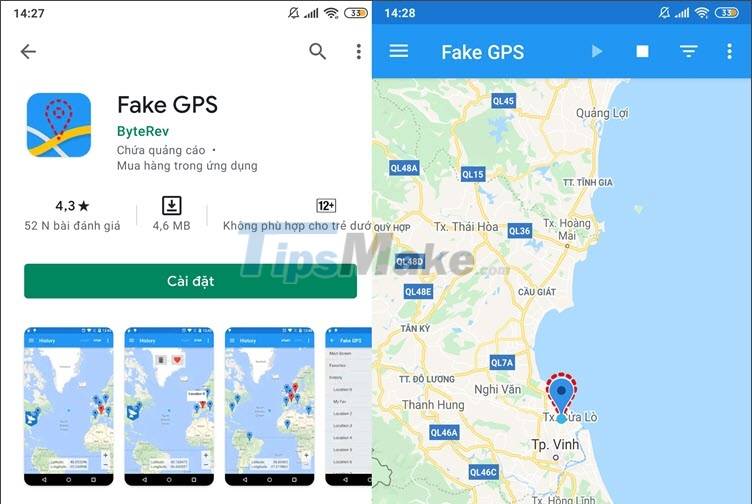
The simple name Fake GPS accurately describes this application that it is straightforward and does not make it difficult for users. This application easily "bypasses" the navigation system on Android devices and uses the virtual GPS system to create a new virtual address on Google Maps. With over 5 million app installs, Fake GPS is a simple app to create virtual address on Android device trusted by users. You can save your simulated frequent locations as a list and change them randomly using the settings in the app.
- Link to download the app here.
4. GPS Emulator

If you need to find a simple GPS emulator application on Android, you can find and download GPS Emulator on Google Play. With a simple interface and 3 function buttons to stop (Stop), set (Set), create favorite places (Favorite) to help you easily manipulate and simulate your favorite location. You can change the map view to different styles including terrain or satellite view to help you discover more new places outside of your city.
- Link to download the application here.
5. Fake GPS Location - Joystick and Routes

Another great fake GPS app on this list is Fake GPS Location - Joystick and Routes. With this application, you can use completely free with basic functions a fake GPS application such as creating virtual addresses, adding and storing the created address list. In addition, the application also provides the ability to find the way or save the nearest route to the place you have created.
- Link to download the app for Android here.
With the applications in the above article, you can download & use to create a virtual GPS address on your Android device quickly. Good luck!
Key Takeaways
Use the information above as a practical reference for top 5 fake GPS apps on Android. Review each step carefully, confirm any requirements, and choose the option that best fits your situation.
FAQ
What does this guide explain about Fake GPS Apps on Android?
It explains the main concepts, practical considerations, and useful steps related to fake GPS apps on Android without requiring advanced knowledge.
Who can benefit from learning about Fake GPS Apps on Android?
This information is useful for readers who want a clear overview, practical guidance, and reliable steps related to fake GPS apps on Android.
What should I check before applying this information?
Review the requirements, confirm that your device, software, or situation matches the instructions, and back up important data before making major changes.
Related Articles
 Series of Fake Android Apps You Should Remove from Your Device Immediately6 minutes read
 10 Fake Call Apps on Android10 minutes read
 How to Identify and Avoid Fake Android Apps in Play Store13 minutes read
 Detected 172 Fake Android Apps Used to Mine Coins4 minutes read
 Beware of Android Scams!5 minutes read
 Fake IP for Android: 17 Best VPN Apps for Android Phones31 minutes read
Reader Comments 0
Sign in with email or Google to join the discussion.