Table of Contents
This guide covers toshiba strengthens netbooks with practical context and easy-to-follow details. Use it to understand the subject and apply the information confidently.
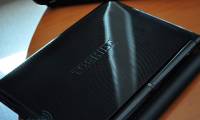
The Toshiba UX netbook is equipped with the new Atom N280 processor launched in February, the Intel 945GSE Express chipset, 1 GB of RAM and 160 GB HDD.
Toshiba Dynabook UX uses a 10. 1-inch LCD screen with a 1, 024 x 600 pixel resolution LED display that provides more work space than the NB100's 8. 9-inch screen. 10. 1 inches is also the most popular netbook screen size.
With a larger screen, Dynabook UX is more compact than NB100 (Dynabook UX body length is 19. 2 cm while NB 100 is 26. 3 cm). Dynabook UX weighs about 1. 2 - 1. 3 kg depending on the machine configuration.
Dynabook UX's battery life is also increased by 4 hours compared to Toshiba NB 100's continuous operating hours of 2. 9 hours.
The first Dynabook UX will be launched in Japan this week for $ 606 - 707 USD depending on the model. Toshiba has not disclosed information about the introduction of Dynabook UX to the international market.
FAQ
What should I check before following these steps?
Confirm device and software compatibility, save important data, and make sure you have the required permissions, files, and account access.
Why might the process not work?
Common causes include outdated software, missing permissions, incompatible hardware, an unstable connection, or completing a step in the wrong order.
Can I undo the changes if necessary?
That depends on the tool or setting. Use built-in restore options when available, keep a backup, and record the original configuration first.




Reader Comments 0
Sign in with email or Google to join the discussion.