Table of Contents
AI content detectors estimate whether a passage resembles text produced by a language model. They do not identify the author, reconstruct how a document was created, or prove misconduct. False positives and false negatives are possible, especially with short, edited, translated, formulaic, or out-of-domain writing.
That limitation changes how these tools should be compared. There is no defensible permanent ranking of the “most accurate” detector: models, detectors, test sets, languages, and editing methods keep changing. Choose a tool for its workflow and validate it with writing similar to the material you actually review.
Important: a detector score is not a verdict
Even Turnitin states that its AI model can misidentify human, AI-generated, and AI-paraphrased text and should not be the sole basis for action against a student. The same caution applies to every product in this guide. Read Turnitin's guidance for interpreting an AI writing report.
Fairness also requires attention. A peer-reviewed study found that several tested detectors frequently misclassified English essays written by non-native speakers. The result does not prove that every current detector has the same behavior, but it demonstrates why institutions must test for bias and provide a human review process. See the study on AI detector bias against non-native English writers.
- Do not convert a percentage into “percentage of the document written by AI” unless the vendor explicitly defines the score that way.
- Do not average scores from several tools and call the result more certain.
- Do not assume highlighted sentences are the exact generated passages.
- Do not confuse AI detection with plagiarism detection. Plagiarism tools compare text with sources; AI detectors classify linguistic patterns.
- Never make a high-consequence decision without reviewing other evidence and following the applicable policy.
Eight AI content detectors compared
| Tool | Useful for | Notable workflow | Check before adoption |
|---|---|---|---|
| GPTZero | Education and writing-process review | Document and sentence-level signals, plus writing-history features | Supported languages, minimum useful length, and access to process evidence |
| Winston AI | Content, document, and image review | Text detection, plagiarism options, OCR, reports, and image detection | Which features and limits are included in the intended plan |
| Originality.AI | Publishers and editorial teams | AI, plagiarism, readability, scan history, and team workflows | Chosen detection model, data handling, and effect of assisted editing |
| Pangram | Education, publishing, and enterprise review | Text classification with sentence-level or workflow integrations | Independent performance on your language, genre, and model mix |
| ZeroGPT | Quick, low-friction checks | Paste-based scanning, highlights, reports, and batch options | Score definition, privacy terms, and evidence supporting accuracy claims |
| QuillBot AI Detector | Occasional checks inside a writing suite | Overall score, sentence highlights, and AI-refined categories | How paraphrasing or other editing tools affect classification |
| Copyleaks | Institutional, multilingual, and API use | Text analysis, sentence-level results, integrations, and plagiarism products | Language-specific validation and administrative controls |
| BrandWell AI Detector | Content-marketing review | A free probability-style check focused on whether copy reads as human or robotic | Limited reporting and the absence of proof about authorship |
GPTZero
GPTZero provides document-level results and highlights at smaller text units. Its education-oriented workflow also includes tools that can capture writing history or replay, which may be more informative than a classifier score when authorship is questioned.
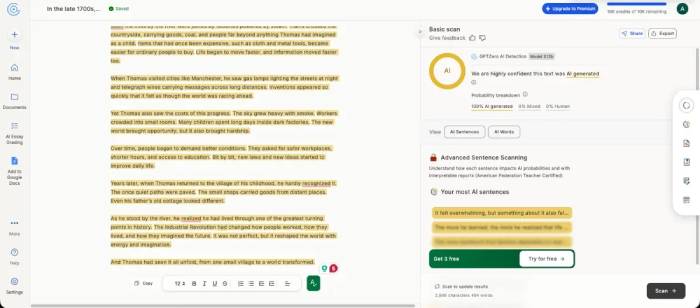
Use it when reviewers need to inspect the text and the writing process together. Do not treat the confidence label as proof. Ask what input length, language, genre, and types of AI editing the current model supports, then test those conditions with known samples.
Winston AI
Winston AI combines AI text detection with document scanning, OCR, plagiarism features, shareable reports, and an AI-image detector. That broader toolkit can suit publishers or agencies reviewing several types of submitted media.
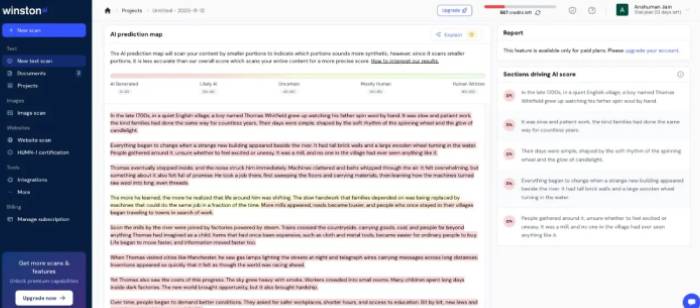
Text and image detection are separate classification problems; a strong workflow in one does not establish accuracy in the other. Evaluate each feature with representative material. Confirm supported languages, input formats, retention terms, report access, and plan limits rather than relying on a headline accuracy percentage.
Originality.AI
Originality.AI is designed largely for website publishers and editorial teams. It combines AI detection with plagiarism, readability, scan history, and collaboration features. The service offers more than one detection mode, so record which model produced a result when comparing scans over time.
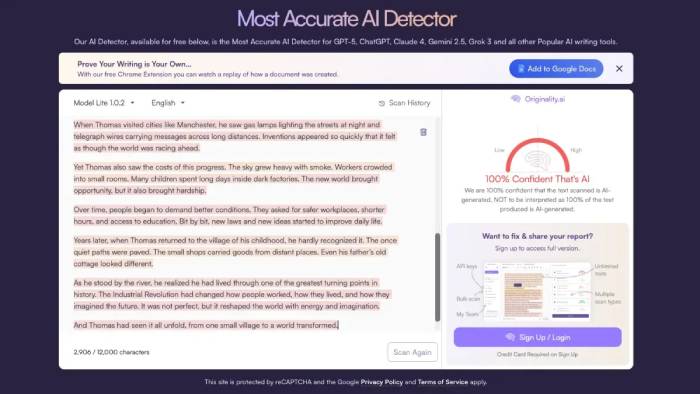
Originality.AI itself states that a score should be one signal rather than the sole basis for academic discipline. Its site also warns that short text and AI-assisted rewriting can affect results. Publishers should separately review factual accuracy, sourcing, plagiarism, originality of analysis, and editorial quality; an AI score does not replace those checks.
Pangram
The source calls this service “Panagram Labs,” but its current name is Pangram. It offers AI-text detection and integrations intended for education, publishing, and enterprise workflows. Its reports are designed to help reviewers locate passages that contribute to the classification.
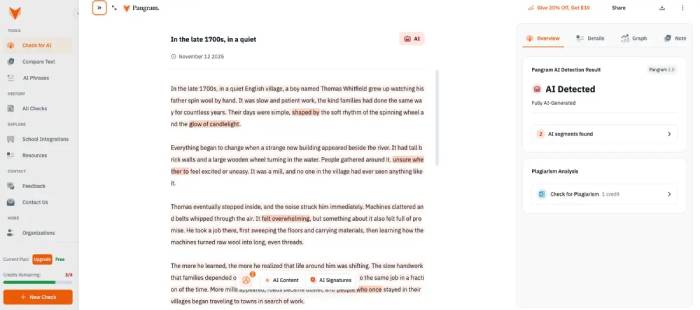
Pangram publishes strong accuracy claims and points to third-party evaluation. Before deployment, inspect the underlying test conditions: which models generated the samples, whether paraphrased or mixed text was included, what human genres were used, how false positives were measured, and whether the tested version matches the current product.
ZeroGPT
ZeroGPT provides a quick browser-based detector with highlighted passages, generated reports, multilingual claims, and batch-upload options. It is easy to try when a user wants a preliminary look at a long passage.
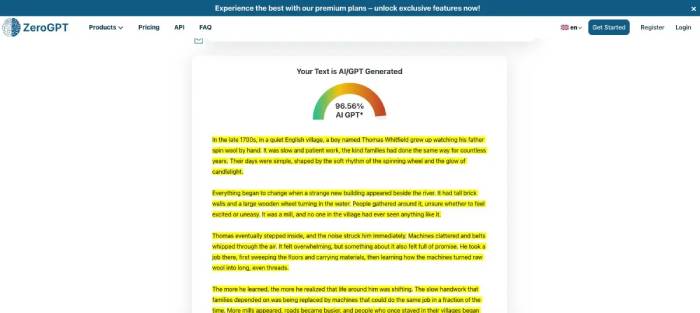
Ease of access is not evidence of accuracy. The product's percentage and labels need to be interpreted according to its current documentation. Test human and AI samples from the same subject, language, length, and editing process as the real documents, and review the service's privacy terms before pasting unpublished or sensitive work.
QuillBot AI Detector
QuillBot AI Detector reports an overall score and highlights sentences, including categories intended to distinguish generated, refined, and human text. It is convenient for people already using QuillBot's paraphrasing, grammar, citation, or plagiarism tools.
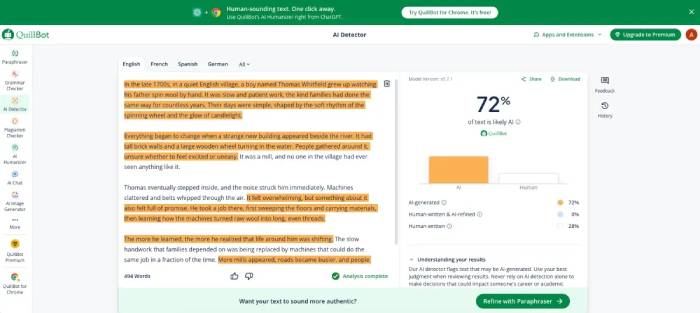
The surrounding writing tools create an important interpretation issue: text may be written by a person and then heavily edited by an AI feature, or generated and then revised by a person. A single binary label cannot explain that process. Reviewers should document what assistance was allowed and ask the author to describe how the final draft was produced.
Copyleaks AI Detector
Copyleaks offers AI detection for individual users as well as APIs and institutional integrations. It analyzes linguistic and statistical patterns, presents passage-level information, and sits alongside separate plagiarism products.
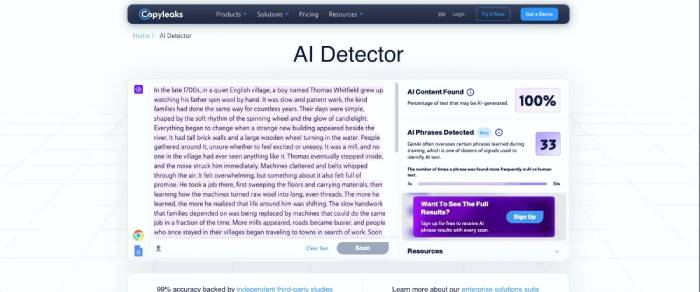
This is a stronger fit when an organization needs access controls, repeatable workflows, or integration with another system. Procurement should still require language-specific validation, documented false-positive and false-negative rates, version-change notices, data-retention controls, an appeals process, and rules preventing automated disciplinary decisions.
BrandWell AI Detector
The former Content at Scale detector is now the BrandWell AI Detector. It provides a free text check focused on whether content-marketing copy resembles human or model-generated writing.
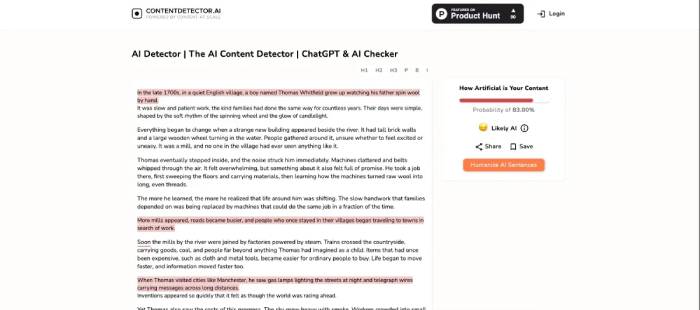
Its simple output can be useful as an editorial prompt—perhaps a passage sounds generic or repetitive—but it is not a forensic authorship report. Improve weak content because it is vague, inaccurate, derivative, or unhelpful, not merely because a detector dislikes its statistical style.
How to test a detector fairly
- Define the decision. Screening outsourced copy, supporting an academic conversation, and studying model behavior require different evidence.
- Build a representative set. Include verified human writing, unedited AI output, allowed AI-assisted editing, translations, and mixed documents from the relevant subject and language.
- Keep samples long enough. Very short passages contain little signal. Follow each vendor's minimum and also test the actual document lengths you receive.
- Separate error types. Track false positives and false negatives independently. In high-consequence settings, a small false-positive rate can still harm many people at scale.
- Record the version and date. Detector behavior changes when vendors update models.
- Test subgroups. Check performance across language backgrounds, genres, proficiency levels, accessibility needs, and legitimate grammar-assistance workflows.
- Review privacy. Do not paste confidential, unpublished, student, employee, or client text into a third-party service without authorization and an appropriate data-handling agreement.
A safer academic-integrity workflow
- Publish a clear policy explaining which AI uses are allowed, prohibited, or require disclosure.
- Design assignments that collect notes, source choices, outlines, checkpoints, drafts, citations, and revision history.
- If a detector flags work, review the complete submission and the tool's limitations before contacting the student.
- Ask the student to explain the argument, sources, drafting decisions, and revisions. Do not demand that they “prove a negative” with another detector.
- Consider version history, prior in-class work, source records, factual consistency, and the student's explanation under the institution's established process.
- Provide a meaningful appeal route and never let an automated score determine the outcome.
Students need guidance on legitimate writing support as well as enforcement. TipsMake's comparison of AI tools for high school and university students can help instructors discuss tool categories, while the guide to English spelling and grammar tools shows why assisted editing should not automatically be equated with generated authorship.
For publishers and content teams
Use detectors as a triage signal, not a quality score. A human-written article can still be inaccurate, copied, poorly sourced, or useless; AI-assisted work can contain original reporting and careful human editing if policy permits it. Review the evidence that matters to readers: factual support, firsthand knowledge, source quality, disclosure, originality of analysis, clear structure, and accountability for errors.
If a passage is flagged, inspect it for concrete editorial problems. Replace generic assertions with sourced facts, remove repetition, verify names and links, add missing limitations, and require the author to provide notes or sources. The goal is trustworthy content, not a particular detector percentage.
Related Articles
 AI Tools for Detecting Fake News May Not Be as Effective as You Think5 minutes read
 Which Smartwatches and Fitness Trackers Have Fall Detection?7 minutes read
 Tips for Recognizing AI-generated Text6 minutes read
 10 Effective SEO Content Checking Tools4 minutes read
 Best AI Writing Tools in 2026: 10 Options Compared12 minutes read
 Some Simple Tricks to Deal with Malware5 minutes read
Reader Comments 0
Sign in with email or Google to join the discussion.