Table of Contents
The best AI video editor depends on the job. Premiere Pro, Final Cut Pro, and DaVinci Resolve suit demanding timeline work; CapCut and Clipchamp make short-form editing approachable; Filmora balances ease and desktop controls; Kapwing helps browser-based teams; and Descript is strongest when a transcript drives the edit.
AI can speed up captions, search, masking, reframing, noise cleanup, and rough cuts. It does not replace reviewing every edit, checking licenses, correcting subtitles, or protecting private footage.
Quick comparison
| Editor | Best fit | Main tradeoff |
|---|---|---|
| Adobe Premiere Pro | Professional timeline editing and Creative Cloud workflows | Subscription cost and a substantial learning curve |
| Final Cut Pro | Editors working primarily on Apple hardware | Apple-platform focus and a distinctive timeline workflow |
| CapCut | Short-form social video and mobile-first creators | Feature, account, template, and export terms can vary by region |
| Wondershare Filmora | Beginners who want a fuller desktop editor | Some assets and AI operations require additional payment or credits |
| DaVinci Resolve | Advanced editing, color, audio, and visual effects | Hardware demands and a complex interface |
| Kapwing | Browser-based marketing and team content | Upload, processing, and export limits depend on the plan |
| Microsoft Clipchamp | Simple browser or Windows editing | Fewer high-end controls than professional suites |
| Descript | Interviews, podcasts, tutorials, and transcript-led edits | Less suitable for effects-heavy cinematic work |
Prices and AI credits change too often to preserve in a reliable comparison table. Check the current plan, watermark, export-resolution, storage, stock-media, and generative-credit terms before subscribing.
Adobe Premiere Pro
Premiere combines professional timeline editing with AI-assisted transcription, text-based editing, captions, media search, masking, audio cleanup, and Firefly-powered Generative Extend for adding a small amount of video or ambient audio.
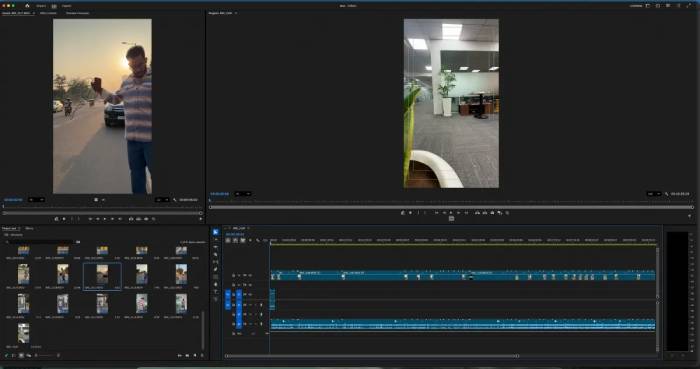
Choose it when: precise timeline control, collaboration, interchange, and the wider Adobe workflow matter. Watch for: hardware requirements, subscription cost, and separate terms or credits for generative features. Adobe lists current tools on its Premiere AI features page.
Final Cut Pro
Final Cut Pro offers a fast magnetic timeline on supported Apple devices, with features such as Magnetic Mask, automatic captions, object tracking, voice isolation, multicamera tools, and content search in current releases.
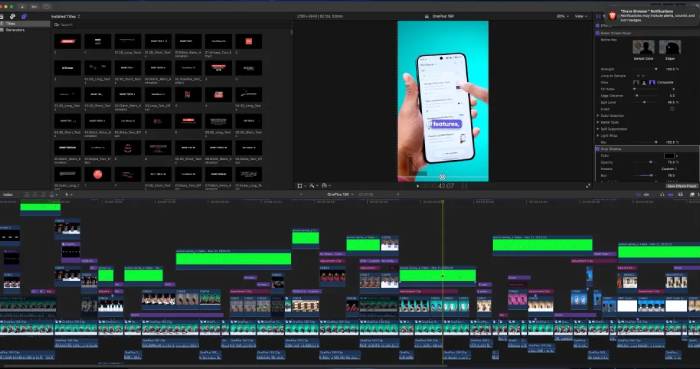
Choose it when: you edit mainly on a Mac and value Apple-silicon performance. Watch for: platform compatibility, library management, plugin requirements, and the time needed to learn its timeline conventions.
CapCut
CapCut is designed for quick social content across mobile, desktop, and the web. Depending on the platform and plan, it can provide automatic captions, silence or filler removal, background tools, resizing, templates, translation, and script-assisted creation.
Choose it when: speed, vertical formats, templates, and phone editing matter. Watch for: regional availability, commercial rights for music and templates, cloud-upload privacy, and which tools are Pro-only. See TipsMake's CapCut editing guide or its CapCut and Premiere comparison.
Wondershare Filmora
Filmora offers a conventional desktop timeline in a beginner-friendly package. Current versions include a changing collection of AI tools for masking, object removal, translation, audio cleanup, image or video generation, and editing assistance.
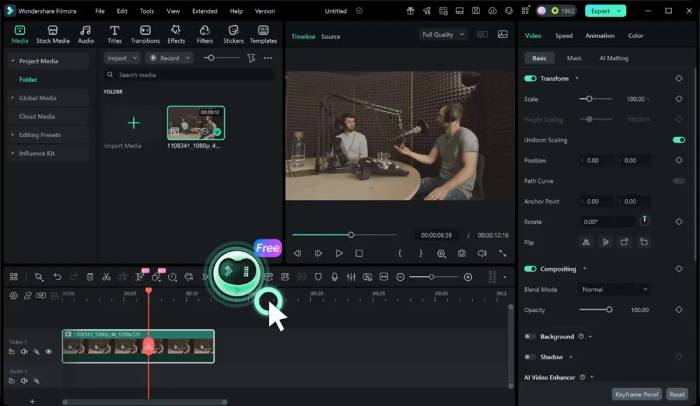
Choose it when: you want more control than a simple mobile editor without starting with a high-end suite. Watch for: recurring plans, asset licenses, AI-credit charges, watermarks, and whether a named third-party generation model is available in your country.
DaVinci Resolve
DaVinci Resolve combines editing, Fusion effects, color grading, and Fairlight audio in one project. Its Neural Engine supports tasks such as content search, masking or tracking, scene analysis, facial tools, and audio processing, but many advanced AI functions are reserved for Resolve Studio.
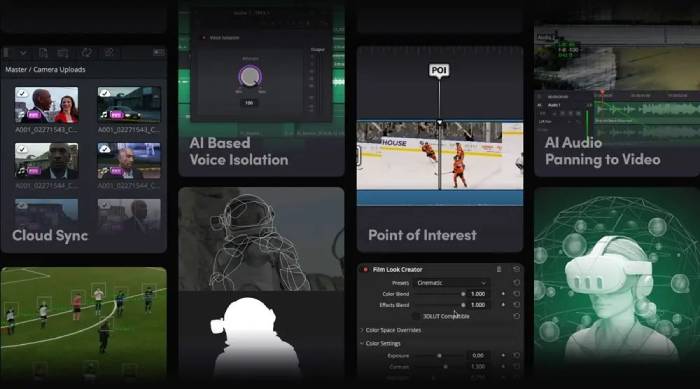
Choose it when: color, sound, effects, and long-term skill development matter. Watch for: GPU and memory demands and the difference between free and Studio features. Consult the current Resolve feature list.
Kapwing
Kapwing runs in a browser and focuses on quick team content. It supports transcript-based editing, subtitles, resizing, background tools, templates, and brand workflows without requiring every collaborator to install a desktop suite.
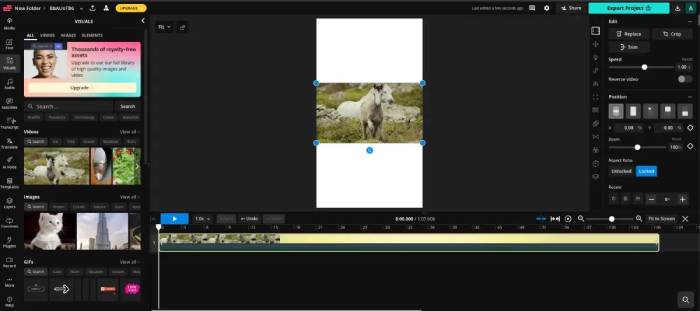
Choose it when: collaborators need a shared browser workflow. Watch for: upload time, internet dependence, storage, watermark and export limits, and policies for confidential source footage.
Microsoft Clipchamp
Clipchamp—not “Clipky”—is Microsoft's approachable editor for the web and Windows. Its AI-assisted tools include voiceovers, automatic subtitles, transcription, silence removal, filler-word removal, and background-noise cleanup in supported versions.
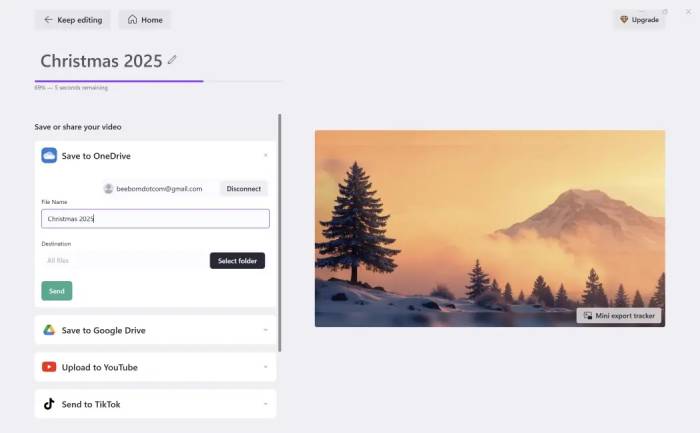
Choose it when: you need uncomplicated cuts, captions, screen recordings, and templates. Watch for: plan-specific stock assets, exports, and the limited depth of its color and effects controls. Verify current capabilities on Clipchamp's AI editing page.
Descript
Descript turns audio and video into an editable transcript, making it effective for interviews, podcasts, tutorials, and talking-head content. Supported tools include captioning, filler-word removal, audio cleanup, clips, translation, eye-contact correction, and synthetic voice features.
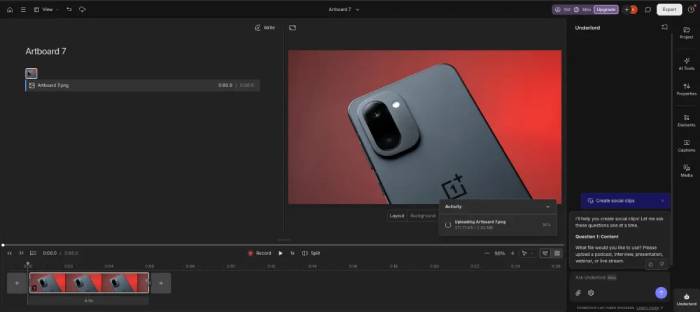
Choose it when: spoken content drives the edit. Watch for: transcription errors, consent and disclosure for voice cloning, plan limits, and reduced control over complex compositing.
How to test an editor before paying
- Use a two-minute sample containing dialogue, music, motion, and one difficult cut.
- Generate captions and correct names, timing, punctuation, and speaker changes.
- Try the one AI task you need most, such as masking, noise removal, or reframing.
- Export at the required resolution and inspect image quality, audio sync, watermarking, and file size.
- Check whether the project can be backed up or exported in a form another editor can use.
If you need generation rather than editing, compare TipsMake's AI video creation tools. A strong editor should save time on your real footage, not merely produce an impressive demo with a prepared sample.
Related Articles
 Top Best Video Editing Software on Computer13 minutes read
 How to Edit Videos Online: Online Video Editing Services7 minutes read
 Why Topaz Labs AI Has the Best AI Photo and Video Editing Tool?7 minutes read
 How to Use Vizmato to Create Effects for Videos7 minutes read
 How to Use the Instagram Reels Video Editing Tool: Step-by-Step Guide4 minutes read
 How to Make Videos, Make Movies on Your Computer Easily Withcut10 minutes read
Reader Comments 0
Sign in with email or Google to join the discussion.