Table of Contents
Capacity: Top 10 External Hard Drives is easier to understand when the core ideas are paired with practical examples. The sections below explain the topic clearly, highlight useful steps, and point out details that can prevent common errors.
The external hard drive cannot be as fast as the built-in models, but it is a great backup tool and easy to install. Here are the top 10 external hard drives voted by PC World, based on price and technology criteria. 1. Apricorn EZ Bus Desktop SATA
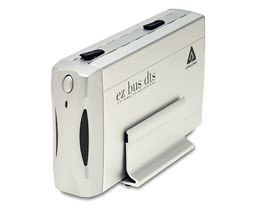
This fast and cheap hard drive comes with 3 backup, file copy and encryption utilities
Capacity (GB): 500 Supported interfaces: External SATA-300, USB 2.0 Speed: (rpm): 7200 Buffer capacity (MB): 8 Each GB costs: 0.35 USD Price: 175 USD
2. LaCie d2 Quadra
Capacity (GB): 500 Supported interfaces: External SATA-150, USB 2.0, FireWire 800/400 Speed: (rpm): 7200 Buffer capacity (MB): 16 Each GB costs: 0.44 USD Price: 220 USD
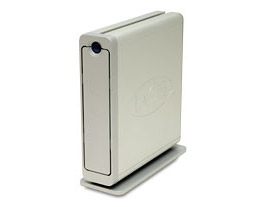
With a slightly higher price, you get the flexibility of USB, SATA, FireWire 400, and FireWire 800 data interfaces.
3. Iomega 500GB ESATA / USB 2.0 Black Series
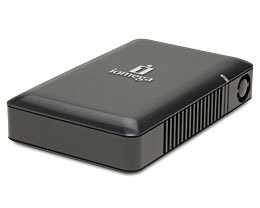
If you need a fast, affordable external hard drive, this is a good option.
Capacity (GB): 500 Supported interfaces: External SATA-150, USB 2.0 Speed: (rpm): 7200 Buffer capacity (MB): 8 Each GB costs: 0.5 USD Price: 250 USD
4. Western Digital MyBook Premium ES Edition
Capacity (GB): 500 Supported interfaces: External SATA-300, USB 2.0 Speed: (rpm): 7200 Buffer capacity (MB): 16 Each GB costs: 0.36 USD Price: 180 USD
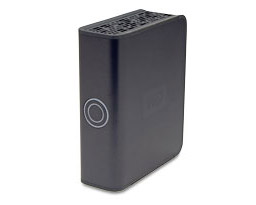
This model has a nice design, but is slower than other popular 500GB SATA drives.
5. Western Digital My Book Pro Edition
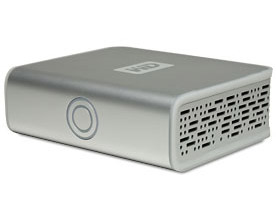
The external hard drive on these 3 interfaces looks pretty good, but its performance is not really outstanding.
Capacity (GB): 500 Supported interfaces: USB 2.0, FireWire 800/400 Speed: (rpm): 7200 Buffer capacity (MB): 16 Each GB costs: 0.46 USD Price: 230 USD
6. Seagate FreeAgent Pro
Capacity (GB): 500 Supported interfaces: External SATA-300, USB 2.0 Speed: (rpm): 7200 Buffer capacity (MB): 16 Each GB costs: 0.45 USD Price: 340 USD
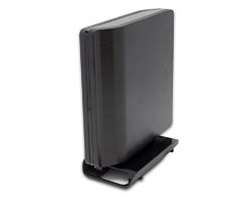
Eye-catching design plus useful multi-purpose software makes the difference of FreeAgent Pro.
7. Apricorn EZ Bus Desktop
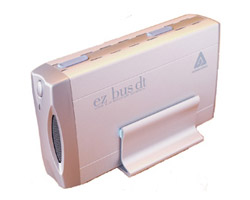
Fast and cheap, eSATA desktop drive comes with basic backup, encryption and drive capture software.
Capacity (GB): 250 Supported interfaces: External SATA-300, USB 2.0 Speed: (rpm): 7200 Buffer capacity (MB): 8 Each GB costs: 0.48 USD Price: 119 USD
8. WiebeTech SilverSata I
Capacity (GB): 500 Supported interfaces: External SATA-300, USB 2.0 Speed: (rpm): 7200 Buffer capacity (MB): 8 Each GB costs: 0.68 USD Price: 338 USD
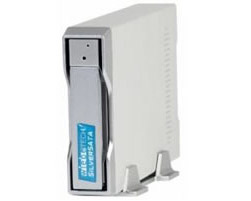
High speed, this eSATA drive is placed in a well-designed case, removable disc tray and a plastic key to lock the internal components.
9. Seagate External Push-Button Backup 400GB
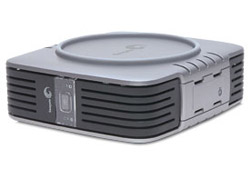
Quite cumbersome, poor performance compared to most external hard drives, but in return it comes with backup software and is cheap.
Capacity (GB): 400 Supported interfaces: USB 2.0, FireWire 400 Speed: (rpm): 7200 Buffer capacity (MB): 8 Each GB costs: 0.88 USD Software included: CMS BounceBack Express Price: 350 USD
10. Maxtor OneTouch III Turbo Edition
Capacity (GB): 1500 Supported interfaces: USB 2.0, FireWire 800/400 Speed: (rpm): 7200 Buffer capacity (MB): 16 Each GB costs: 0.53 USD Software included: CMS BounceBack Express Price: 800 USD
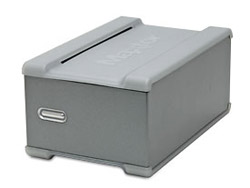
This dual hard drive has a large capacity
* Note : The price in the article is the price at the time of publication.
FAQ
What is Capacity: Top 10 External Hard Drives?
The external hard drive cannot be as fast as the built-in models, but it is a great backup tool and easy to install.
Why is Capacity: Top 10 External Hard Drives important?
A clear understanding of Capacity: Top 10 External Hard Drives helps you make informed decisions, avoid common mistakes, and use the relevant tools or techniques more effectively.
How should beginners approach Capacity: Top 10 External Hard Drives?
Start with the fundamental concepts, follow the examples step by step, and test each change in a safe environment before applying it to important systems or data.
Related Articles
 The Best External Hard Drives for 20205 minutes read
 7 Best External Hard Drives9 minutes read
 8 Other Uses of External Hard Drives/NAS Besides File Storage7 minutes read
 Experience Gold When Choosing to Buy an External Hard Drive8 minutes read
 5 Best External Hard Drives of 20267 minutes read
 5 Best External Hard Drives of 2024: Features, Uses, and6 minutes read
Reader Comments 0
Sign in with email or Google to join the discussion.