Table of Contents
This updated guide explores tips for converting audio messages to text on Instagram with practical details, clear explanations, and useful takeaways. Instagram has just updated a very useful feature that converts audio messages to text with just one simple tap. The application uses AI to classify the voice content and then converts it into a translated voice message so that you can read the content, in case you cannot listen.
How to Convert Audio Messages to Text on Instagram
Step 1:
You access the messaging interface on Instagram and then tap the chat on the app with the audio message. In the messaging interface, you just need to tap View transcript to do it.
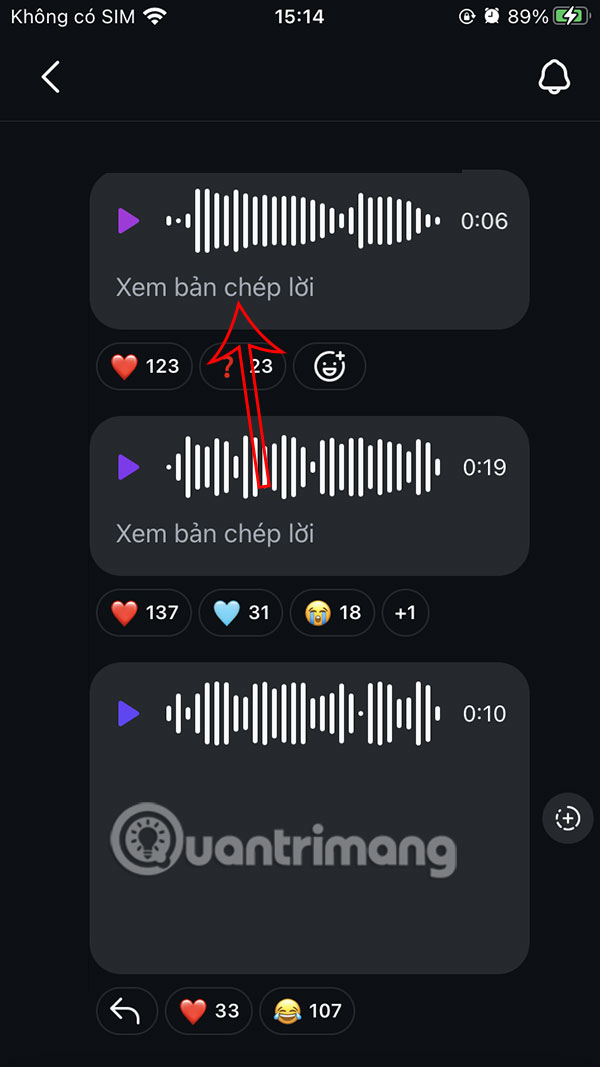
Step 2:
Displays a notification about the voice chat to text message feature for the first time use. choose Continue to proceed.
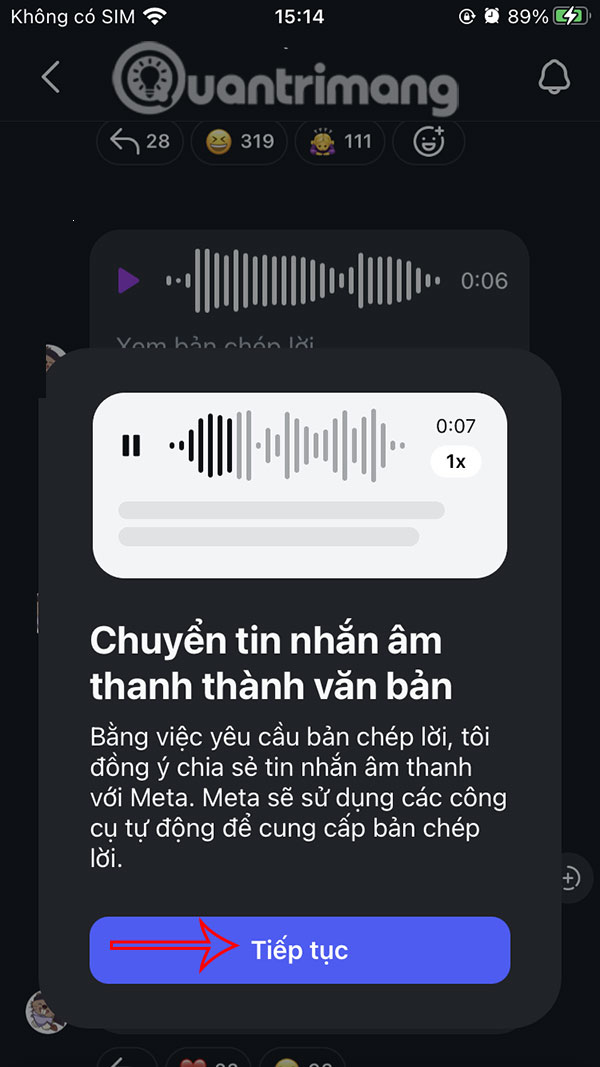
Step 3:
The result is that you will see the text message converted from the audio message on Instagram for you to see the content. In general, the audio message to text message converter on Instagram cannot be 100% correct, word for word, but it also follows the content of the voice message, and you can still understand the content of the voice message that is being conveyed through the message translation on Instagram.
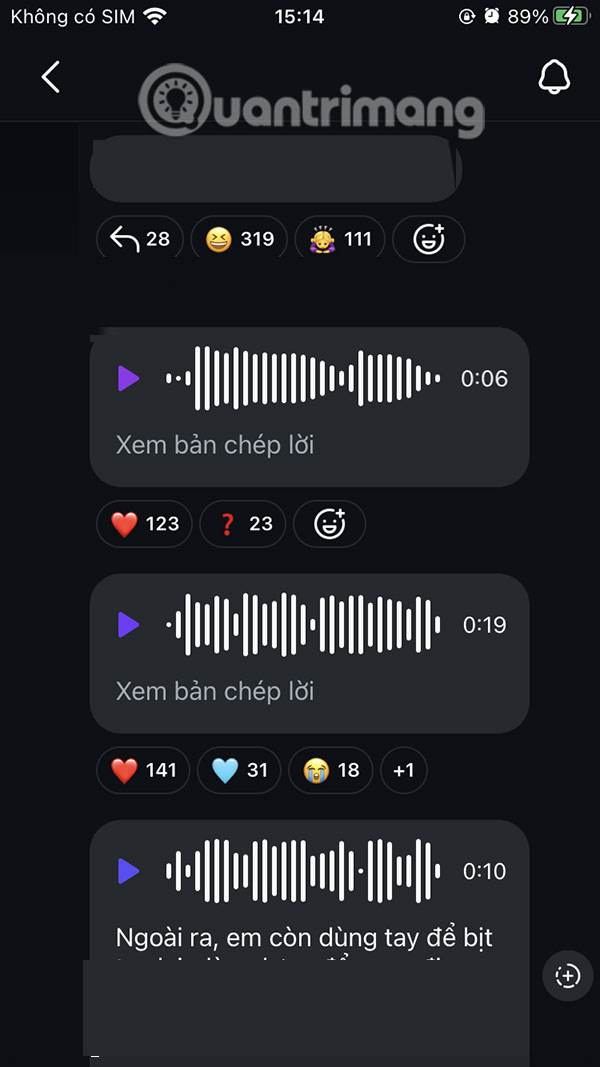
FAQ
What is the main takeaway about Tips for Converting Audio Messages to Text on Instagram?
The key is to understand the core idea, compare the available options, and apply the practical guidance that matches your situation.
What should beginners know about Tips for Converting Audio Messages to Text on Instagram?
Start with the essential steps and terminology. Avoid changing advanced settings until you understand how they affect performance, privacy, cost, or compatibility.
How can I use this information in practice?
Follow the relevant section in order, test one change at a time, and confirm the result before moving to the next step or recommendation.
Related Articles
 Instagram Adds a Feature to Send Text Messages2 minutes read
 How to Send Audio Messages on Twitter3 minutes read
 Instructions for Sending Audio Messages on Viber4 minutes read
 How to Recall Instagram Messages3 minutes read
 Instagram Brings Direct Messages to the Web Version3 minutes read
 How to Mark Instagram Messages as Unread2 minutes read
Reader Comments 0
Sign in with email or Google to join the discussion.