Table of Contents
This updated guide examines Dtcl Shortcut: Synthesize Shortcut Truth Arena and organizes the essential facts, background, and practical takeaways in clear American English.
In addition to the way of building the Truth Arena team, the way to the Truth Arena, players also discover many other interesting things in the game. One of them is the DTCL shortcuts that help users to operate faster than other players in the game.
If you also want to find out what these shortcuts are for controlling the game more quickly, please refer to the DTCL shortcut list below.
- How to match the map in Truth School LMHT
- Configure to play the Truth League League of Legends on the computer
- Top equipped in String Lose the Truth Arena that users should use
Synthesize shortcut Truth Arena
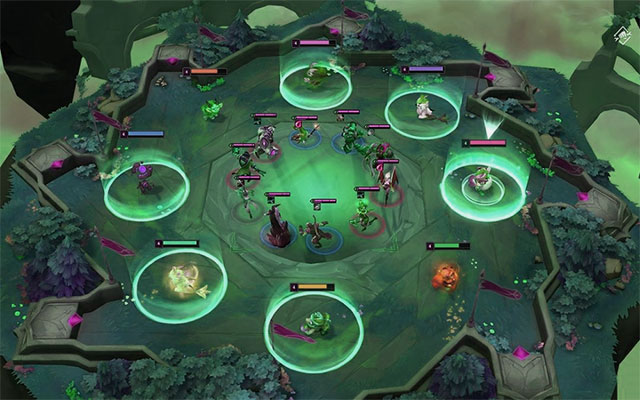
- W key: Put the champion in the position of the mouse cursor from the queue to the table or vice versa
- E key: Change heroes at the position of the mouse cursor to get gold
- Key D: Rotate Chess
- Key F: Buy experience
- Space key: Return to your squad quickly when watching other players' lineup.
- Keys 1 and 2: Use to switch to another person's lineup, key 1 for you to advance to the next lineup and 2 to switch to the previous lineup.
If you memorize and get acquainted quickly with the above-mentioned Truth Arena shortcut, you will have an advantage over your rankings. In particular, you will find it much more interesting and faster to control with your mouse in DTCL.
FAQ
What is Dtcl Shortcut: Synthesize Shortcut Truth Arena about?
It provides a structured overview of dtcl shortcut, explains the main context, and highlights practical takeaways for readers.
Why does this topic matter?
Understanding the main concepts helps readers evaluate the issue, avoid common mistakes, and make better-informed decisions.
How should readers use this information?
Use the guidance as a practical starting point, confirm details that may have changed, and follow current product, safety, or security recommendations.
Related Articles
 Arena of Truth: Some Buffs and Nerfs in Truth Arena 9.14b4 minutes read
 The Way to Equip the Equipment Is Very Strange but Effective in6 minutes read
 Synthesis of 50+ Truth Arena Wallpapers for Computers and Laptops3 minutes read
 Three Strong Generals and the Most Heterosexual League of Truth12 minutes read
 Arena of Truth Mobile May Be Released Before May 313 minutes read
 Truth Arena: Top 5 Strong Teams in the Ranking Mode You Should9 minutes read
Reader Comments 0
Sign in with email or Google to join the discussion.