Table of Contents
This updated guide examines Access: Surf the Web More Safely with Wot and organizes the essential facts, background, and practical takeaways in clear American English.
Depending on the browser you are using, visit here to download the appropriate Web of Trust - WOT installation.
For Mozilla Firefox:
How to install similarly to other Firefox add-ons, after completing and restarting the browser, you will see the WOT End-User Software License Agreement notice, select Accept to start activation and use. WOT use:
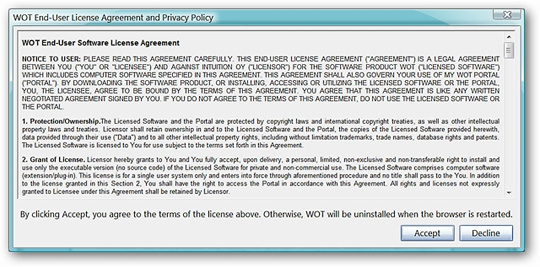
When this process is complete, the WOT button will be fixed on the left, near the address bar. With Firefox, users can move the location of this button accordingly.
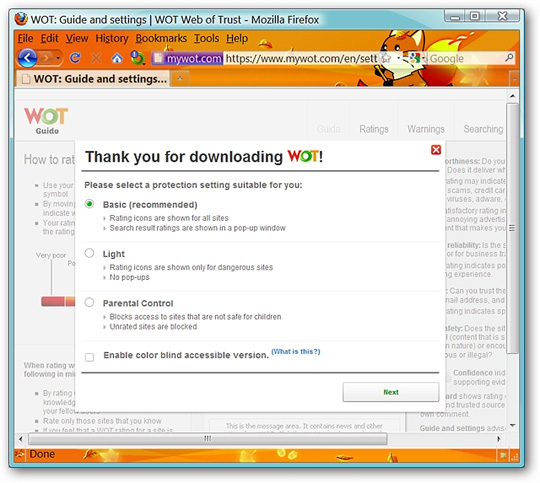
After restarting the browser, you will see a notification window that selects the security level of the WOT, including 3 levels. Here, the author chooses the default level, Basic (recommended) and select Next :
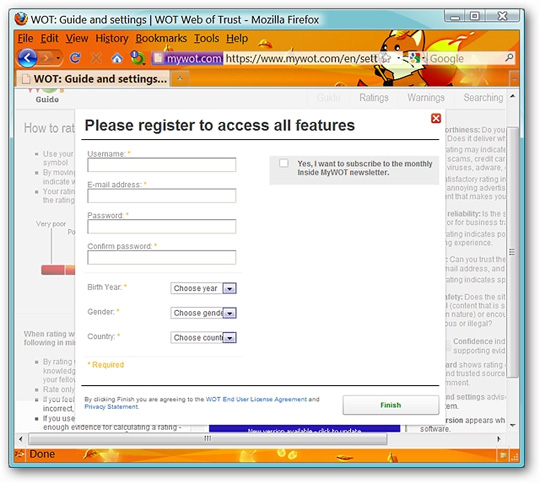
Next, you will be asked to choose to create a WOT account. When registering an account, you can access and use many functions of WOT, besides, you can also rate and evaluate websites directly on the browser.
Note: you can close this window, WOT is still active but you will not be able to use all the features of WOT.
For other browsers like Internet Explorer, Safari, Opera or Google Chrome, the same steps.
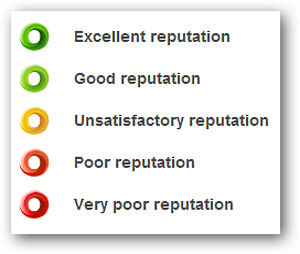
The colors above show the classification and ranking mechanism of WOT: green means that the website is reliable, yellow is normal, and red means that the website contains many dangerous, unreliable components. depend. All of the above criteria are contributed by the WOT developer and the user community worldwide.
You can participate in WOT development by registering an account here.
Installation path for WOT for Firefox: link 1 or link 2. For Internet Explorer: link Other browsers: link
FAQ
What is Access: Surf the Web More Safely with Wot about?
It provides a structured overview of access, explains the main context, and highlights practical takeaways for readers.
Why does this topic matter?
Understanding the main concepts helps readers evaluate the issue, avoid common mistakes, and make better-informed decisions.
How should readers use this information?
Use the guidance as a practical starting point, confirm details that may have changed, and follow current product, safety, or security recommendations.
Related Articles
 Fake IP Surf Anonymously, Safely with OKayFreedom VPN3 minutes read
 Surf the Web via SMS, Without an Internet Connection4 minutes read
 Security: 4 Ways to Surf the Web More Safely with Ie6 minutes read
 Unplug USB Safely, Fix 'Ejecting USB Mass Storage Device'9 minutes read
 How to Surf the Web Without a Browser?: Surf the Web Without Browser12 minutes read
 Surf the Web More Safely with the Bufferzone Pro Application3 minutes read
Reader Comments 0
Sign in with email or Google to join the discussion.