Table of Contents
Explore spotify is testing a feature that synchronizes audiobooks with print books.
To use the Page Match feature, users need to unlock or purchase an audiobook on Spotify and also need to have a print or ebook version of that book.
This feature works by scanning the page you're reading with your device's camera, using optical character recognition (OCR) technology to identify passages of text, and then matching them to specific timestamps in the audiobook.
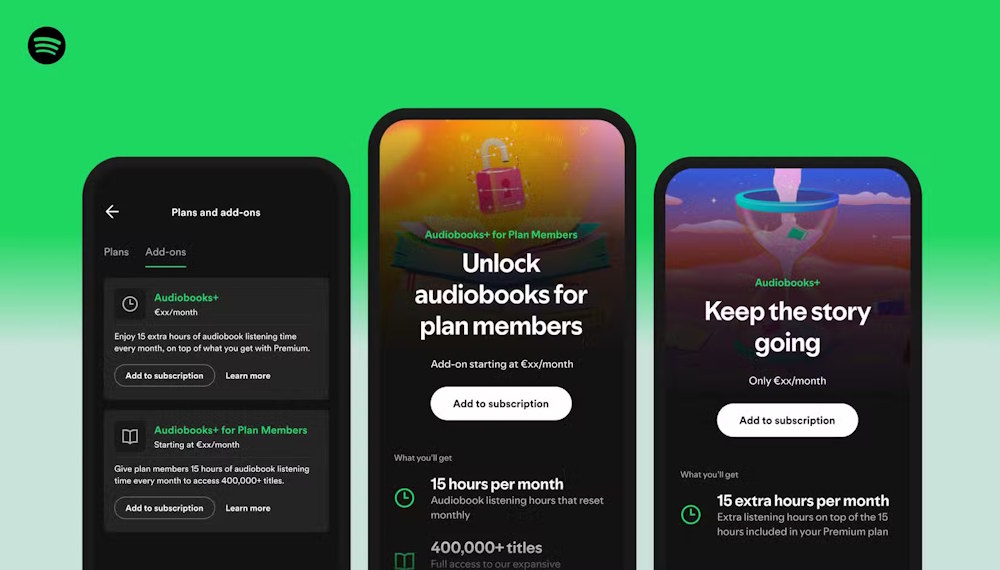
The code snippets show that Spotify will also display the page number corresponding to your current audiobook listening position, making it easy to quickly switch between listening to and reading a physical book, pairing audiobook progress from page to page and vice versa. However, page numbers may vary depending on the book version, which could cause some complications.
string name="page_match_onboarding_title">Jump between the book (or Ebook) and the audiobook Beta Scan a page to match your progress. Grab your book to get started Use your camera to match your progress from the book page to the audiobook – and back again!Spotify has yet to widely release the Page Match feature. Page Match's optical character recognition (OCR) technology is also not always accurate, according to Android Authority.
Final Thoughts
Understanding spotify is testing a feature that synchronizes audiobooks with print books makes it easier to evaluate the information and apply the most relevant recommendations. Focus on the key points above and verify details that may change over time.
FAQ
What is spotify is testing a feature that synchronizes audiobooks with print books?
Explore spotify is testing a feature that synchronizes audiobooks with print books.
What key points does this article cover?
The article explains the core concept, important considerations, and practical details readers should understand.
How can you use this information in practice?
Use the explanations to compare options, verify important details, and make a more informed decision. Apply the recommendations that best match your goals and situation.
Related Articles
 How to Listen to Free Audiobooks on Spotify: Clear Instructions8 minutes read
 What Does Spotify Audiobook Recap Feature Bring: Explained3 minutes read
 Instructions to Turn Off the Spotify Canvas Feature3 minutes read
 9 Best Audiobook Apps for iPhone and Android10 minutes read
 22 Tips to Improve Your Listening and Streaming Like a Pro on Spotify16 minutes read
 Even Audiobooks Aren't Safe from the Advent of AI5 minutes read
Reader Comments 0
Sign in with email or Google to join the discussion.