Table of Contents
Spotify is rolling out audiobook recap, summarizing audiobooks using AI to make it easier for users to follow the content with just a few taps.
Spotify is rolling out audiobook recaps, an AI-powered summary of audiobooks that makes it easier to follow along with content in just a few taps. Spotify will create a brief summary of the entire content up to the point you've been listening to. As you continue listening, the summary will automatically update. Here's how to use Spotify's audiobook summary feature.
How does Spotify audiobook summary work?
Spotify audiobook summary or Spotify audiobook recap is a feature that creates short audio summaries tailored to your most recent listening.
After you listen to an audiobook for about 15-20 minutes, a 90-second AI-generated audio summary will appear so you can summarize what you heard.
As you continue listening, the summary will automatically update to pick up where you left off, so you won't miss any part of the audiobook.
Spotify audiobook summary guide
Step 1:
Find the audiobook in Spotify and listen as normal. You'll see A notification that You should listen for at least 20 minutes To get the summary.
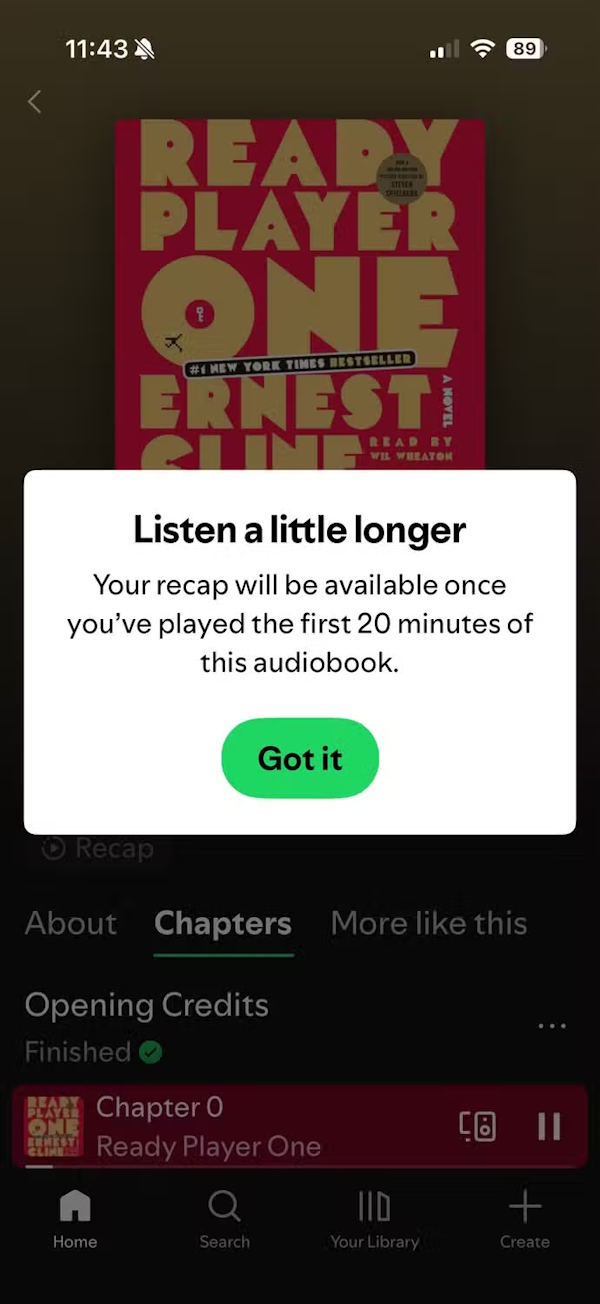
Step 2:
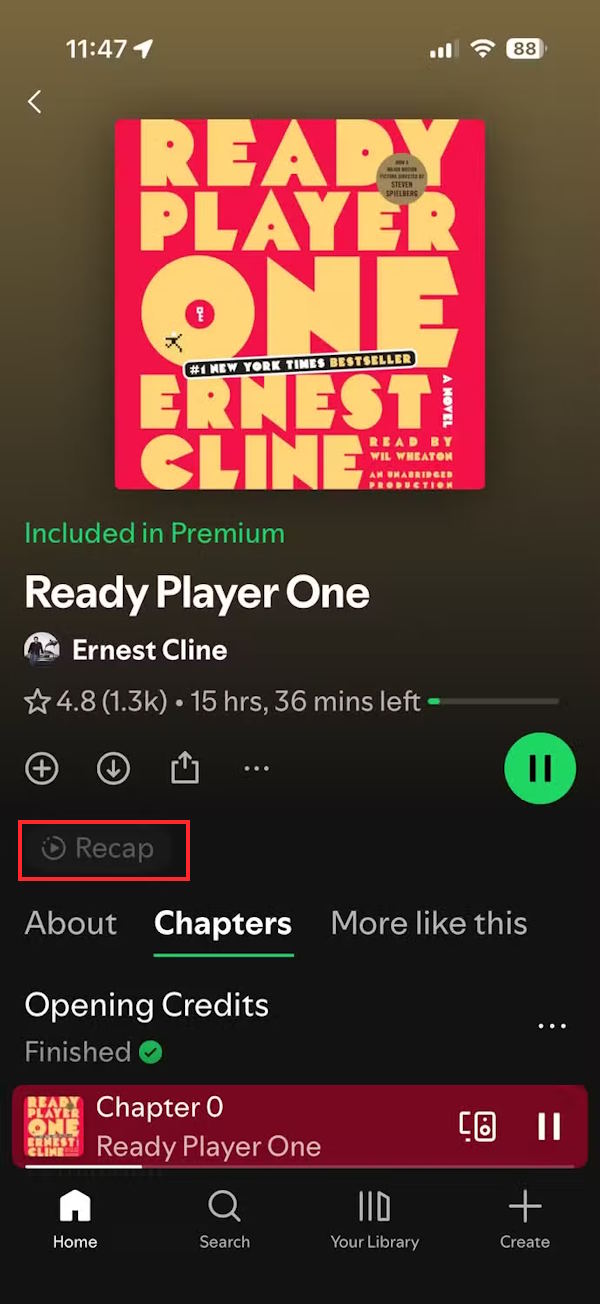
Now you will see The Recap button At the top of the interface to select to listen to the summary when needed.
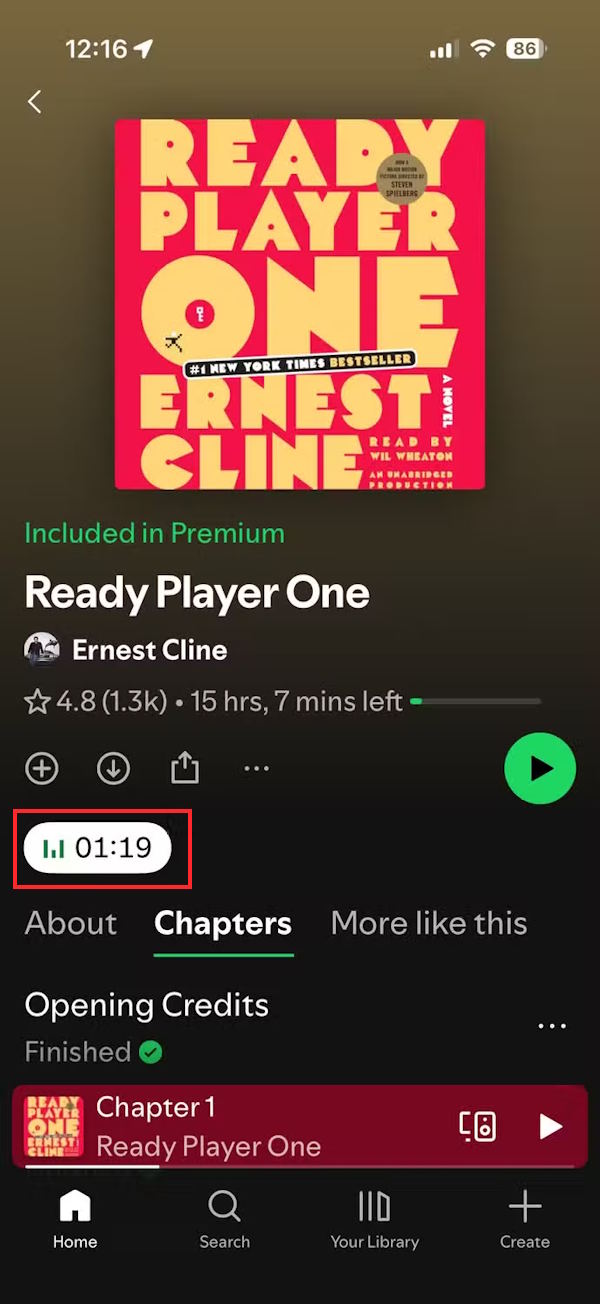
You will instantly see A summary of the audiobook You just listened to for about 90 seconds.
The feature is currently in beta, limited to a few English titles on iOS, and only applies to Spotify Premium accounts.
FAQ
What should you know about what does Spotify audiobook recap feature bring?
In practical terms, Spotify is rolling out audiobook recap, summarizing audiobooks using AI to make it easier for users to follow the content with just a few taps.
Why does what does Spotify audiobook recap feature bring matter?
The article highlights that how does Spotify audiobook summary work.
What is the main takeaway?
The main takeaway is that Spotify audiobook summary or Spotify audiobook recap is a feature that creates short audio summaries tailored to your most recent listening.
Related Articles
 YouTube Recap Vs Spotify Wrapped 2025: Lady Gaga and Joe Rogan Dominate Both Lists5 minutes read
 The Spotify Audiobook Rankings Show Which Books Are Trending3 minutes read
 What Does Google Photos Recap 2024 Have?3 minutes read
 Spotify Is Testing a Feature That Synchronizes Audiobooks with Print Books4 minutes read
 How to Watch the Latest YouTube Recap 2025: Step-by-Step Guide3 minutes read
 Instructions to Turn Off the Spotify Canvas Feature3 minutes read
Reader Comments 0
Sign in with email or Google to join the discussion.