Table of Contents
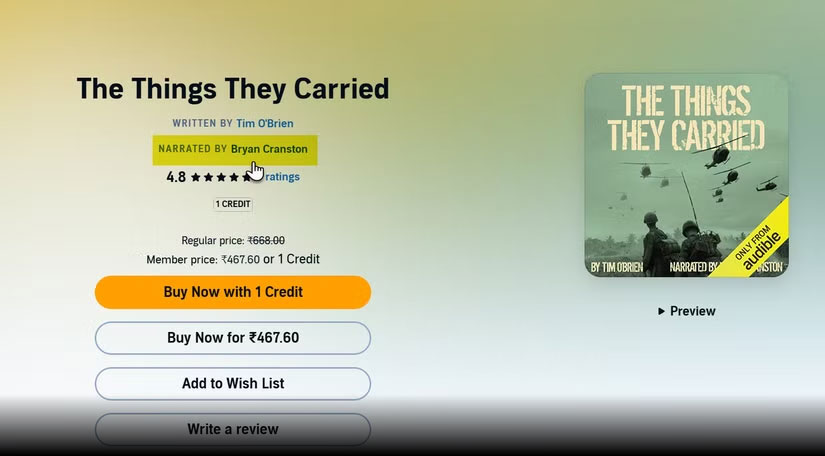
To see whether an Audible edition uses AI narration, open its listing and check the Narrated by credit. Audible uses Virtual Voice for synthetic speech and Voice Replica for an AI recreation of a voice made by a professional narrator. Audible’s help page explains both labels.
What Audible offered publishers
In its May 2025 announcement, Audible described two production options for selected publishers: Audible could manage the work, or publishers could use self-service software to produce the audio themselves. The company also announced plans to test AI translation. Translation and narration are separate decisions: a translated edition can use a different voice and production process from the original.
How to choose an audiobook edition
- Search for the title and author. Open the listing for the language and edition you want.
- Check the narrator credit for a person’s name and for any Virtual Voice or Voice Replica label.
- Play the sample. Listen for pacing, unfamiliar names and changes in tone. In fiction, check whether you can follow a change of speaker. In nonfiction, listen for how the voice handles technical terms.
- If you prefer a different reading, search again by title and narrator. You can also check a local library’s digital catalog or look for an audiobook edition on Spotify. Catalogs vary by market.
One title can have several audio editions with different narrators, lengths or languages. Check the listing and sample for the particular version you plan to buy or borrow.




Reader Comments 0
Sign in with email or Google to join the discussion.