Table of Contents
Choose a ChatGPT plan by matching the data you will use, number of users, administrative controls, procurement requirements, and compliance obligations—not by comparing one headline price. Plan names, features, limits, and prices change, so verify the current terms before purchase and document the decision.
This article distinguishes personal plans from organization-managed workspaces and provides a deployment checklist. It does not determine whether a product satisfies your legal or regulatory obligations; your security, privacy, legal, and procurement teams must assess the actual contract and configuration.
Plan categories at a glance
| Plan category | Best fit | Questions to verify |
|---|---|---|
| Free | Individual evaluation and low-risk personal tasks | Usage limits, available tools, personal data controls, and whether the task is permitted by company policy |
| Plus | An individual who wants additional access or capabilities | Current limits, included tools, billing, and whether a personal workspace is approved for work data |
| Business | A self-serve collaborative workspace for a team | Seat types, workspace administration, sharing, billing, supported identity controls, and data-handling commitments |
| Enterprise | A managed deployment requiring contracted controls and centralized administration | SSO, SCIM, domain verification, retention, audit/compliance access, support, procurement, and negotiated terms |
| Edu or other contracted offerings | Eligible institutions or specialized regulated use cases | Eligibility, supported features, contractual terms, deployment controls, and required agreements |
Check the official ChatGPT pricing page for the current public plans and prices. Enterprise and other contracted offerings may require a sales conversation rather than a public per-user price.
Do not choose from a static feature table
A table that lists one model, context window, message allowance, or exact monthly price becomes obsolete quickly. Build a requirements sheet first, then confirm each requirement against current official documentation and the proposed contract.
- Which models and tools must users access?
- Will the workspace contain internal, confidential, personal, regulated, or customer data?
- Do you need SAML SSO, SCIM, domain controls, role-based access, or centralized offboarding?
- What retention, export, audit, residency, encryption, incident-response, and support terms are required?
- Will the organization connect internal data sources or third-party apps?
- Does procurement require invoicing, purchase orders, a DPA, a BAA, or negotiated legal terms?
- Is API usage part of the design? A ChatGPT workspace subscription and API billing are separate products.
Understand data use and workspace boundaries
OpenAI states that business data in ChatGPT Business and Enterprise is not used to train its models by default. Review the current enterprise privacy commitments and the terms governing your exact product. For personal workspaces, review Data Controls and your organization's policy before entering work material.
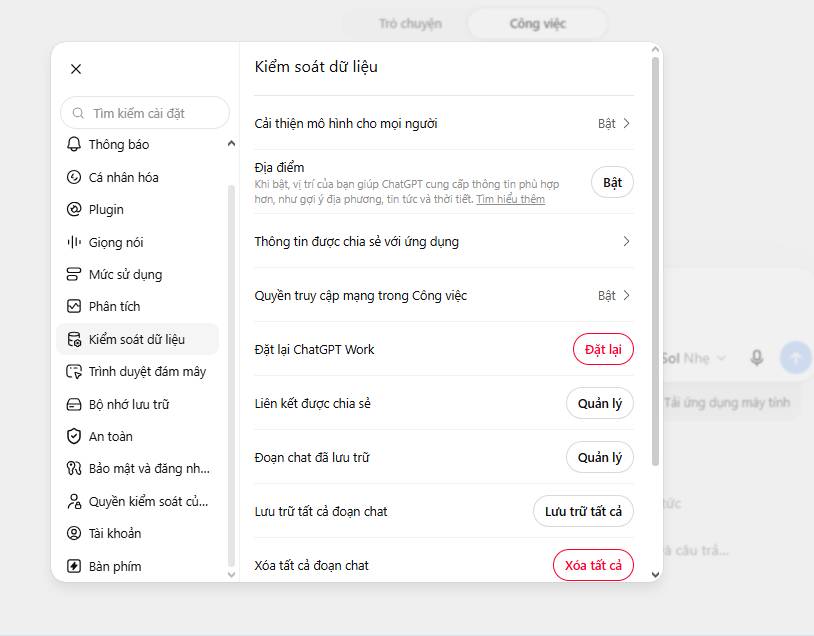
An opt-out setting is not a substitute for organizational approval. Even when model training is disabled, the team still needs rules for retention, account access, connected apps, sharing, exported files, human review, and incident reporting. Never assume that buying a higher plan automatically makes every use case compliant.
Business versus Enterprise
ChatGPT Business is a self-serve team workspace. ChatGPT Enterprise is intended for organizations that need a managed deployment and more advanced administrative, identity, security, support, or contractual controls. The correct choice is driven by required controls rather than a fixed employee threshold.
Enterprise documentation describes centralized administration and features such as domain verification, SSO, SCIM, and usage insights. Exact availability can depend on the contract and product configuration. Ask the vendor to map each requirement to a documented control and identify what is not included.
Set up the workspace safely
1. Define ownership and data classes
Name an executive sponsor, workspace owner, security owner, privacy or legal contact, and process owners for individual use cases. Classify data into categories such as public, internal, confidential, personal, and regulated, with explicit rules for each.
2. Configure identity and access
- Use organization-controlled accounts and SSO where required.
- Apply least privilege to administrator roles and connected data sources.
- Document onboarding, role changes, offboarding, and periodic access reviews.
- Test whether shared links, reusable assistants, projects, plugins, apps, and exported files respect the intended audience.
3. Review workspace data controls
Confirm current settings for sharing, retention, memory, model improvement, connected sources, apps, and workspace-visible content. Record who may change these controls and how changes are reviewed.
4. Create projects only for approved work
Projects can group instructions, chats, and files around an initiative or recurring process. Use a naming convention, assign an owner, avoid broad “all company data” collections, and set a review or deletion date. Do not treat a project as an unrestricted document repository.
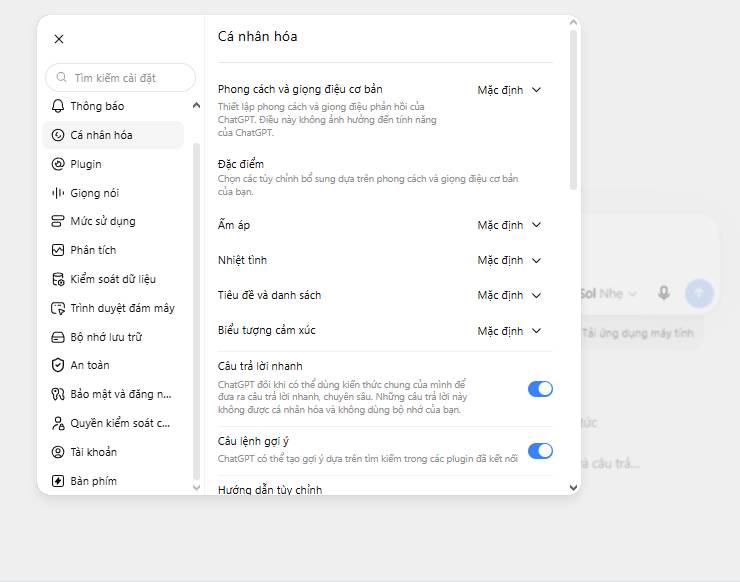
5. Write clear working instructions
I manage B2B SaaS marketing. Use a professional, direct tone.
For every factual claim, cite the supplied source or label it as unverified.
Return drafts with headings and short bullet points.
Do not invent customer quotes, performance figures, dates, or product capabilities.
Do not send, publish, or approve content; return a draft for human review.
Instructions improve consistency but do not enforce security policy. Test them with adversarial and incomplete inputs, and keep external approval steps outside the model.
6. Decide whether memory is appropriate
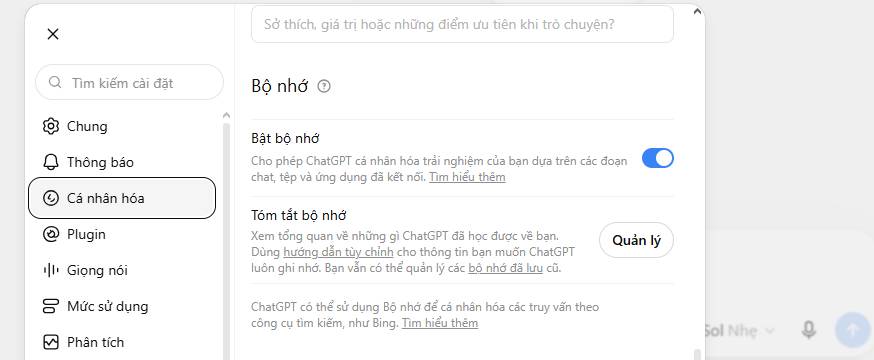
Memory can reduce repeated context, but it should not become a place for passwords, credentials, customer records, health information, legal strategy, or other sensitive details. Confirm its availability and controls in the selected workspace, define prohibited categories, and periodically review stored items.
Controls for a team deployment
- Invite a small pilot group through the approved administrative process.
- Publish only tested, bounded reusable assistants with an owner and version history.
- Configure approved apps and data sources using least privilege.
- Provide a written acceptable-use and data-handling policy.
- Train users to verify citations, calculations, summaries, and external drafts.
- Establish incident reporting for accidental disclosure or unsafe output.
- Measure the pilot before expanding seats or automations.
Compliance questions to escalate
- Healthcare: Do not process protected health information without confirming product eligibility, configuration, and a signed agreement where required.
- Financial services: Confirm supervision, books-and-records, communications retention, suitability, and model-risk requirements.
- Legal work: Evaluate privilege, confidentiality, client consent, data location, and work-product controls.
- Education and minors: Confirm age requirements, institutional approval, student-data terms, and applicable education and child-privacy rules.
- Government: Verify the exact authorization boundary and product offering required by the agency; do not generalize from commercial documentation.
- International use: Assess transfer mechanisms, residency options, local availability, and whether a DPIA or similar review is required.
A safer plan-selection prompt
Act as a requirements analyst, not a legal or purchasing authority.

Organization size and active users: [ ]
Industry and operating regions: [ ]
Data classifications involved: [ ]
Required identity and access controls: [ ]
Required retention, audit, export, residency, and support controls: [ ]
Procurement and contract requirements: [ ]
Approved use cases: [ ]
Prohibited use cases: [ ]
Budget range: [ ]

Create:
1. A requirements matrix for personal, Business, Enterprise, and eligible specialized offerings.
2. A list of claims that must be verified in current official documentation or a contract.
3. A pilot workspace design with owners, roles, data rules, and review gates.
4. Ten acceptable-use rules.
5. Stop conditions that require security, privacy, legal, or procurement review.

Do not invent prices, certifications, plan limits, legal conclusions, or product availability.
Decision checklist
- The required controls are documented, not inferred from marketing language.
- The deployment has written approval from the responsible internal teams.
- Users know what data is allowed and prohibited.
- Connected apps and internal sources follow least privilege.
- High-impact outputs require human approval.
- The pilot has baseline metrics and a review date.
- Pricing, limits, features, and terms were rechecked immediately before purchase.





Reader Comments 0
Sign in with email or Google to join the discussion.