Table of Contents
This guide provides a clear overview of scarily, ai can generate accurate faces just from a person's, including how it works, key details, and practical considerations that can help you use the information effectively.
Overview
Scientists at the Massachusetts Institute of Technology (MIT-USA) have for the first time successfully applied an algorithm to recreate a person's portrait using only a short voice recording.
The AI algorithm called Speech2Face was first introduced in 2019.
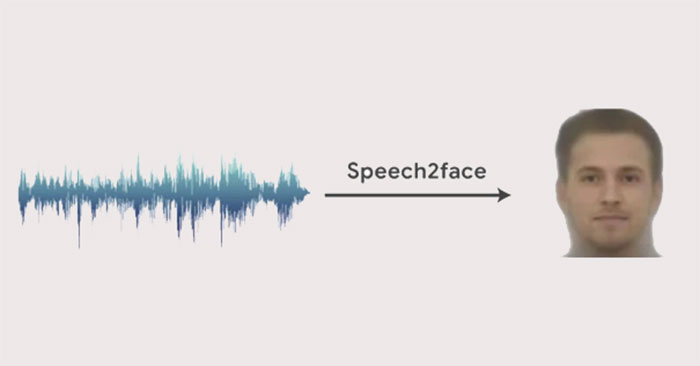
First, the researchers designed a deep learning artificial neural network. The AI was then trained by watching millions of videos from YouTube and the internet of people talking to learn the correlation between the sound of a voice and the speaker, and then make its best guesses about the speaker's age, gender, and nationality.
Once trained, the AI was able to come up with portraits based on voice recordings alone.
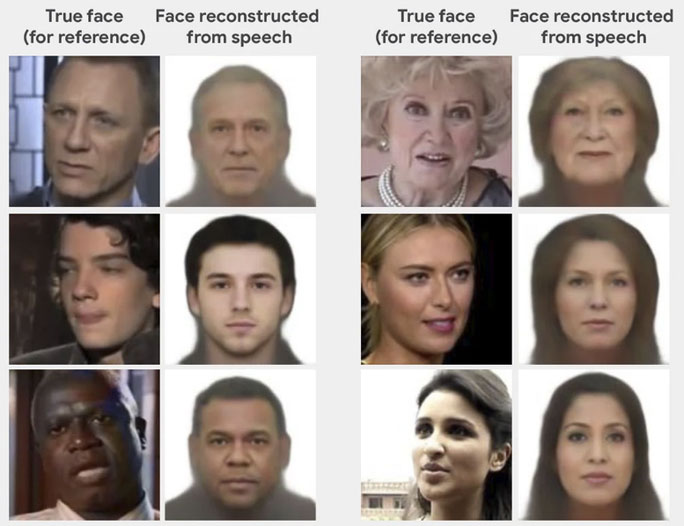
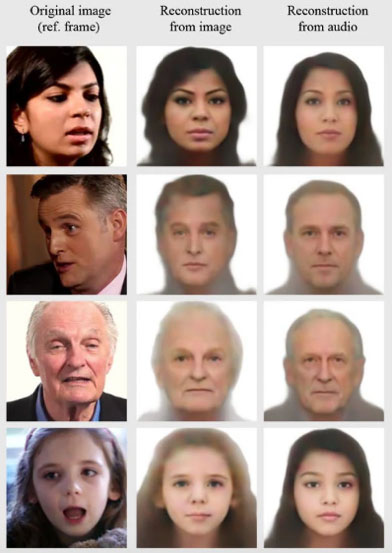
The researchers built a 'face decoder' that creates a standard representation of a person's face from a still image of them, ignoring lighting and pose. They then used this standard human face to compare it to the AI's voice-generated face. The results showed that the AI-generated face was very close to the real face in a wide range of studied cases from a variety of ages, genders, and ethnicities.
AI-generated portraits could be used to assign machine-generated voices to home appliances and virtual assistants, researchers say. Or AI could help law enforcement create a portrait of a suspect from a voice recording as the only evidence. But that could raise privacy concerns.
FAQ
What is create face from voice?
It is the main topic covered in this guide, including the relevant tools, settings, features, or steps connected with scarily, AI Can Generate Accurate Faces Just from a Person's.
Why is create face from voice useful?
It can make scarily, AI Can Generate Accurate Faces Just from a Person's easier to understand, compare, configure, or troubleshoot by organizing the most important information in one place.
What should I check before using this guide?
Confirm that the instructions match your device, software version, region, and intended use, then back up important data before making major changes.
Related Articles
 11 Interesting Things Can Be Observed Through Looks9 minutes read
 Fake Voice 7.0 - Fake Voice 7.0 Download and Installation4 minutes read
 How to Easily Generate QR Codes on Linux6 minutes read
 Top 15 Applications to 'Transform' Your Voice on iPhone6 minutes read
 How to Cut and Join Faces in Photoshop Quickly and Simply3 minutes read
 Top AI Voice Agents for E-commerce7 minutes read
Reader Comments 0
Sign in with email or Google to join the discussion.