Table of Contents
This guide covers Samsung sells its best laptops with practical context and easy-to-follow details. Use it to understand the subject and apply the information confidently.
Samsung's Q laptop has quite a full range of screen sizes of 15. 6 inches (model Q530), 14 inch (Q430 model) and 13. 3 inch (Q330 model) and rich hardware options for each model. .
All types of screen sizes have a standard resolution of HD 1, 366 x 768 pixels, optional Intel Core i3 processor with speeds of 2. 13 GHz or Core i5 with 2. 4 Ghz speed, RAM of 4GB, hard drive from 320 to 500GB.
There are a few differences in graphics cards for these models. While Q530 and Q430 will be equipped with NVIDIA GeForce GT330M GPU, Q330 is GeForce 310M.
All models will be sold this month with a starting price of 910 USD.
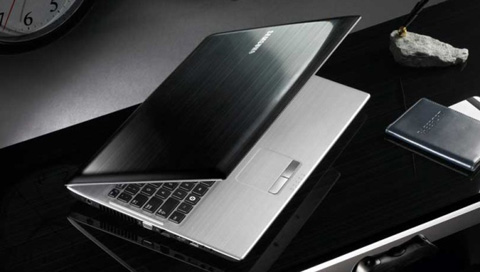 According to Pocket-lint, the Q series is Samsung's best laptop.
 This laptop series has quite a full screen size to choose from.
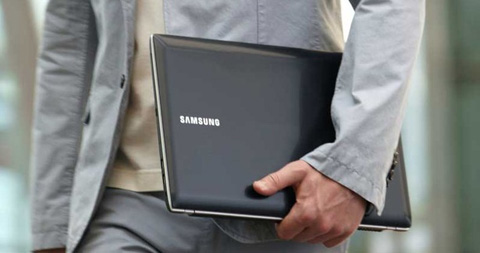 Along with powerful hardware.
FAQ
What should I check before following these steps?
Confirm device and software compatibility, save important data, and make sure you have the required permissions, files, and account access.
Why might the process not work?
Common causes include outdated software, missing permissions, incompatible hardware, an unstable connection, or completing a step in the wrong order.
Can I undo the changes if necessary?
That depends on the tool or setting. Use built-in restore options when available, keep a backup, and record the original configuration first.
Related Articles
 Samsung Will Sell Galaxy Note 4 with Gear 3?4 minutes read
 Samsung Stopped Selling Laptops in Europe3 minutes read
 Chinese Magician Sells SSD 1080 Pro at Super Cheap Price Even Though Samsung4 minutes read
 Samsung Launched 5 Ultra-portable Series 9 Laptops3 minutes read
 Samsung Series 9 Second Generation3 minutes read
 Samsung Introduced Series 2, 4 and 6 Laptops4 minutes read
Reader Comments 0
Sign in with email or Google to join the discussion.