Table of Contents
This guide covers Samsung, acer launched a laptop running Chrome os with practical context and easy-to-follow details. Use it to understand the subject and apply the information confidently.
The second day of the Google Developer Conference is taking place in San Fransico (USA), Samsung and Acer simultaneously introduced laptop models running Chrome OS.
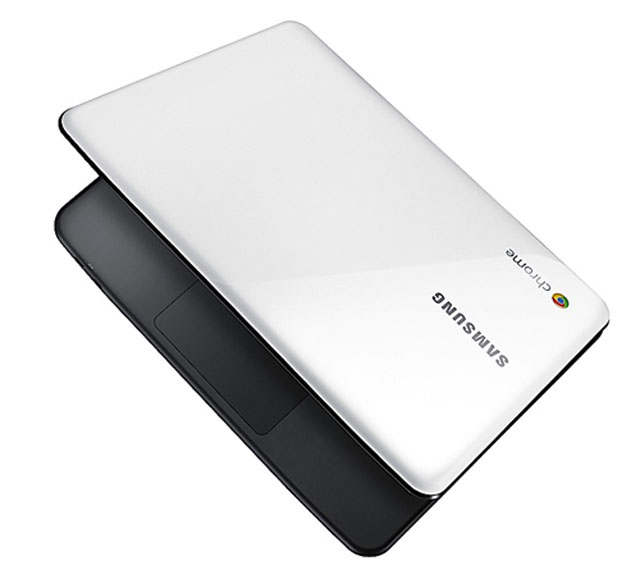 Samsung Series 5 ChromeBook.
The first is the Chrome Series 5 Series Samsung equipped with Intel Atom dual-core Atom N570 processor at 1. 66GHz, 16GB SSD drive and battery waiting all day or 8. 5 hours of continuous use. This clamshell design owns a 12. 1 inch screen with a resolution of 1, 280 x 800 pixels, a brightness of 300 nit, weighing 1. 47 kg and only 2 cm thin.
>> Official photos of Samsung Series 5 ChromeBook
The device comes with Wi-Fi, 3G-enabled global band, 2 USB 2. 0 ports, a HD standard webcam and a slightly changed trackpad compared to the previous Cr-48 model. The battery of this model introduced can charge 1, 000 times
You can start ordering Samsung Series 5 ChromeBook on June 15 here at Amazon or Best Buy (US market) for $ 429 for Wi-Fi and $ 499 for 3G.
Acer Chrome OS laptop.
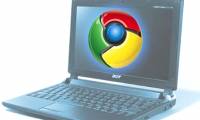
Next is Acer laptop model currently without an official name. The device is quite similar in configuration to Samsung Series 5 ChromeBook including Intel Atom N570 processor, 16GB SSD drive, instant boot feature, 2 USB ports, webcam, HDMI port and 6. 5 hour battery.
>> Official photos of laptops running Acer OS of Acer
Acer's products will also start selling on June 15, similar to Samsung through two retailers, Amazon or Best Buy (US market). However, the price of Acer laptop will be cheaper at $ 349 for the version with 3G connection.
Samsung Series 5 Pictures of ChromeBook :
Laptop image running Chrome OS by Acer:
FAQ
What should I check before following these steps?
Confirm device and software compatibility, save important data, and make sure you have the required permissions, files, and account access.
Why might the process not work?
Common causes include outdated software, missing permissions, incompatible hardware, an unstable connection, or completing a step in the wrong order.
Can I undo the changes if necessary?
That depends on the tool or setting. Use built-in restore options when available, keep a backup, and record the original configuration first.
Related Articles
 Acer Launched the Tablet Running Chrome OS First3 minutes read
 Laptop Running Chrome OS Will Be 'Born' in mid-20113 minutes read
 Lenovo Launched the First Chromebook for $$ 4504 minutes read
 Intel, Google Created Chromebook Laptop Development Alliance4 minutes read
 Acer Launched Netbooks Using Chrome OS3 minutes read
 Acer Will Sell Chrome OS Netbook4 minutes read
Reader Comments 0
Sign in with email or Google to join the discussion.