Table of Contents
This guide covers Intel, Google created chromebook laptop development alliance with practical context and easy-to-follow details. Use it to understand the subject and apply the information confidently.
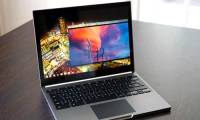
Accordingly, this summer, both Dell and Acer will launch Intel Core i3-based Chromebooks. Dell will also launch its new version of Chromebook 11 with Core i3 chips this year, while Acer's C720 will be available on the market for the first time at $ 349. 99. It is not clear how much the Dell laptop will cost. Besides, with the equipped Core i3 chip for Chromebook, the performance of this laptop will be raised, but most likely users will have to sacrifice the battery life of the device.
Besides Core i3 models, Google also announced a new series of Chromebooks using Intel's Bay Trail-M chipset. The chip maker promises that these models will have 11 hours of battery life. These Chromebooks also do not use cooling fans.
Asus and Acer also announced Chromebooks using these processors. Asus introduced the 11. 6-inch C200 and 13. 3-inch C300, while Acer will only release one model. Unfortunately, these Chromebook's pricing and shelf information have not been disclosed yet. In its event, Intel did not say whether future Chromebooks will have large screens and high resolutions. Most Chromebooks now use 11-inch screens and the resolution is quite low. Only Samsung Chromebooks use Exynos chips with 13-inch screens and full HD resolutions. Therefore, users of this product line will have to choose between performance and screen quality.
FAQ
What should I check before following these steps?
Confirm device and software compatibility, save important data, and make sure you have the required permissions, files, and account access.
Why might the process not work?
Common causes include outdated software, missing permissions, incompatible hardware, an unstable connection, or completing a step in the wrong order.
Can I undo the changes if necessary?
That depends on the tool or setting. Use built-in restore options when available, keep a backup, and record the original configuration first.
Related Articles
 69% of Chromebooks Are Using Intel Processors6 minutes read
 What Is a Chromebook and How Is It Different from a Laptop?7 minutes read
 Google Released a Laptop for VND 3 Million4 minutes read
 Chromebook Retina Monitor Can Be Sold Later This Year4 minutes read
 Googe Wrote Poetry to Market Chromebook Computers3 minutes read
 Google Is About to Unveil the Chromebook 12. 85-inch Model3 minutes read
Reader Comments 0
Sign in with email or Google to join the discussion.