Table of Contents
This guide covers run ie on mac with practical context and easy-to-follow details. Use it to understand the subject and apply the information confidently.
With Linux, you can use Ies4Linux , there is an ies4OSX version available for Mac OSX.
Ies4OSX uses X11 and darwine (a port-over from WINE of Linux). X11 is available in Mac Leopard. For Tiger users, you must install it from the Mac installation CD.
In case you are new to X11 and darwine and think that you have to use a lot of related commands, it is completely wrong. No need for any order. Like other Mac apps, just double select to install and it will create a desktop shortcut for you. Installing IE on Linux can be very easy.

The render engine in ies4OSX is an exact copy of what you see in Windows, but don't expect it to be as easy as Safari or Firefox.
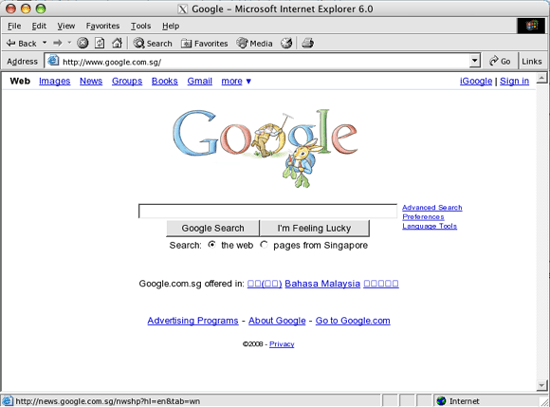
To finish, don't expect IE on Mac to run as fast as Safari or Firefox. Because it does not support to use for web surfing in Mac itself. However, if you are a developer and want to test tasks in IE environment, ies4OSX is the right tool for you.
Download ies4OSX Download Darwine
FAQ
What should I check before following these steps?
Confirm device and software compatibility, save important data, and make sure you have the required permissions, files, and account access.
Why might the process not work?
Common causes include outdated software, missing permissions, incompatible hardware, an unstable connection, or completing a step in the wrong order.
Can I undo the changes if necessary?
That depends on the tool or setting. Use built-in restore options when available, keep a backup, and record the original configuration first.
Reader Comments 0
Sign in with email or Google to join the discussion.