Table of Contents
If someone calls claiming they can unlock your bank account, hang up and contact the bank yourself. Use the number on your card or statement, or open the official banking app. A real lockout can make a scam call sound convincing. Keep your one-time passwords (OTPs) private and decline any request to install an app or share your screen.

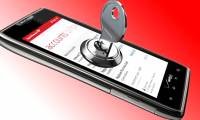
A bank sign-in notice warns that repeated failed attempts can trigger a lockout. Limits vary by bank. Photo: Luu Quy.
How the lockout scam works
A caller may use a real or invented sign-in problem to make you act quickly. They might send a link to a fake banking app, ask you to approve a prompt on your phone or request an OTP to supposedly verify your identity. An account number alone does not give the caller control of your phone. The follow-up request is what puts your device or funds at risk.
Verify the alert through your bank
Open the app you already use and check its notices, or call the bank using a trusted number. Ask whether the account is locked and use the recovery steps the bank provides through that channel. Read any sign-in or payment prompt before approving it. For examples of how to confirm a request independently, see how to verify sensitive requests and the FTC’s advice on unexpected bank calls.
If you shared a code or installed an app
If you granted remote access, disconnect the affected phone from the network and use another device to contact the bank’s fraud team. Tell them what you shared or approved and ask them to secure the account and review recent transactions. Keep messages, phone numbers and transaction details for the bank. Before entering new credentials on the affected phone, get help checking it for unwanted software. See how to check an unfamiliar download before you open one in the future.
Related Articles
 Instructions to check MB Bank account balance
 Anyone must memorize these golden rules to secure bank accounts
 Hacker took advantage of the vulnerability in SS7 to steal bank accounts
 How to check the balance of Maritime Bank account
 5 common methods hackers use to hack bank accounts
 Stolen bank account with Trojan Banking
Reader Comments 0
Sign in with email or Google to join the discussion.