Table of Contents
This updated guide examines Review Tenda Ac7 Ac1200: a Strong and Stable Dual Band Wi-Fi and organizes the essential facts, background, and practical takeaways in clear American English.
Specifications of Tenda AC7 AC1200
Standard & Protocol IEEE802.3, IEEE802.3u Interface
- 1 WAN port 10 / 100Mbps
- 3 LAN ports 10 / 100Mbps
Antenna 5dB external 6dBi Source
- Input: 100-240V — 50 / 60Hz, 0.2A
- Output : DC 9V1A
Dimensions 220mm x 141.5mm x 49mm Weight 760g ± 100g Wireless standard
- IEEE 802.11ac / a / n (5GHz)
- IEEE 802.11b / g / n (2.4GHz)
Data rate
- 5GHz: Up to 867Mbps
- 2.4GHz: Up to 300Mbps
Dual band 2.4 and 5GHz Dual bands Basic features
- Broadcast SSID: On / Off
- Transmission capacity: High, medium, low
- Beamforming
- MU-MIMO
Wireless security protocols WPA-PSK / WPA2-PSK, WPA / WPA2 Special features
- Smart energy saving
- Smart LED on / off
- Tenda Cloud
- Tenda application
- etc.
Setup and connectivity

Tender AC7 AC1200 provides very good hardware, high speed data transfer, can be configured directly from the browser or even from a mobile application.
Equipped with 5 6dBi external antennas, Tenda AC7 has superior wall penetration and provides approximately 50% higher Wi-Fi coverage than conventional AC1200 routers. AC7 is a AC1200 wireless router for families with high-speed Internet connection or where there are many devices that need to connect to the Internet at the same time.
AC7 benefits from a combined dual band wireless transfer speed of up to 1167Mbps, about 70% more than other routers (at speeds of only 300 / 450Mbps). Broadband signal lets you enjoy 4K streaming and smooth online gaming.
The router can make transmissions without losing data in the slightly disturbed 5GHz band, to take full advantage of each bit of bandwidth.

With its independent power amplifier, Beamforming + technology and 5 external 6dBi antennas, the AC7 is capable of transmitting signals over a wall better than conventional routers. Powered by powerful CPU and the latest MU-MIMO technology, AC7 provides you with a fast and stable Internet connection, allowing multiple devices to connect.
Management and conversion
The user-friendly PPPoE account transfer function makes it easy to keep the same configuration when changing the router, giving you and your family a fast and smart wireless Internet experience.
- How to set up and use PPPoE Internet connection on Windows 10
AC7 supports cloud management. Using Tenda's WiFi app, you can control many features, such as giving children access to the Internet or blocking unwanted users.

It even includes a special WiFi scheduling feature, with night off, to save power.
Conclude
Tenda AC7 AC1200 is a powerful yet cheap wireless router capable of delivering 1Gpbs of traffic.
Advantages:
- Very good price (less than VND 500,000)
- Performance on average
- 5 antennas for good signal
- Allow multiple simultaneous connections
- Convenient management via smartphone application
Defect:
- Gamers will need another faster option
FAQ
What is Review Tenda Ac7 Ac1200: a Strong and Stable Dual Band Wi-Fi about?
It provides a structured overview of Tenda AC7 AC1200, explains the main context, and highlights practical takeaways for readers.
Why does this topic matter?
Understanding the main concepts helps readers evaluate the issue, avoid common mistakes, and make better-informed decisions.
How should readers use this information?
Use the guidance as a practical starting point, confirm details that may have changed, and follow current product, safety, or security recommendations.
Related Articles
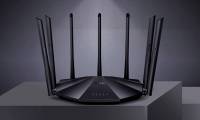 Tenda AC23 Review: Dual Band Gigabit Wi-Fi Router5 minutes read
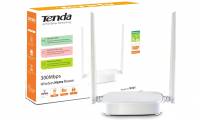 Review Tenda N301: the Router Is Compact and Affordable3 minutes read
 Top 5 Best Tenda Wi-Fi Routers 20216 minutes read
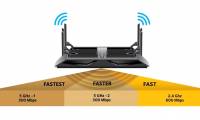 What Is a Dual-band and Tri-band Router?12 minutes read
 Asus Rt-ac68u Review: Versatile Dual Band Mesh Wi-Fi Router6 minutes read
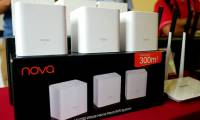 Review Tenda Nova Mw6 and Mw3: Good, Cheap Mesh Mesh Wi-Fi System6 minutes read
Reader Comments 0
Sign in with email or Google to join the discussion.