Table of Contents
Early-2025 laptop recommendations still make a useful shortlist if you’re shopping for discounted or secondhand hardware. Start with your apps and budget. Then compare the exact processor, memory, screen and battery condition. Product names such as Swift Go 14 can cover several different configurations.

Pick the group that fits your work
| Use | Models to compare | What to check |
|---|---|---|
| Everyday, study and travel | MacBook Air M3, Acer Swift Go 14, Asus Zenbook 14 OLED, Asus Zenbook S 14 | Operating system, memory, weight and screen finish. Make sure an older model is meaningfully cheaper than a newer one. |
| Editing and gaming | 16-inch MacBook Pro with M4 Pro, Lenovo Legion Pro 7i Gen 9 | App or game support, graphics performance, fan noise and weight with the charger. |
| Convertible or browser-based use | HP Spectre x360 14, Samsung Galaxy Chromebook Plus | Check pen and hinge condition on the HP. On the Chromebook, verify whether your school or work apps run in ChromeOS. |
| Battery and business travel | Dell XPS 13 9345, Asus ExpertBook P5 | Check Windows-on-Arm app and driver support on the Snapdragon Dell, and compare ports and warranty options. |

How to read laptop test results
Laptop Mag’s recommendations draw on battery, display and performance tests. Match the test to your workload. A web-browsing battery test is more useful for judging light travel use than for predicting gaming runtime. For a used Windows laptop, verify its hardware configuration and check its battery report. On a used Mac, check the battery condition and cycle count.
Related Articles
 These 15 tips will help you get up early in the morning very effectively
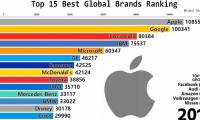 How did Apple sweep and occupy the No. 1 ranking of the world's 15 most valuable brands?
 7 absolute habits should not be done after waking up in the morning
 Valorant rolled out the update 1.02: More ranked matches and surrendered early
 AnTuTu smartphone ranking 1/2025
 The Peruvian government buys 40,000 laptops for elementary students
Reader Comments 0
Sign in with email or Google to join the discussion.