Table of Contents
This step-by-step guide explains how to open the MacBook pro box using Intel core i7. It covers the required setup, the main actions, and the checks that help prevent common problems.
The version introduced below owns LED backlight mirror screen size of 15. 4 inches with 1, 440 x 900 pixel resolution and configuration including Intel Core i5 processor with speed of 2. 53 GHz 3MB L3 cache, RAM 4GB 1066 MHz DDR3, NVIDIA GeForce graphics card 330M 256MB VRAM and Intel HD Graphics graphics chip, SATA hard drive 500GB speed 5, 400rpm with Sudden Motion Sensor technology with 2-layer DVD optical read / write 8X.
This 15-inch MacBook Pro is priced at Apple's $ 2, 199.
Here are some photos of opening this product box.
 External containers are not much different from previous versions.
 This is a 15-inch MacBook Pro version using Intel Core i7 processor with a speed of 2. 66 GHz 3MB L3 cache.
 The familiar unibody design of the MacBook Pro series.
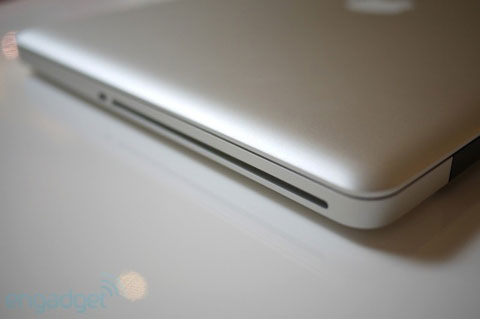 Optical drive swallow disc at right side
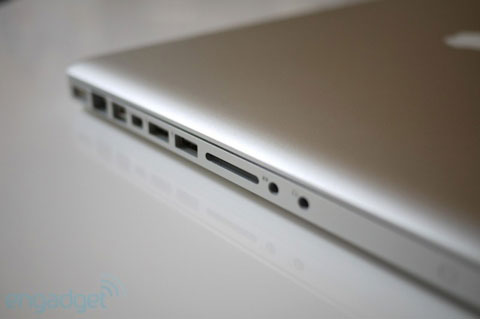 Connection ports on the left side.
 The machine possesses charming curves that have become the brand of MacBook.
 Keyboard.
 LED backlight mirror screen size 15. 4 inches 1, 440 x 900 pixel resolution.
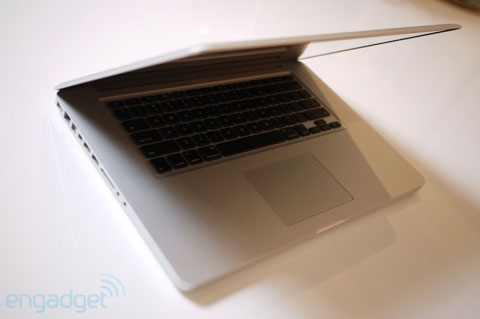 The continuous usage time is announced by Apple in about 8 to 9 hours continuously.
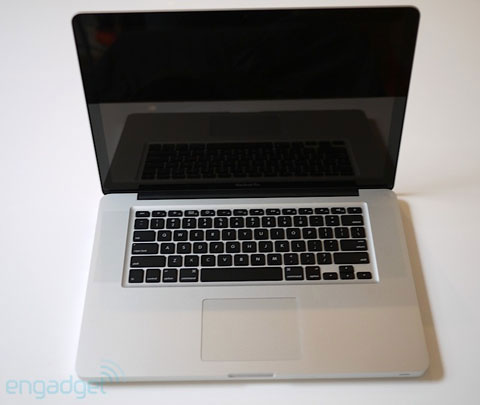 Multi-tap trackpad.
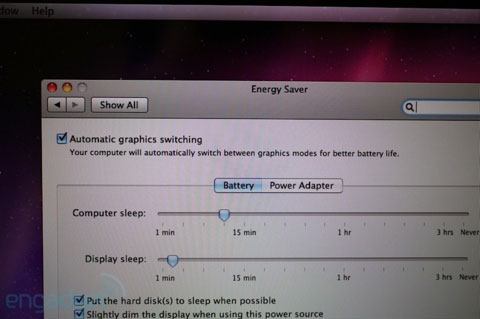 The machine only provides automatic graphics card switching mode or only uses discrete graphics cards but cannot turn on the integrated graphics chip.
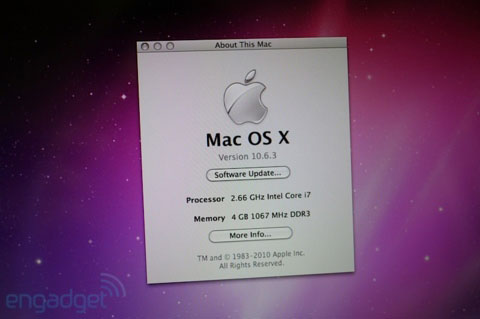 The new MacBook Pro comes pre-installed with Mac OS X Snow Leopard operating system.
FAQ
What should I check before following these steps?
Confirm device and software compatibility, save important data, and make sure you have the required permissions, files, and account access.
Why might the process not work?
Common causes include outdated software, missing permissions, incompatible hardware, an unstable connection, or completing a step in the wrong order.
Can I undo the changes if necessary?
That depends on the tool or setting. Use built-in restore options when available, keep a backup, and record the original configuration first.
Related Articles
 Top 5 Best Intel Cpus 20228 minutes read
 What's the Difference Between Intel Core and Intel Core X Cpus?8 minutes read
 Learn About E-Core and P-Core in Intel Cpus8 minutes read
 Should I Choose Intel Core i9, Core i7 or Core i5 CPU?10 minutes read
 Apple Can Upgrade MacBook with Core i5 and i74 minutes read
 Does Your Computer Need Intel Core i3, i5 or i7?12 minutes read
Reader Comments 0
Sign in with email or Google to join the discussion.