Table of Contents
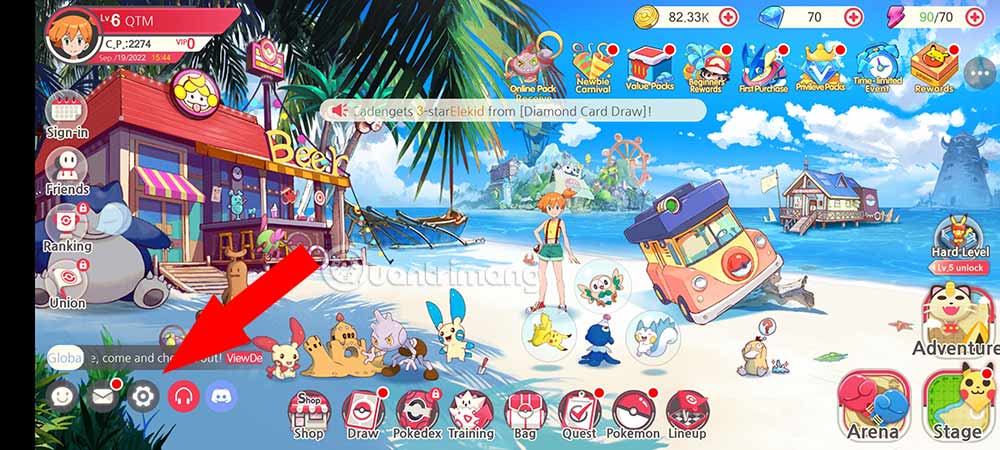
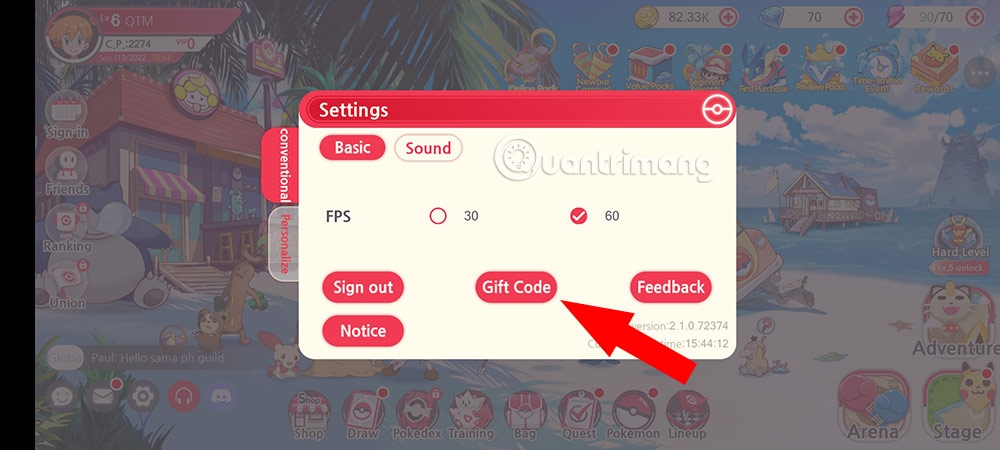
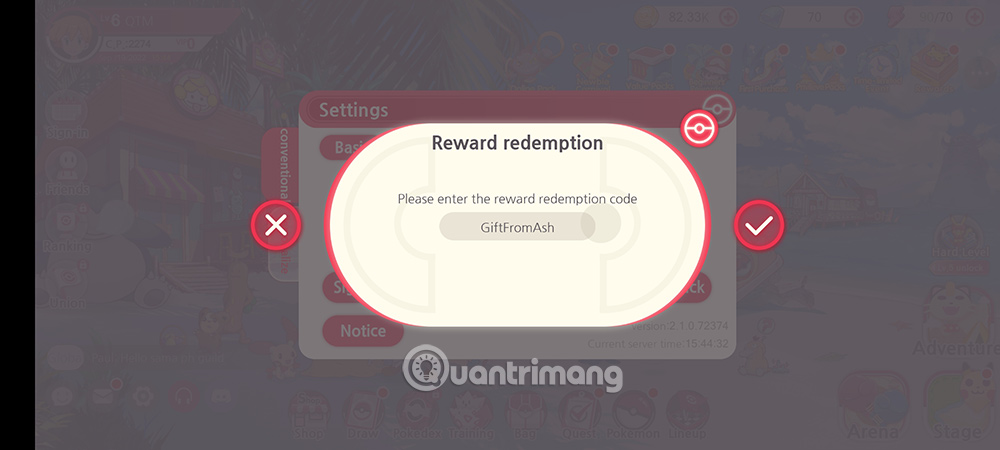
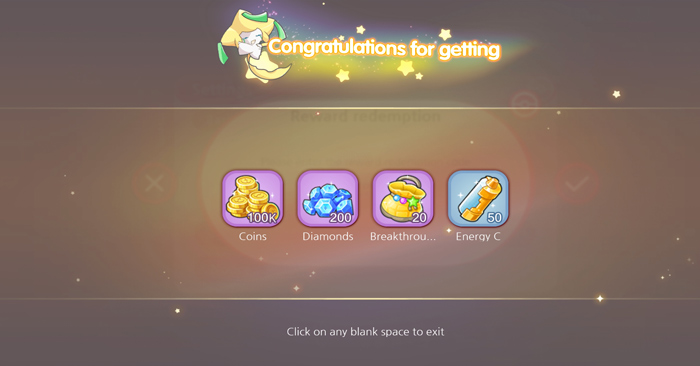
To redeem a Pet Compact gift code, open the gear icon on the game’s main screen, choose Giftcode, paste one code and tap the checkmark. The confirmation screen shows which items the game credited to your account.
Pet Compact codes reported by players and guides
An updated Vietnamese Pet Compact guide lists several older codes. The table records codes from the original article. Availability and rewards can differ, so use the response in the game to verify them.
| Codes to check | What to verify |
|---|---|
GiftFromAMPAS, GiftFromAsh, GiftFromMisty, GiftFromBrock, GiftFromShourize, DROAKSGIFT | These appeared in older gift lists. Check whether your account still accepts them. |
NEWBIEGIFT4U, 1YearSoon, MondayGift0725 | These were previously reported. Check any eligibility or event conditions in the game. |
Redeem a Giftcode
- Open Pet Compact with the account you want to receive the reward.
- Tap the gear at the lower left, then tap Giftcode.
- Paste a code exactly as written and tap the checkmark.
- Read the confirmation for the specific reward. Past rewards have included items such as coins, diamonds and energy.
If a code doesn’t work
Remove extra spaces and preserve the original case. Check whether the code expired or was already used. For new codes, start with the game’s notices and publisher announcements. You don’t need to provide your account password to a code-list website.
Related Articles
 Summary of codes and how to get the latest items in Roblox
 Summary of the latest Pocket Love code and how to enter
 Summary of the latest A One Piece Game code and how to enter
 Roblox Promo Codes for August 2026 and How to Redeem Them
 Summary of the latest Dragon Orbz code and how to enter
 Murder Mystery 2 Codes: No Active MM2 Codes Right Now
Reader Comments 0
Sign in with email or Google to join the discussion.