Table of Contents
Explore nanazip -- an open-source tool for decompressing zip files.
While both WinRAR and 7-Zip remain excellent tools in 2026, something even better has recently emerged. NanaZip is developed from the source code of 7-Zip, meaning you get all the great features you had with 7-Zip. However, what sets it apart is its modern interface, better integration with Windows context menus, and automatic updates that keep everything secure.
What is NanaZip?
NanaZip is an open-source file compression and decompression software for the modern Windows experience, developed from the source code of the popular open-source file compression and decompression software 7-Zip.
What makes NanaZip so great?
It feels like an upgrade
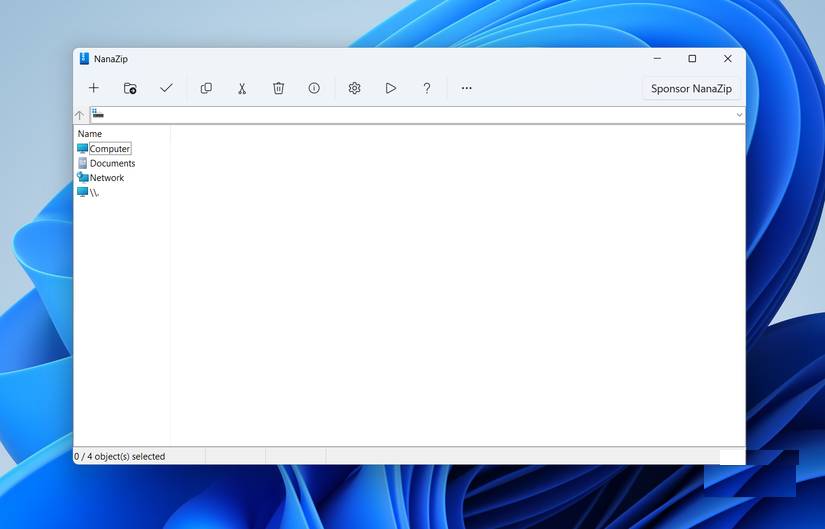
NanaZip is built on 7-Zip's technology, meaning you still get the same legendary compression and decompression performance. It can handle everything you put in: ZIP, RAR, 7Z, TAR, ISO, etc. If it's an archive file, NanaZip can open it.
Like 7-Zip, NanaZip is also completely open source and entirely free. You won't see any pop-up windows asking you to buy a license or any trial countdown timers. So you won't feel guilty every time you close the app after "evaluating" it for 5 years.
However, what people really like about NanaZip is its interface. It looks modern in a way that most other compression tools don't seem to notice. The user interface is clean, with simple icons instead of large, outdated buttons. Honestly, it looks like the compression tool Microsoft would create if they decided to.
Why choose NanaZip instead of 7-Zip?
A better version of what you already loved
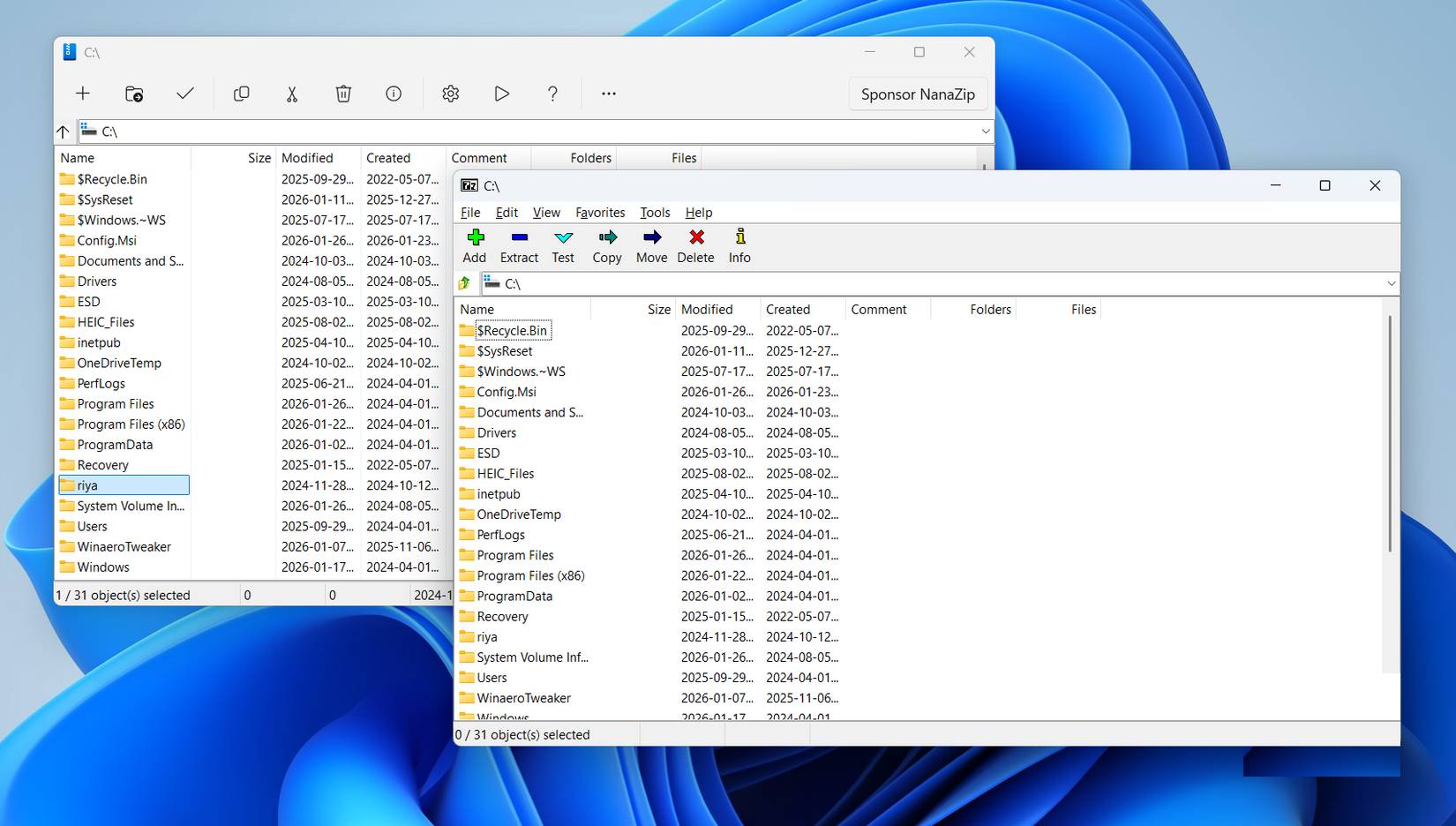
7-Zip is currently the most popular WinRAR alternative, and it's one of the first applications that should be installed on any computer. NanaZip retains all the features that made 7-Zip great and fixes the outdated aspects.
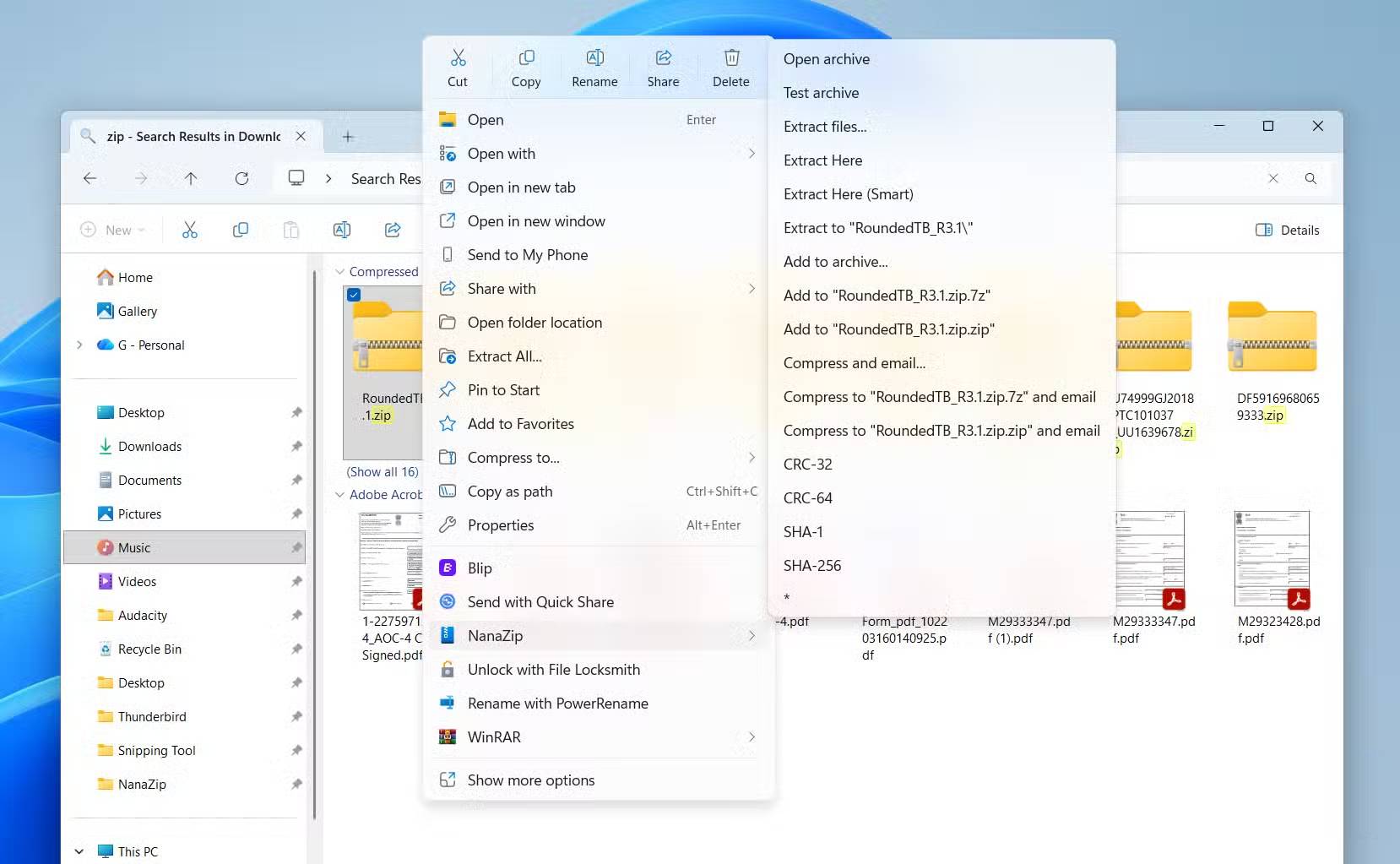
The first thing you'll notice is that NanaZip integrates with Windows' new right-click menu, similar to WinRAR. This makes creating and extracting archives instant. 7-Zip also supports a context menu, but you need to click Show more options to access it.
Next is the design. This may be subjective, but 7-Zip's interface doesn't really fit Windows 11. It works well, but it's not really appealing. NanaZip looks like a modern Windows tool, one built specifically for Windows 11, not from another era.
Finally, NanaZip automatically updates in the background, so you don't need to worry about using an outdated version of the application. This is more important than you might think, especially for a tool used to open files from all over the internet.
7-Zip remains a legendary tool, and WinRAR will always have its place in internet history. But NanaZip is the perfect combination of both. It has the power of 7-Zip, the convenience of WinRAR, and a modern feel that fits Windows.
Using NanaZip feels exactly like 7-Zip
Familiar, fast, and visually appealing
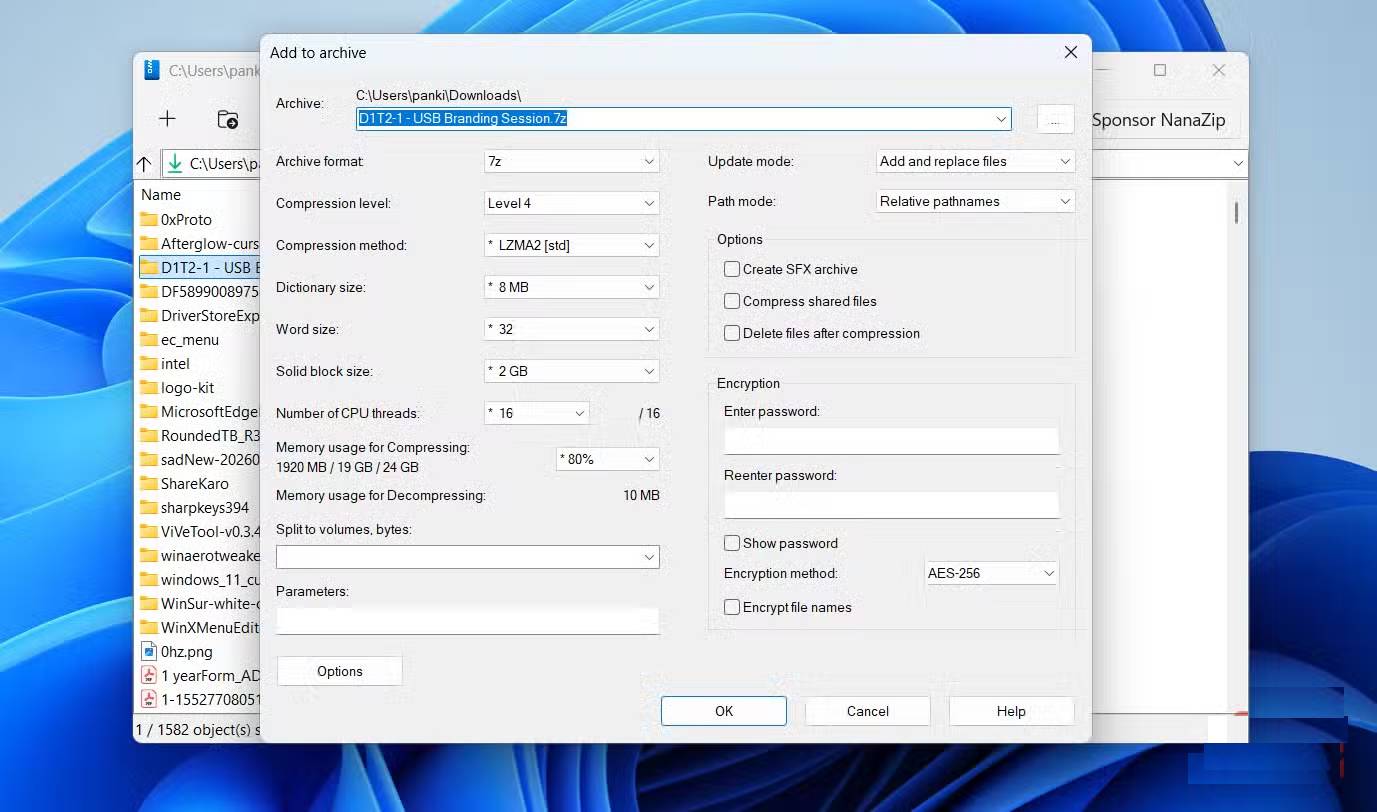
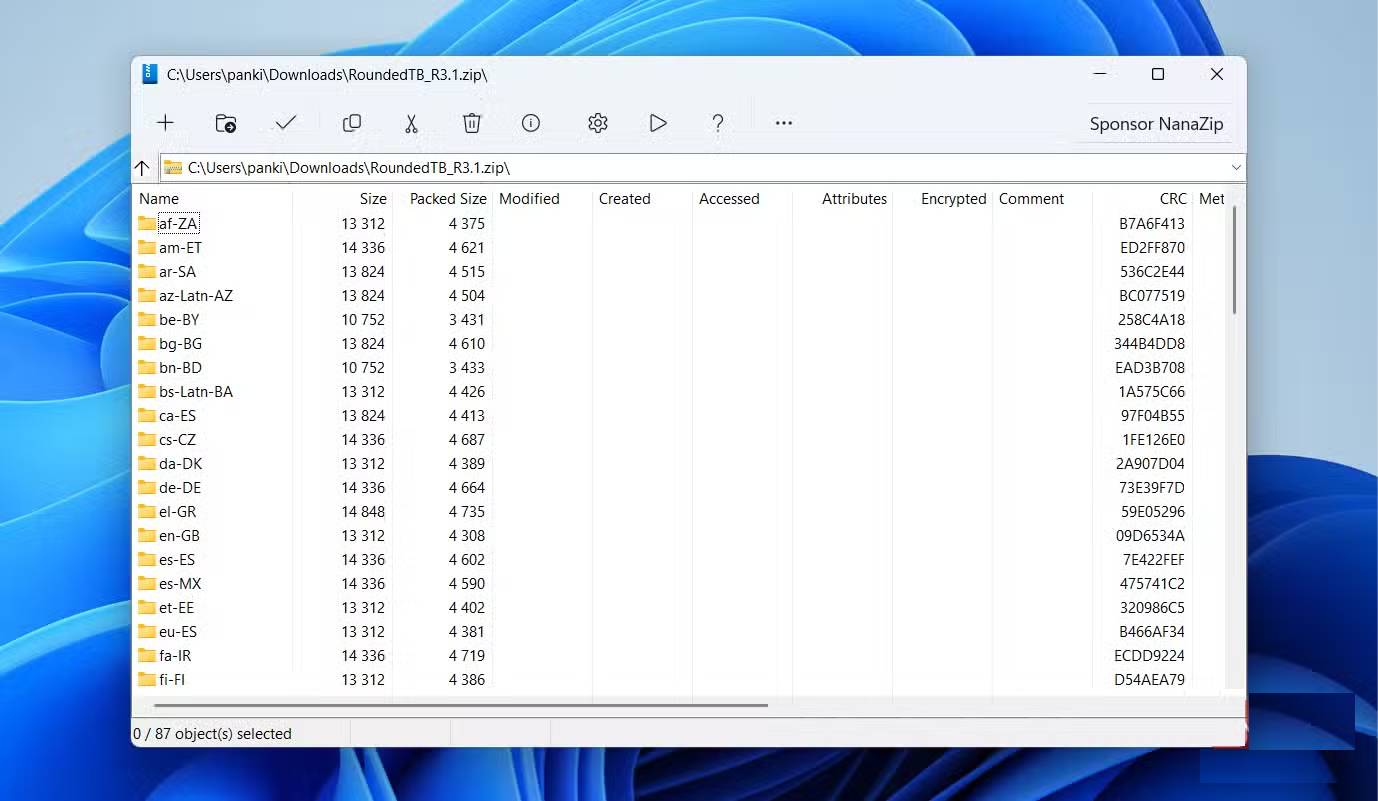
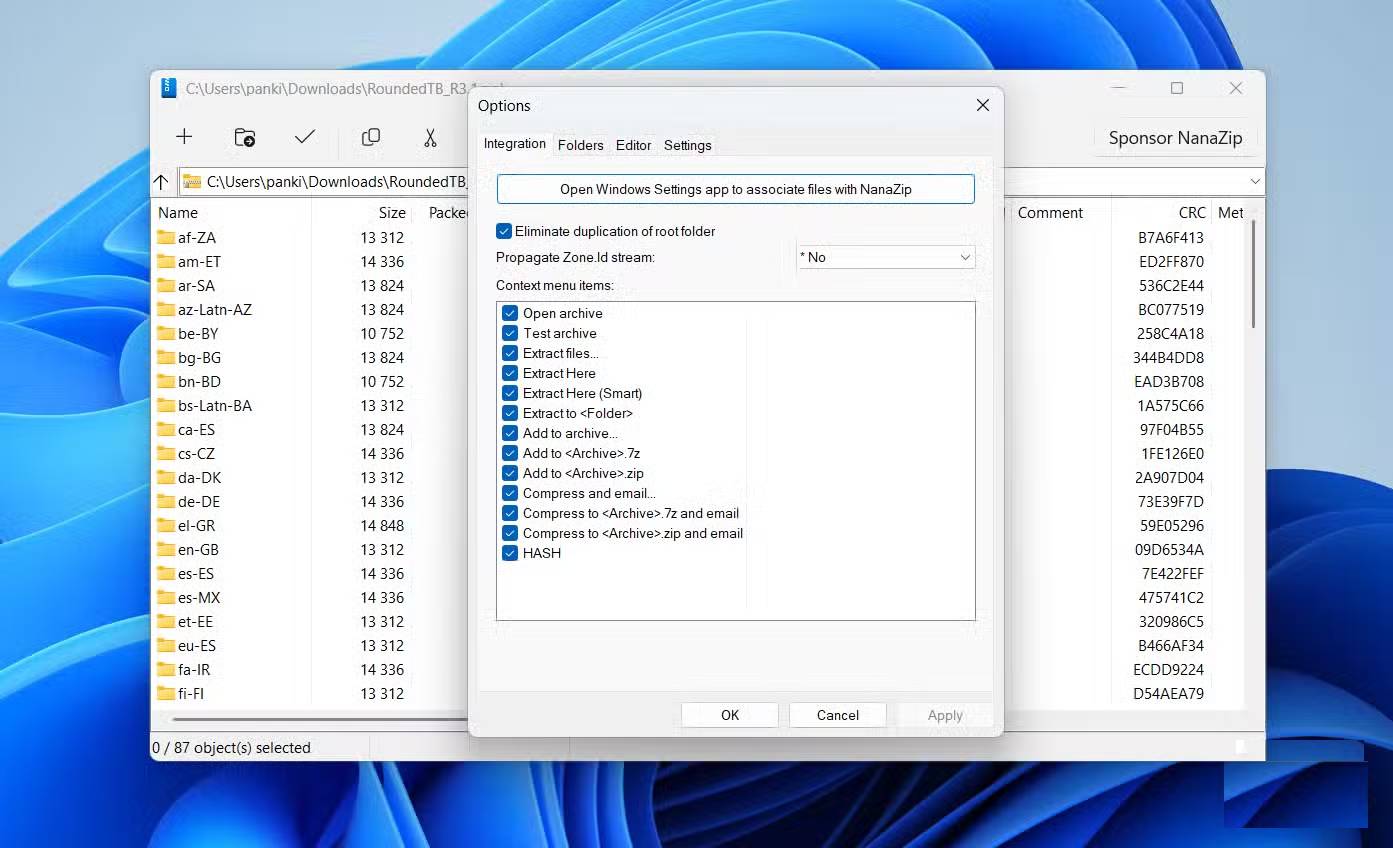
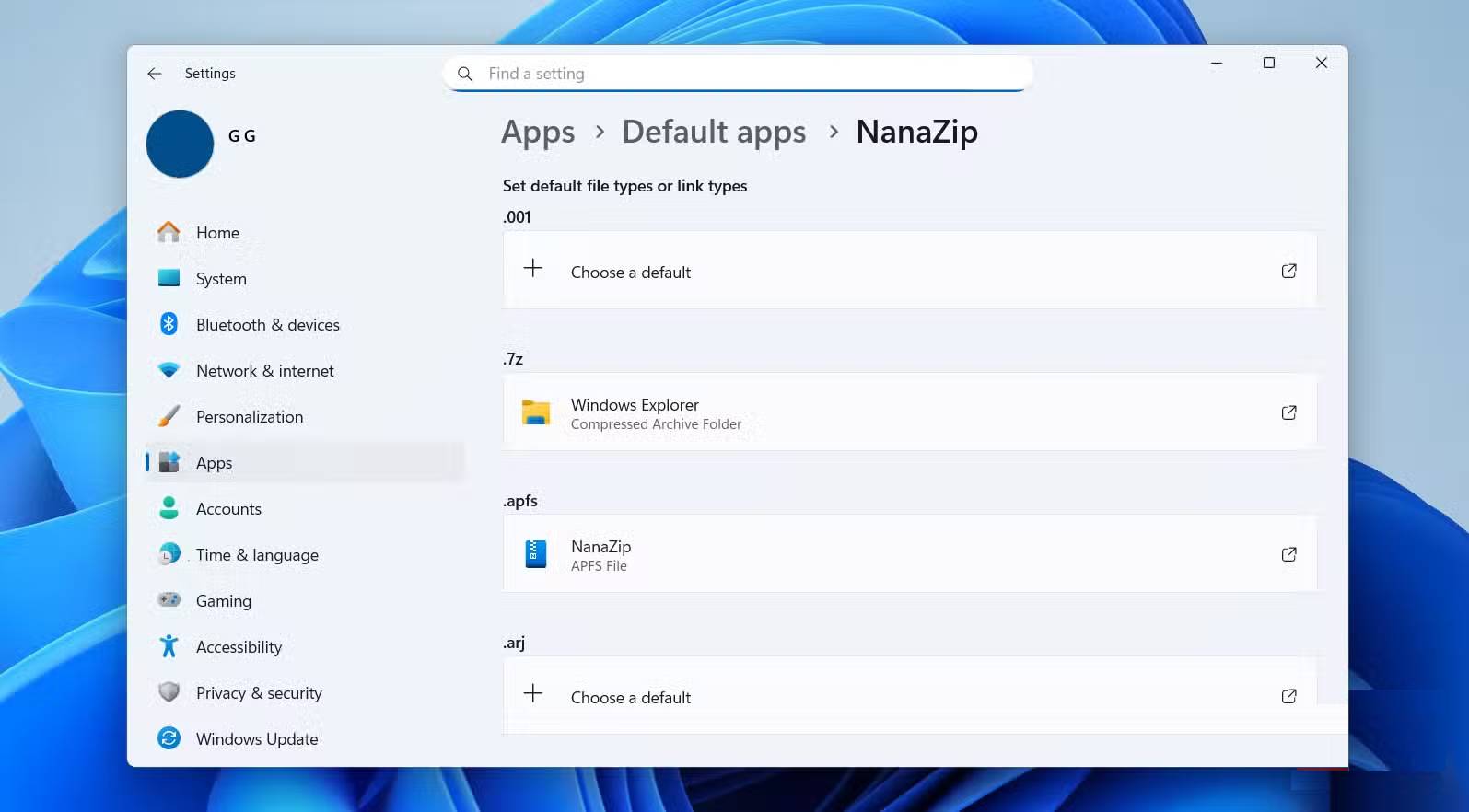
If you've ever used 7-Zip before, you already know how to use NanaZip. That's because they both work exactly the same way.
Creating archives, extracting files, and browsing compressed folders is easy when you open NanaZip. Accessing NanaZip's settings menu allows you to customize context menu items, so you only see the options you actually use. From there, you can open the Windows Settings app to set NanaZip as your default file extraction tool. Once you do that, Windows will use NanaZip for every compressed file you open.
You can also right-click on a file or folder, select NanaZip, and choose the desired action. After you select any action, you will see an interface that looks exactly like 7-Zip.
Final Thoughts
Understanding nanazip -- an open-source tool for decompressing zip files makes it easier to evaluate the information and apply the most relevant recommendations. Focus on the key points above and verify details that may change over time.
FAQ
What is nanazip -- an open-source tool for decompressing zip files?
Explore nanazip -- an open-source tool for decompressing zip files.
What key points does this article cover?
The article focuses on What is NanaZip?, What makes NanaZip so great?, It feels like an upgrade, with practical explanations and examples.
How can you use this information in practice?
Use the explanations to compare options, verify important details, and make a more informed decision. Apply the recommendations that best match your goals and situation.
Related Articles
 How to Use NanaZip to Compress and Decompress Files on Windows 10: Step-by-Step5 minutes read
 Czkawka -- an Open-source Application That Helps Remove Duplicate Data7 minutes read
 Can Open Source Technology Make Money?5 minutes read
 Intel CVAT, a Handy Open Source Data Annotation Toolkit5 minutes read
 Try Switching Everything to Open Source for a Week, You'll Be Amazed!6 minutes read
 What Is Open Source Software?7 minutes read
Reader Comments 0
Sign in with email or Google to join the discussion.