Table of Contents
This guide covers minimum configuration to upgrade to mac os x lion with practical context and easy-to-follow details. Use it to understand the subject and apply the information confidently.
>>> Apple postponed the MacBook Air launch to complete Lion OS
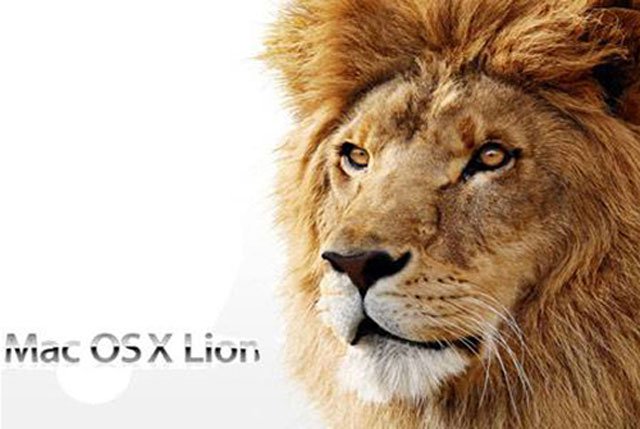 Mac OS X Lion will be released online through the Mac App Store (Photo: Apple).
Apple released a document informing users that they could install the Lion version directly using an iTunes account to download from the Mac App Store for $ 29. 99.
For corporate customers, Apple's online App Store, Business Store, will also release Lion for $ 29. 99 and this version can use up to 20 Macs. The maintenance fee of the "Apple " offer is $ 49. 9 for each Lion version with the same number of machines used.
Students are students, students can buy Lion through the Apple Education Licensing Program or through the Education Store. The new operating system will integrate iLife and iWork apps for $ 39 per device.
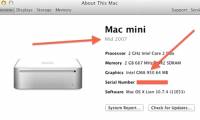
Apple said that the new Mac OS requires a minimum of Core 2 Duo, Core i3, i5, i7 or Xeon chips with at least 2GB of RAM and must run the operating system version from Snow Leopard. 10. 6. 6 onwards. The update is not available for Macs using 32-bit Core Duo and Core Solo processors released in 2006.
Both business customers and regular users get a code on the Mac App Store to download the Lion version of the installer. Apple also said that OS X Lions updates will be sent to users via Software Update on the computer instead of having to download from the Mac App Store for more convenience.
In addition, Apple also announced that customers who bought Mac computers from June 6, 2011 will be upgraded for free when the Lion version is officially released.
"Apple" Has removed the Mac Word in " Mac OS X" But is called " OS X". Even on Apple's home page, the operating system name is simply called " OS X" .
 Mac OS X Lion Server costs $ 49. 99 for each customer separately (Photo: Hitechanology) .
About Mac OS X Lion Server, Apple announced the price for each individual customer is $ 49. 99. Those using Mac OS Snow Leopard Server can upgrade to the Lion Server by purchasing OS X Lion with the Lion Server for a total of $ 80.
Previously, Mac OS X Snow Leopard Server sold for $ 499 and could be used on an unlimited number of clients, but some online retailers reduced the price to $ 390.
Priority for Snow Leopard Server, Apple previously sold Mac OS X Server for $ 500 for the limited number of clients and $ 1, 000 for the unlimited version.
FAQ
What should I check before following these steps?
Confirm device and software compatibility, save important data, and make sure you have the required permissions, files, and account access.
Why might the process not work?
Common causes include outdated software, missing permissions, incompatible hardware, an unstable connection, or completing a step in the wrong order.
Can I undo the changes if necessary?
That depends on the tool or setting. Use built-in restore options when available, keep a backup, and record the original configuration first.
Related Articles
 Upgrade OS X Lion to the Mountain Lion6 minutes read
 Minimum Configuration for Running Windows 103 minutes read
 Mac OS X 10. 7 Lion: Steps to Prepare for Upgrading11 minutes read
 Configure Playing Only Up, Configure Only Up on PC5 minutes read
 Cause Some Macs Not Up OS X 10. 83 minutes read
 How to Install Os X Mountain Lion5 minutes read
Reader Comments 0
Sign in with email or Google to join the discussion.